In our earlier blog on global accessibility laws, we explored how different countries align with the Web Content Accessibility Guidelines (WCAG) and how WCAG has become the global standard for digital accessibility.
But one question still comes up:
“Should my website meet WCAG Level A, AA, or AAA?”
If you are building a website, making it accessible isn’t just a nice thing to do; in many locations, it’s the law. So, what level of WCAG should you try to achieve?
This guide will help you understand what each level does, how it helps, and how to pick the right one for your website.
WCAG levels (A, AA, AAA) - a quick recap
There are three levels to WCAG, and each one has extra requirements over the previous.
We’ll explain how to upgrade from WCAG 2.0 to 2.2 in a future blog, but for now, let’s quickly go over what each level means.
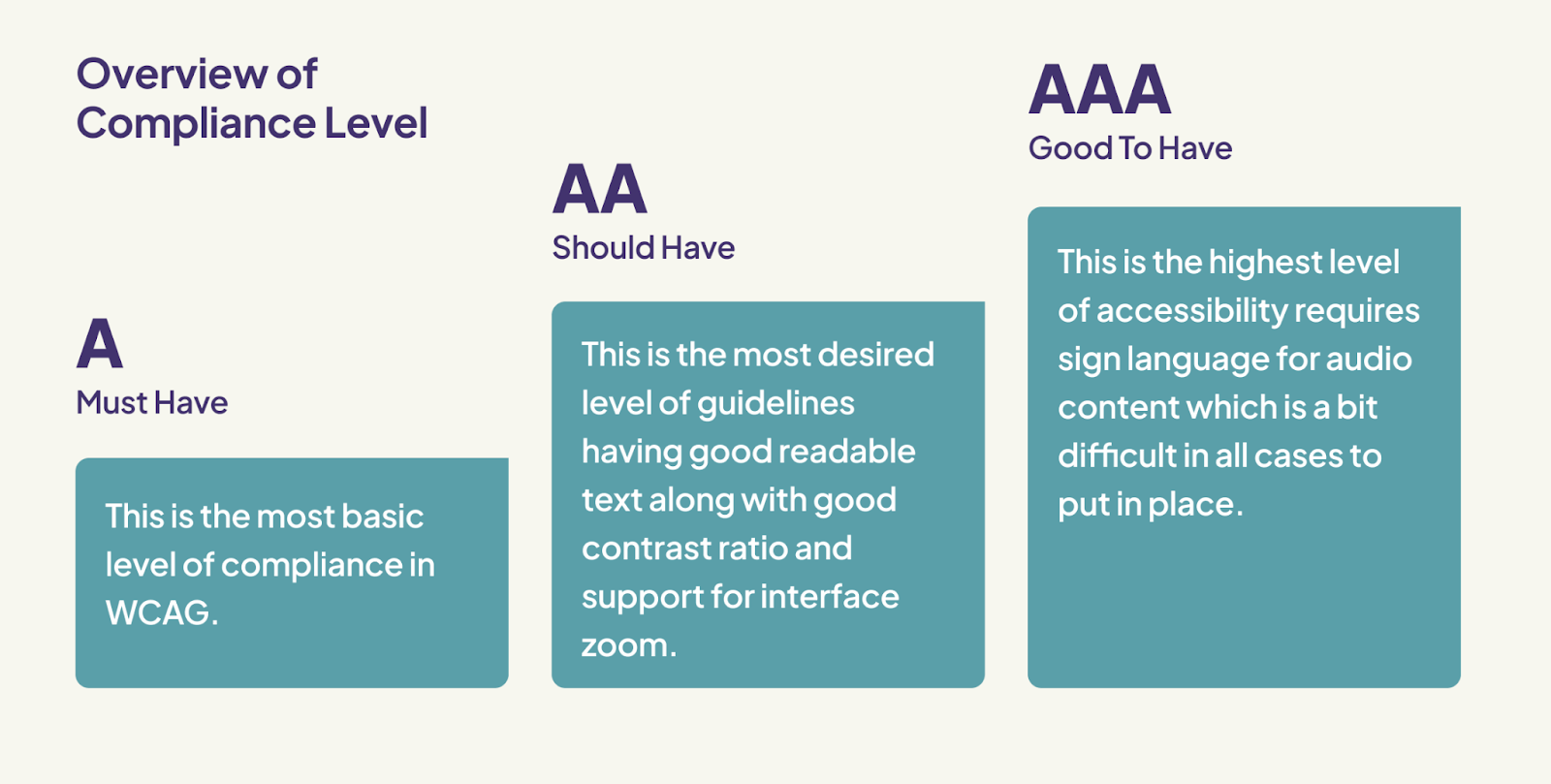
Level A - minimum
Level A accessibility is the most basic, yet essential level for making a website usable for people with disabilities. Without it, many users simply can’t access or interact with our content at all.
Here’s what that looks like in action:
By putting these basics in place, we open the door for more people to use and enjoy our website, and that’s a win for everyone.
Level AA - mid-level (recommended)
Level AAA - highest
How to decide which level you need
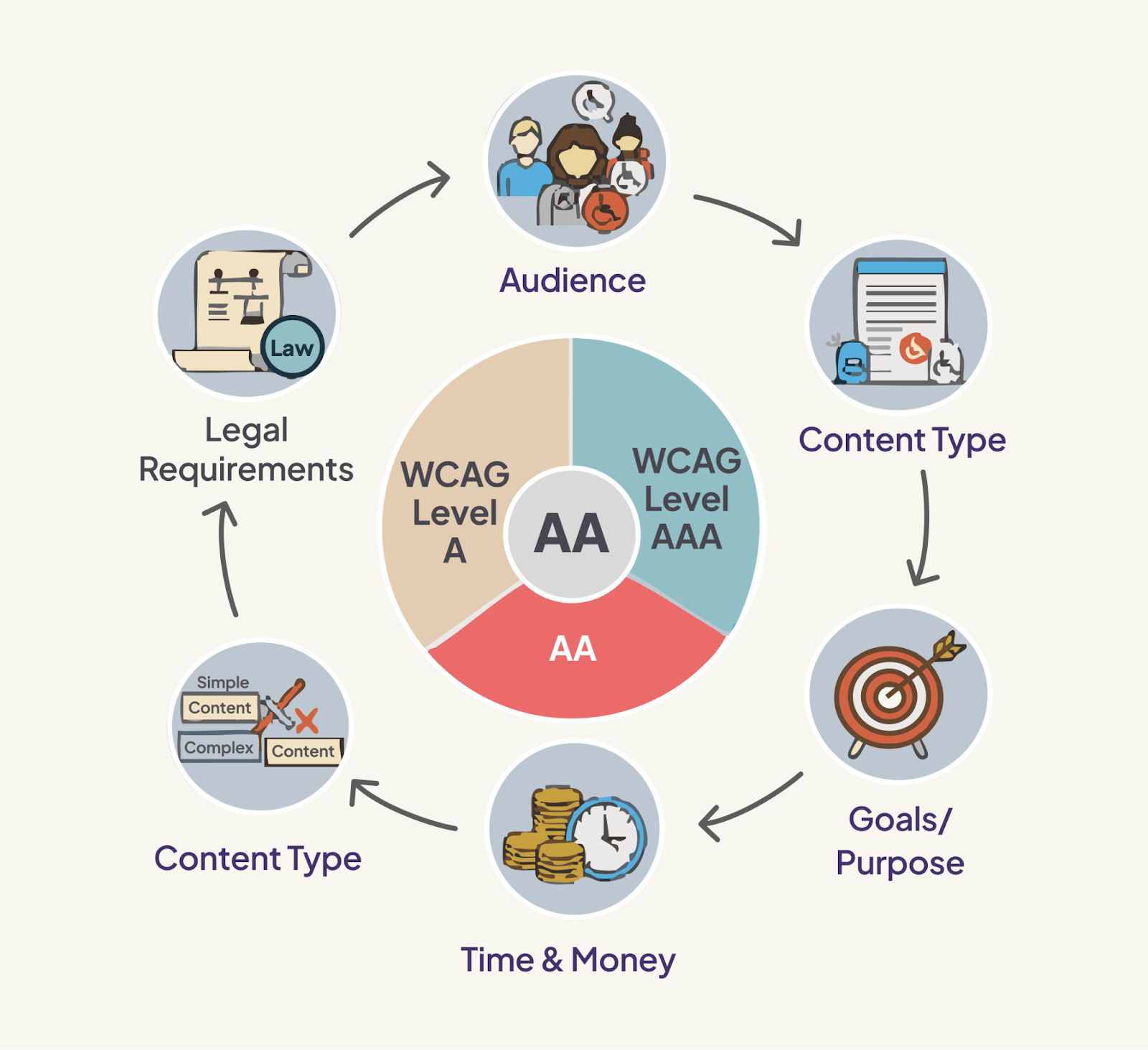
Picking a WCAG level (A, AA, or AAA) is like choosing the difficulty level in a game.
You want it to be good enough to help people use your website, but not so hard that it’s impossible to reach.
Here’s an easy way to understand it:
What does the law say?
As we explained in our blog about global accessibility laws, most countries have their own rules for website accessibility, where they clearly define the required level of accessibility along with the WCAG standard.
When it comes to the most common standards, most laws require you to meet at least WCAG 2.0 or 2.1 at Level AA.
So, if the law in your country or industry specifies which WCAG level and version to follow, make sure to follow that.
Who's going to use it?
Think about who will use your website.
What kind of content is it?
What kind of content or features does your website or product have? Some things are easier to make accessible than others.
How much effort can you put in?
How much time, budget, and resources do you have to make your website accessible?
What's your goal?
Why do you want your website to be accessible? What do you want to achieve?
Our recommendation
If you’re not sure which level to aim for or if the laws in your area don’t specify which guidelines to follow, it’s safest to go for at least WCAG Level AA of the latest version (currently WCAG 2.2).
Here’s why Level AA is a good choice:
Level AAA is a great goal if your website provides critical services or has high-risk content, for example, if it’s a healthcare or emergency service site. But in most situations, AAA is optional and not required by law.
In our next blog, we will also guide you through how to upgrade your website from WCAG 2.0 to 2.2. We explain what’s changed in the new version, what new requirements have been added, and how you can meet them step by step. This will help you keep your website up-to-date and accessible to more people.
Conclusion
Choosing the right WCAG level depends on your country’s laws, your audience, and the resources you have. Level AA is the best choice for most websites, as it helps make your site inclusive and easy for everyone to use.
It’s important to understand that accessibility isn’t just about following the rules; it’s about making the web better and more equal for everyone.
If you haven’t already, we encourage you to read our blogs on global accessibility laws. We will also be sharing more practical guidance on how to upgrade your website from WCAG 2.0 to 2.1 or 2.2 in our upcoming articles.
Together, we can build a more inclusive web, one step at a time.
Stay tuned for more accessibility blogs!