Welcome to this comprehensive guide to automated testing with GitHub Actions. Whether you're a QA Engineer moving into automation, a team setting up CI/CD pipelines, or a manual tester exploring GitHub Actions, this guide is designed for you. Even if you're just curious about automated testing, there's plenty here to learn.
You'll discover how to create and manage GitHub Actions workflows, set up test automation via package.json, run tests automatically, generate and manage reports, handle errors, debug with clarity, and optimise performance.
Before you begin, make sure you’re familiar with basic testing concepts, have a GitHub account, and know your way around the command line. With that in place, you're all set to strengthen your automation skills and streamline your testing workflow.
Getting started with GitHub actions
GitHub Actions is a continuous integration and continuous delivery (CI/CD) platform that allows you to automate your build, test, and deployment pipeline. Let's create our first workflow.
We will use the Cypress automation framework to understand github workflow.
1. Understanding GitHub actions basics
GitHub Actions workflows are defined using YAML files located in your repository. Let’s start by breaking down the key components:
Workflow file location
All workflows are stored in the .github/workflows/ directory in your repository. Each workflow is a .yml file.
Basic workflow structure
A workflow comprises the following elements:
2. Key workflow triggers
Triggers define when your workflow runs. GitHub Actions supports multiple types of triggers:
Trigger syntax example
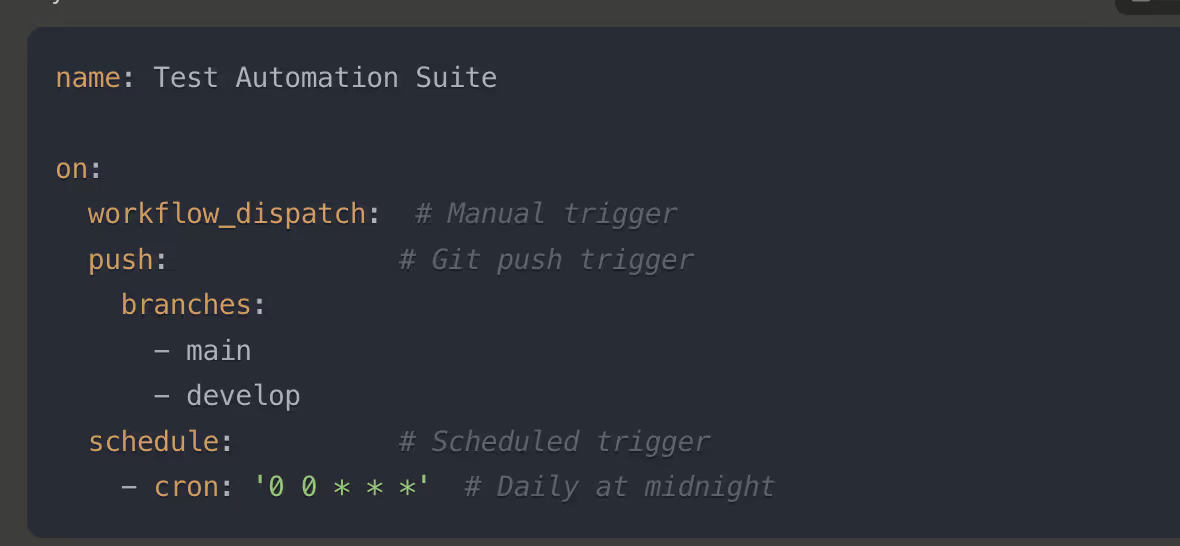
How triggers work
3. Writing your first workflow
Here’s a simple workflow to get started:
Full example Syntax
Explanation
4. Configuring Jobs
Jobs define the tasks to run as part of your workflow.
Example Syntax
Key features
5. Extending your workflow
Once you’ve created your first workflow, you can expand it with additional jobs, steps, or triggers, such as:
Package.json management
Dependencies structure
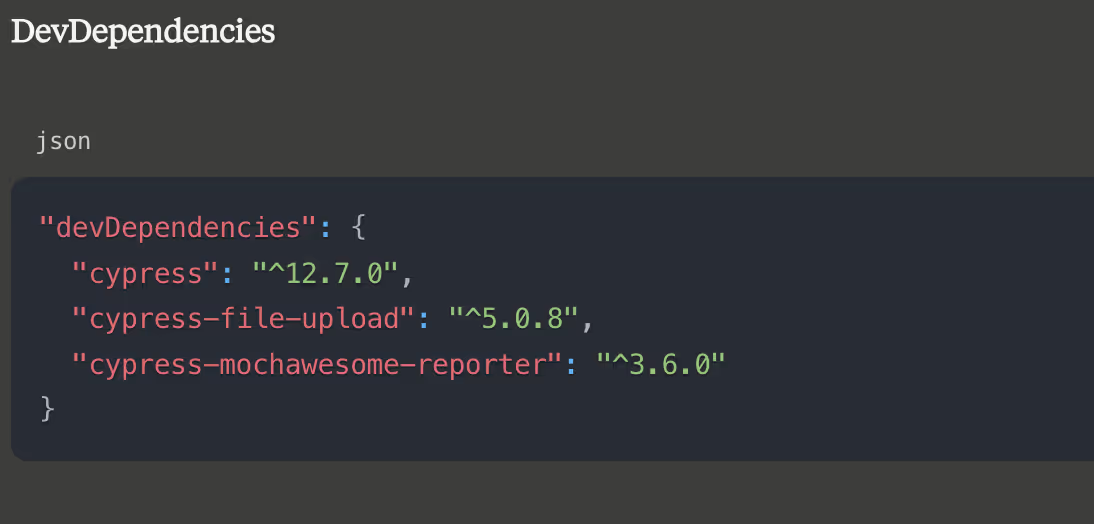
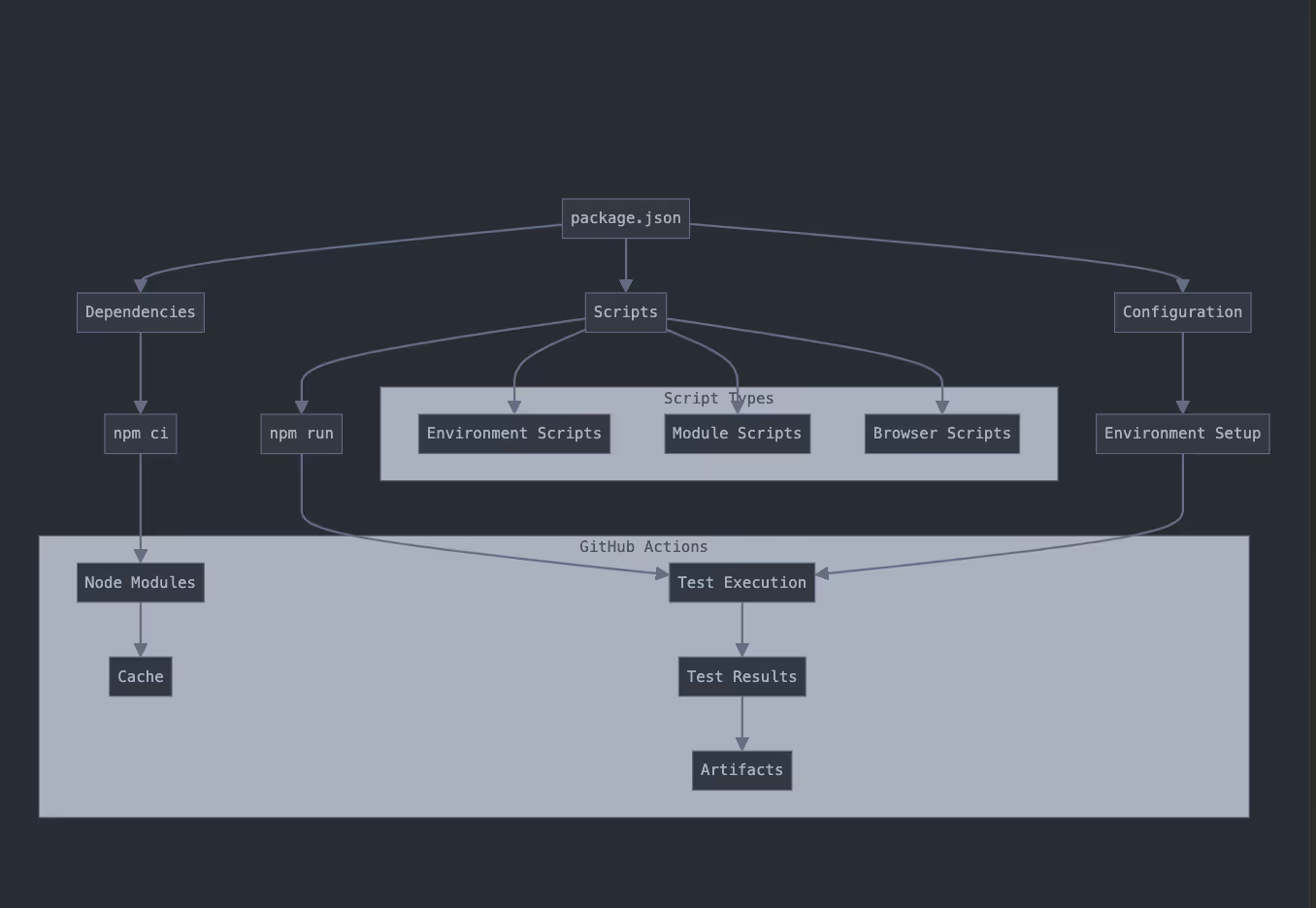
How it works in GitHub Actions
Usage in CI/CD
Scripts configuration
Environment-based scripts
Syntax:
Environment configuration scripts
Syntax:
Usage with environment variables
Add to your GitHub Actions workflow file (.github/workflows/cypress.yml):
Syntax:

Module-specific test scripts
This should be structured in your package.json:
Syntax:
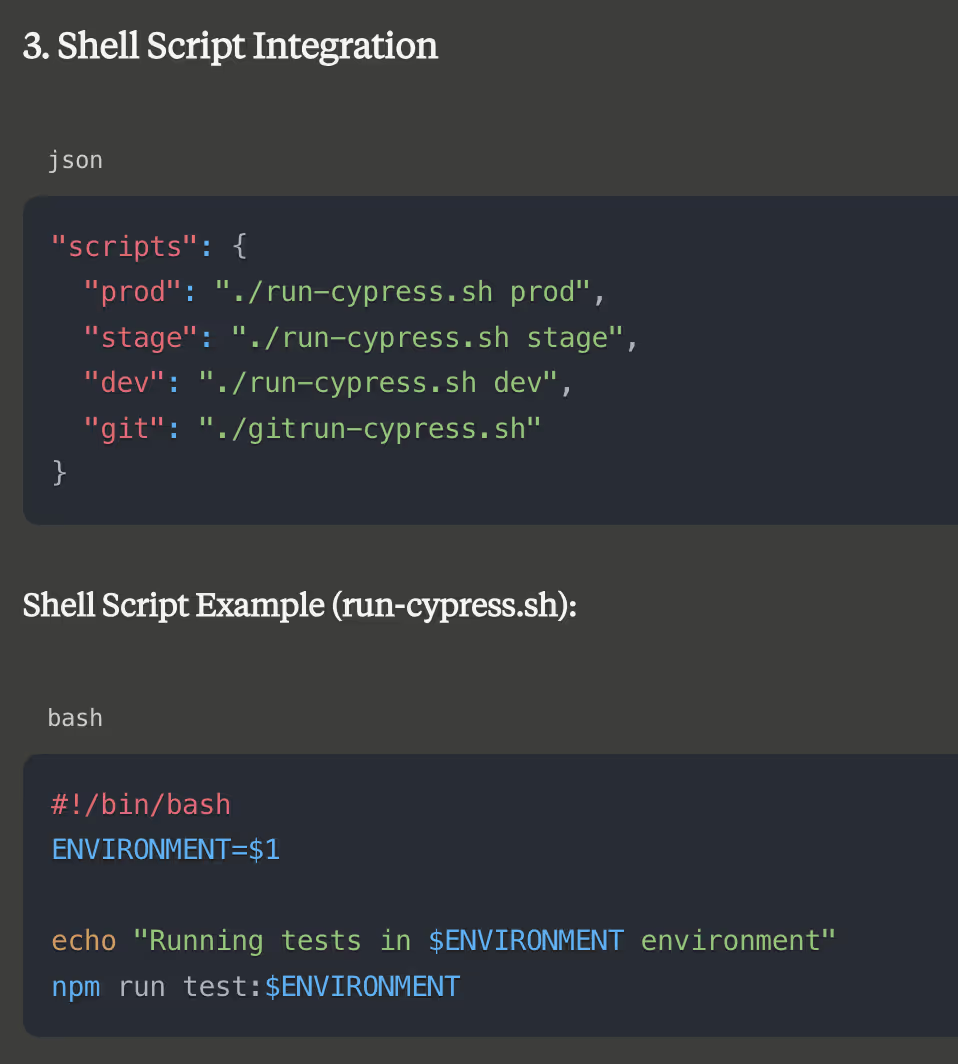
Test automation setup
Before running automated tests, you need to configure the testing environment. This involves setting environment variables required for your tests to execute successfully.
Explanation
This ensures your tests run in the correct environment and against the appropriate endpoint.
Dependency management
Efficiently managing dependencies helps streamline test execution and reduce unnecessary downloads during workflows.
Explanation
By caching dependencies, workflows can skip redundant installations, significantly reducing build times.
Test optimisation and state management
Efficient tests save time and reduce flakiness. Below are strategies to optimise test execution and manage state effectively.
Reducing test execution time
Replace arbitrary delays (cy.wait) with dynamic and condition-based waits:
Bad practice
Good practices
Wait for specific conditions:
Use API intercepts:
Create custom commands for reusable logic:
Language and localisation Testing
For applications supporting multiple languages, ensure tests adapt to the preferred locale.
Example Syntax
Set default language:
Handle multi-language content:
By dynamically adapting to localisation requirements, you ensure comprehensive testing across all supported languages.
Real-world example: complete E2E test suite
Below is a detailed workflow for running Cypress E2E tests in a real-world scenario. This setup covers:
Workflow Syntax example
Conclusion
A reliable testing pipeline is built on consistency, clarity, and control. Verifying system state ensures stable test conditions. Dependency management keeps environments predictable. Smart retry strategies reduce noise from intermittent issues, while resource monitoring helps maintain performance and prevent slowdowns. With robust error handling in place, the entire process becomes smoother and more dependable. These practices work together to create a testing pipeline that supports faster development, meaningful insights, and confident releases.