Next.js is opinionated about how to organize your JavaScript code, but it's not opinionated about whether your styling should belong in JavaScript or not. As CSS-in-JS is becoming more and more popular due to some of its great advantages over css, there are people who outrightly hate the idea of CSS-in-JS. The **Differing Perspectives on CSS-in-JS** give a sneak peek into the over-opinionated world of what you should use.This blogpost though won't go into explaining this love and hate debate about css-in-js. The goal of this blogpost is to explain how we can use different styling methods to style our Next.js application and also mention the Pro's and Con's of using these methods.
Vanilla CSS/ Global CSS
Of course, you don't need to install anything to start to write your CSS styles. Just place your .css files inside the _app.js file, and you're ready to use it.

Drawbacks of Vanilla CSS/ Global CSS
Anybody who has worked with using vanilla css knows how daunting and tedious working with Vanilla CSS can become. Some of the drawbacks are using Vanilla CSS are:
CSS modules
Next.js has built in support for CSS modules. You can make use the [name].module.css file naming convention.Just rename your .css files with the .module.css suffix, and you're ready to import them inside of your JSX files!
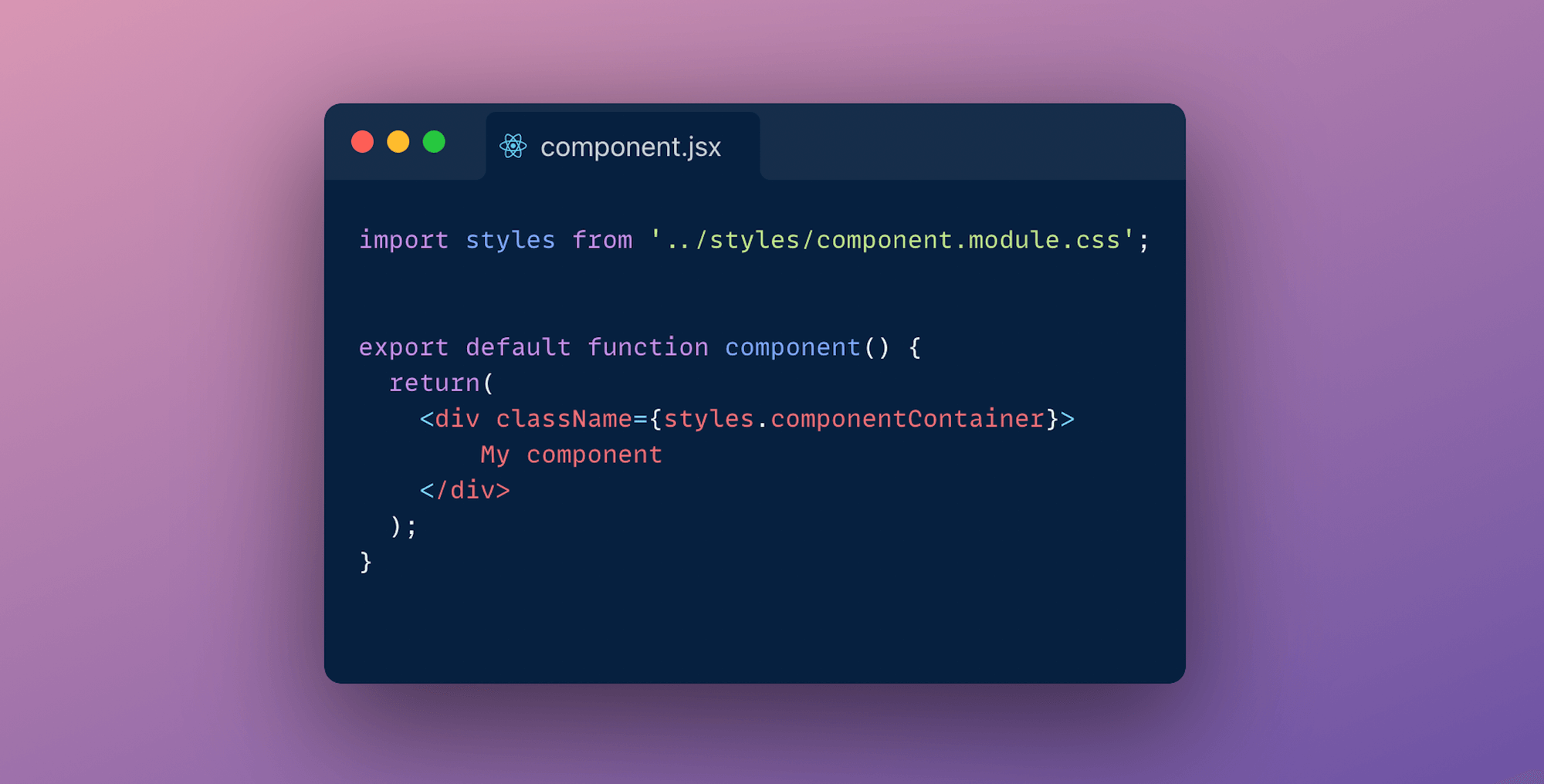
Since CSS Modules are locally scope they give you the ability to control your element styles in a more granular way as you don't need to worry about style collisions. Next.js takes care of optimising your CSS by minifying and code-splitting your css files. This is an ideal way of writing your CSS:
Drawbacks of CSS modules
Sass
Sass is one of the most popular preprocessors out there. It allows you to write more reusable, maintainable CSS. All need to do to get started is to run yarn add sass, rename your <file>.module.css files to <file>.module.scss, and you're ready to use SASS (or SCSS) syntaxes in your CSS Modules! You can configure your SASS options by editing the default next.config.js file as shown in the image.

Sass makes it easy for you to automate repetitive task and create reusable code snippet with some of it's widely used features like:
Drawbacks of Sass
CSS-in-JS
CSS in JS is probably the most popular way of theming react applications right now. Almost every other day a new library pops-up. Some of the most popular libraries are: Styled components, EMOTION and Radium. There's also zero-runtime solutions like Vanilla-extract ,where CSS is extracted to CSS files at build-time.
CSS-in-JS lets you author CSS in JavaScript syntax. Let's look into 2 approaches of styling your application with CSS-in-JS:
Styled components
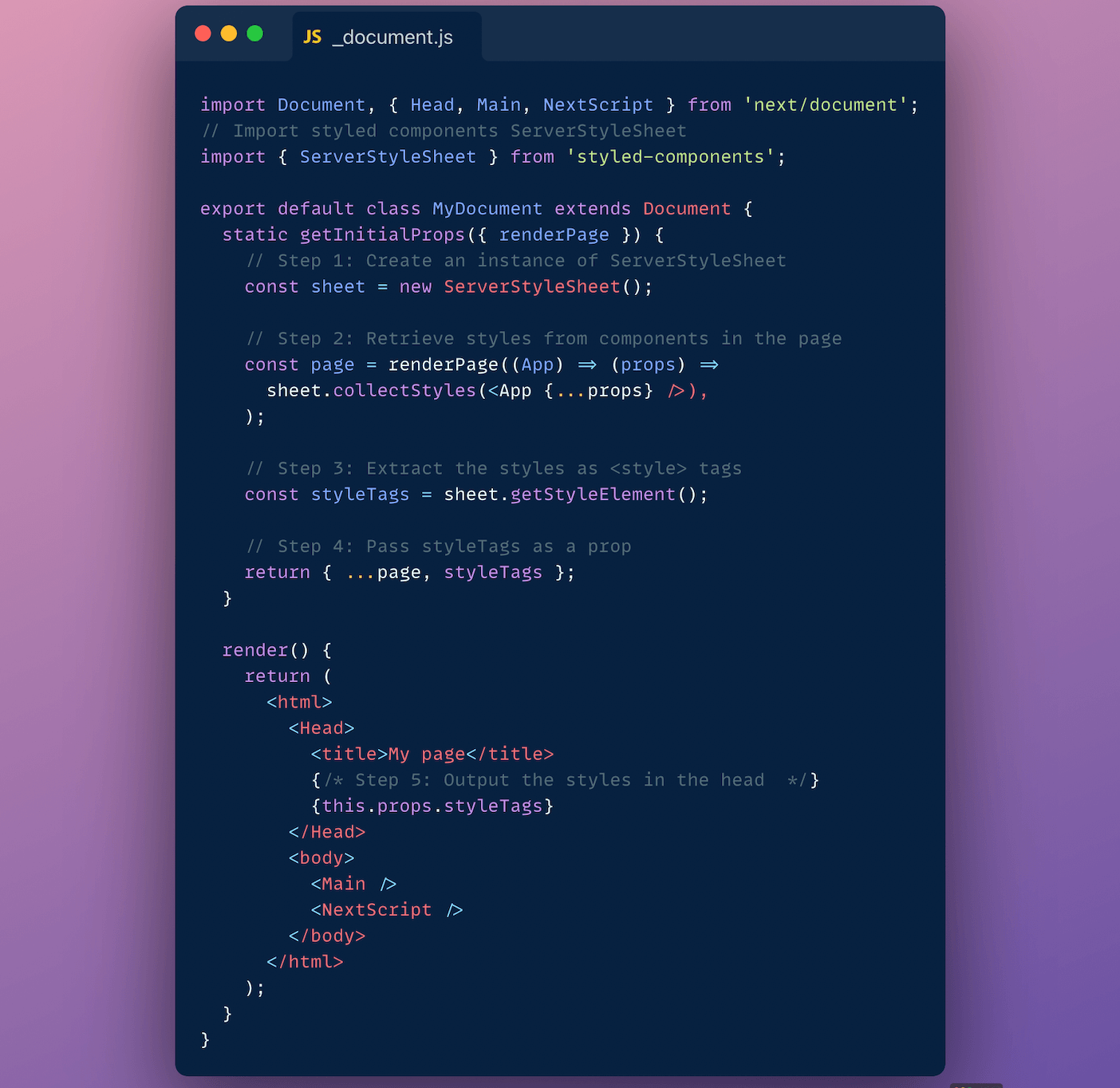
To use styled components we need to install babel-plugin-styled-components and styled-components. Next edit your _document.js file. Your should look somewhat identical to code shown in the below image.
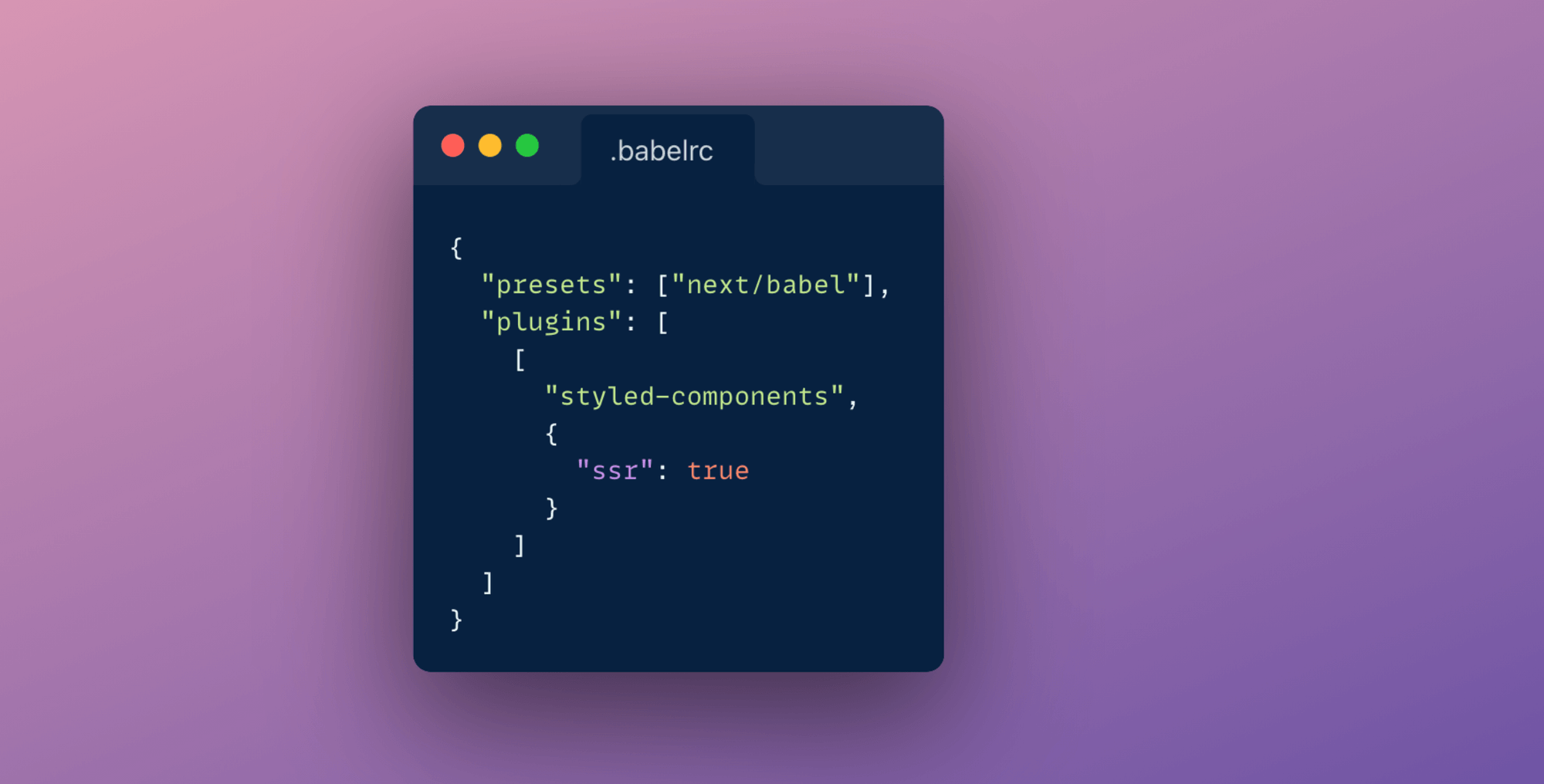
Next update your .babelrc file to include the next/babel preset and include the styled-components plugin, with server-side-rendering (ssr) enabled.
We are done with all the configuration. Usage fairly simple. You just create a variable with the help of tagged-template-literals and then use it.
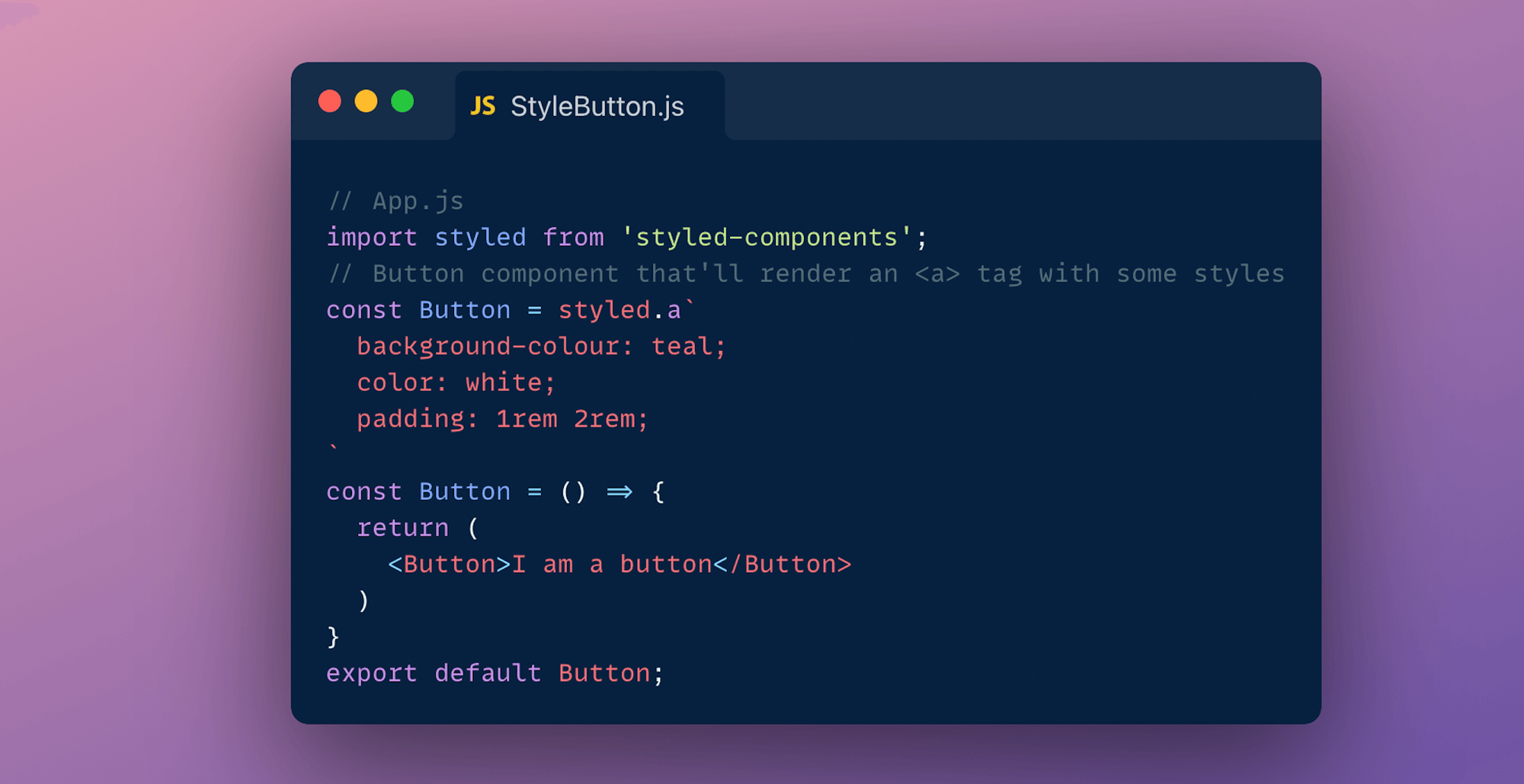
Some of the advantages of using Styled components are:
You can learn more about it's official documentation.
Styled JSX
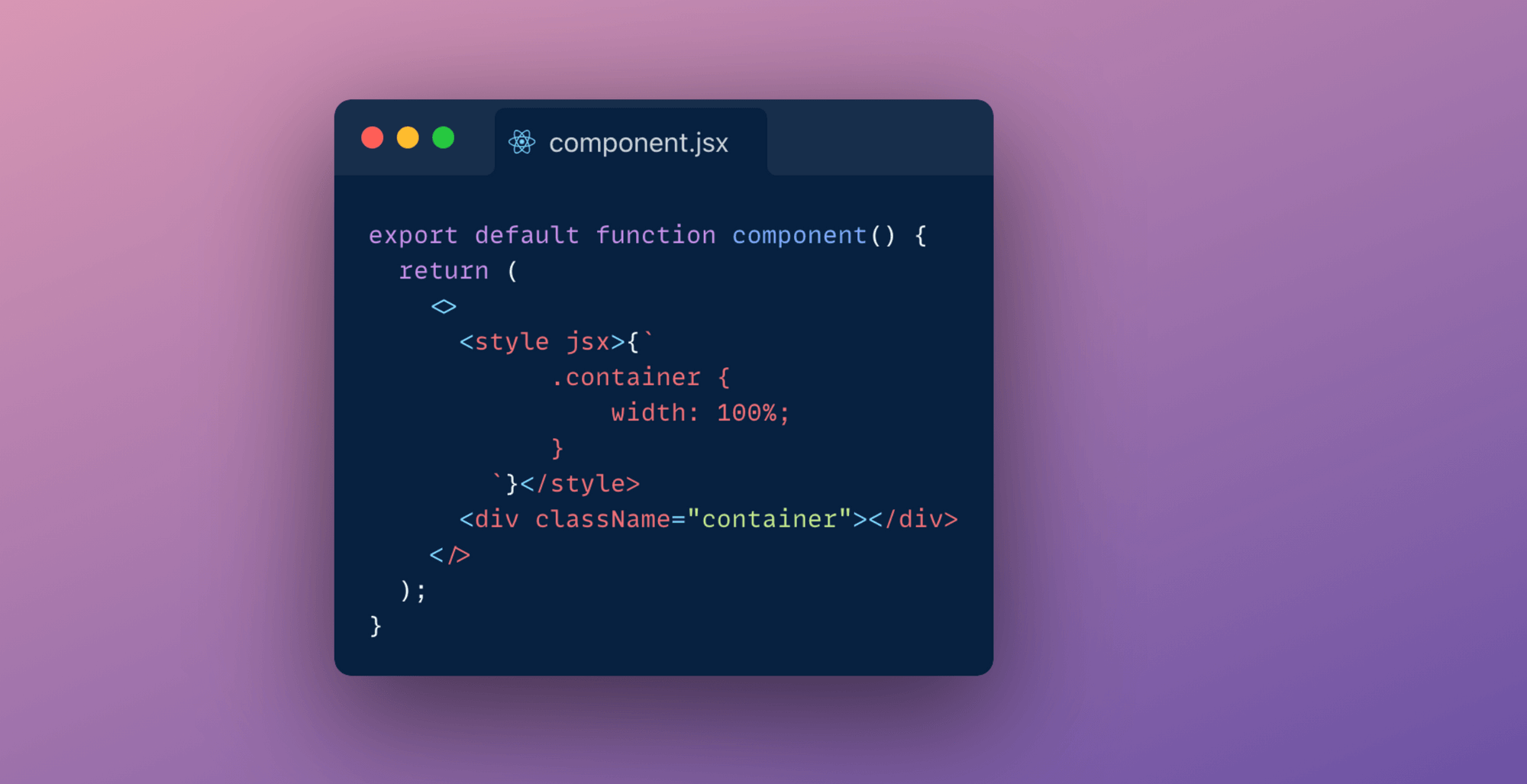
As easy as writing vanilla CSS, Next-js also has an inbuilt support for styled jsx. It allows you to write CSS using Javascript directly inside your components.
Alternatively you can also make use of libraries like Chakra, ThemeUI or Tailwind to implement a component library and design system.
Conclusion
Each method has it's own pros and cons. After evaluating these pros and cons you will have to settle for one approach in the end. I think you are the best of judge of what styling methodology you should be using for your application. I for one have been making use of styled components and global stylesheets to theme my Next.js application.