Artificial intelligence is changing how content gets created, reviewed, and published, and Drupal is keeping up.
The AI CKEditor Integration module brings the capabilities of large language models (LLMs) directly into the content editing experience. Instead of jumping between external tools or copying drafts back and forth, editors can now work smarter within the CKEditor interface itself.
From translating content to checking spelling and grammar, adjusting tone, and completing sentences, the module makes everyday tasks faster and more consistent. It supports editors in maintaining quality, staying on message, and saving time, right where content is written.
By embedding AI features directly into CKEditor, this integration simplifies content workflows and gives teams the kind of intelligent assistance that keeps pace with modern publishing demands.
AI CKEditor integration module
The AI CKEditor Integration module is a powerful extension that seamlessly integrates AI capabilities into Drupal's CKEditor 5.
AI CKEditor Integration is a submodule available in AI Core module that provides plugins that integrate with CKEditor 5. Rather than switching between different tools or applications, content creators can access AI-powered features directly within their text editor, streamlining the content creation process.
Prerequisites and dependencies
Before diving into the setup, ensure you have the following modules installed and configured:
Installation and configuration
Step 1: Enable the Module
First, enable the AI CKEditor Integration module through Drupal's admin interface or using Drush:
drush en ai_ckeditor
Step 2: Configure text formats
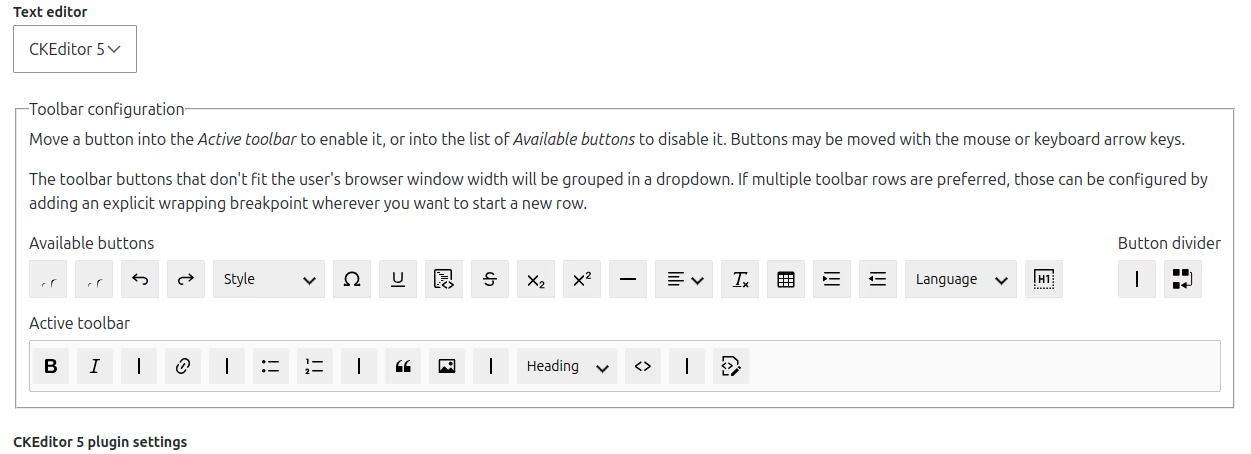
Step 3: Add the AI tools button
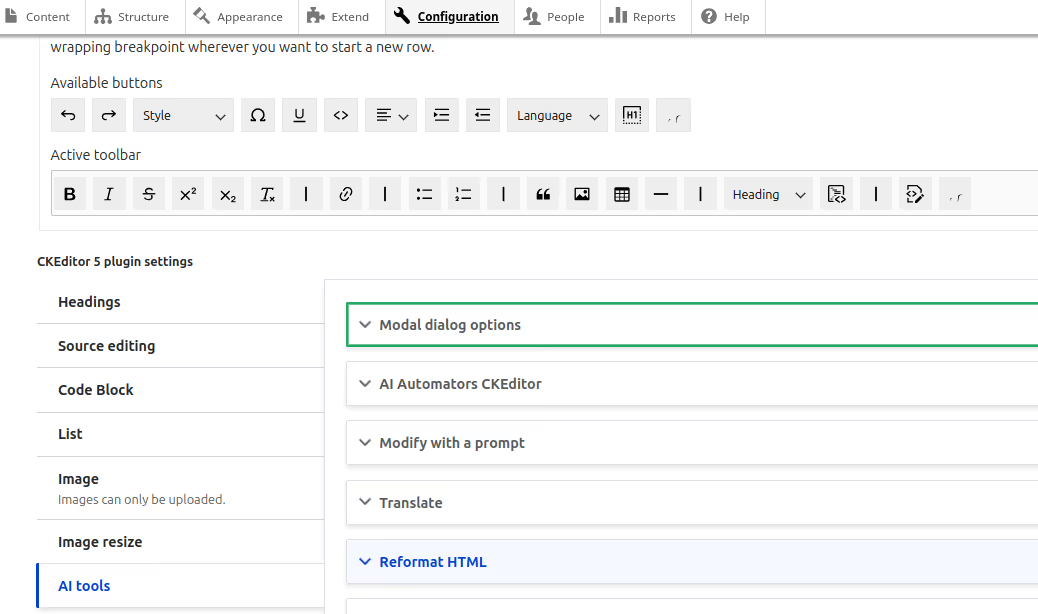
Step 4: Configure AI tools
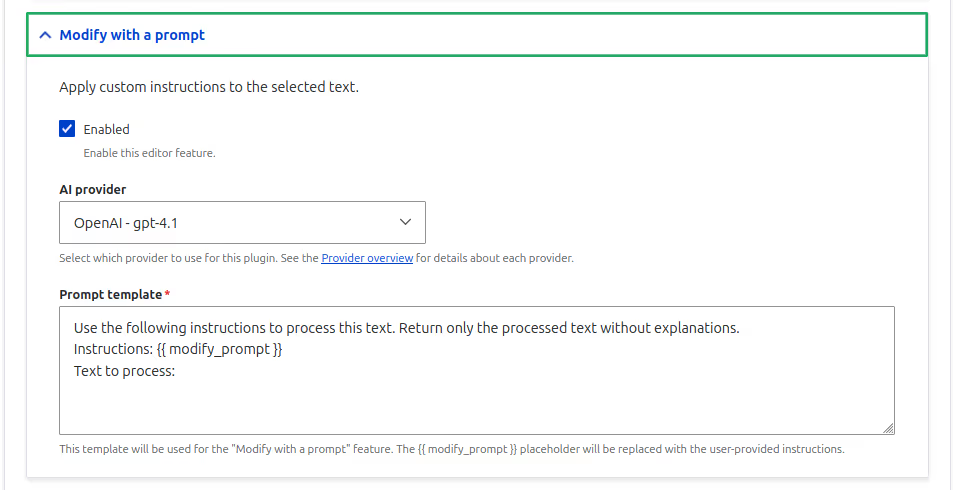
Special plugin configurations
Setting up the tone plugin
The Tone plugin requires a custom taxonomy to define available tones:
Step 1: Create a taxonomy vocabulary
Step 2: Add tone terms
Step 3: Configure the plugin
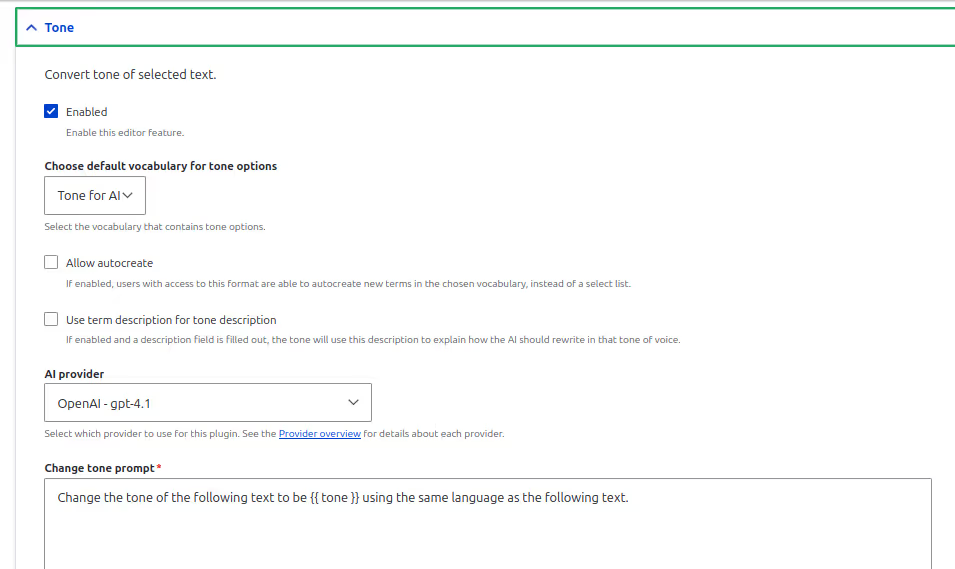
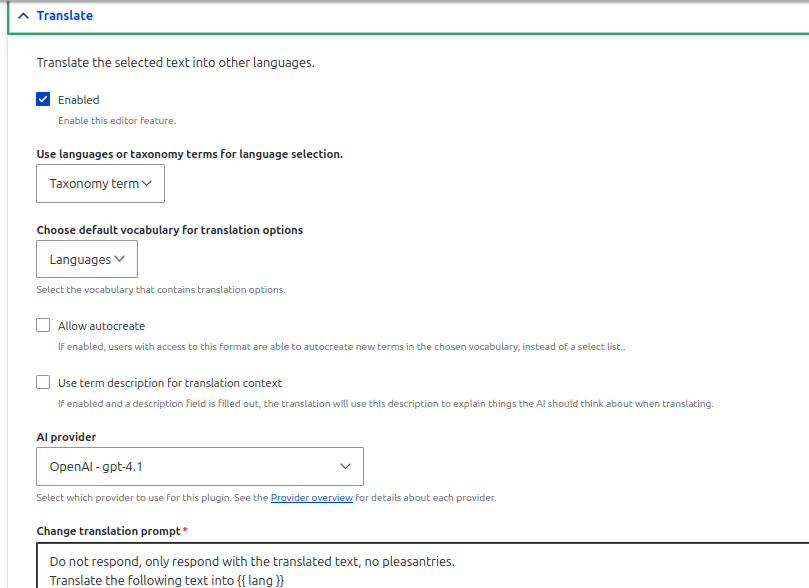
Setting Up the Translation Plugin
Similar to the Tone of Voice plugin, the Translation feature requires a taxonomy:
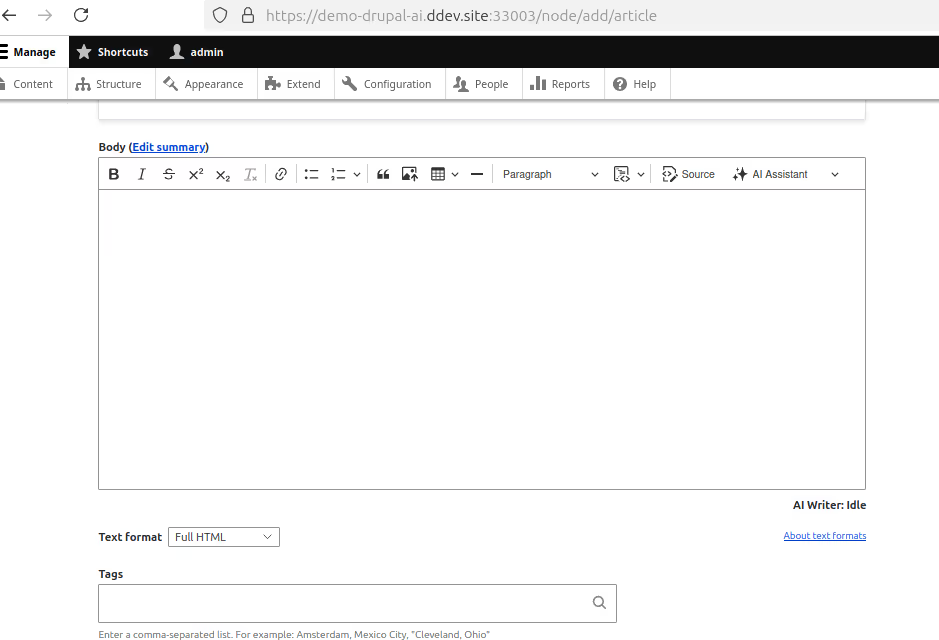
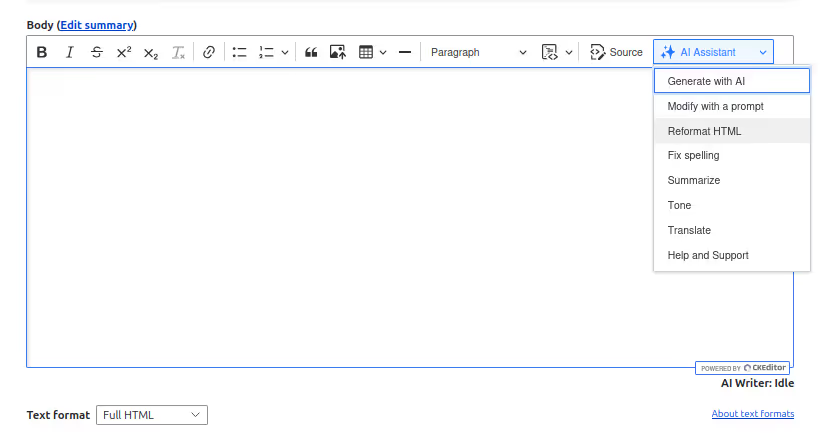
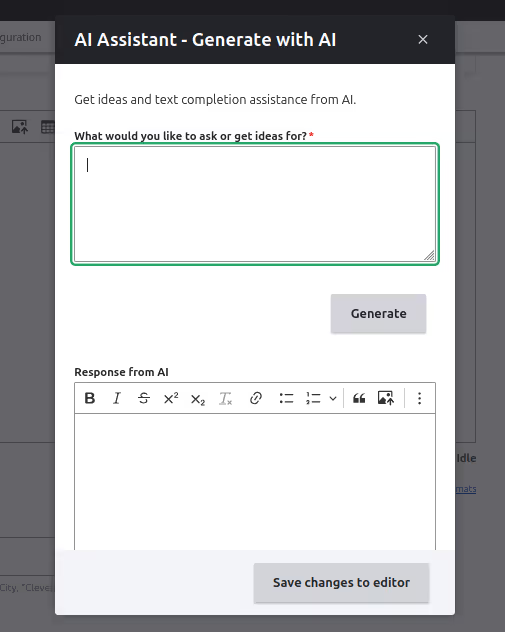
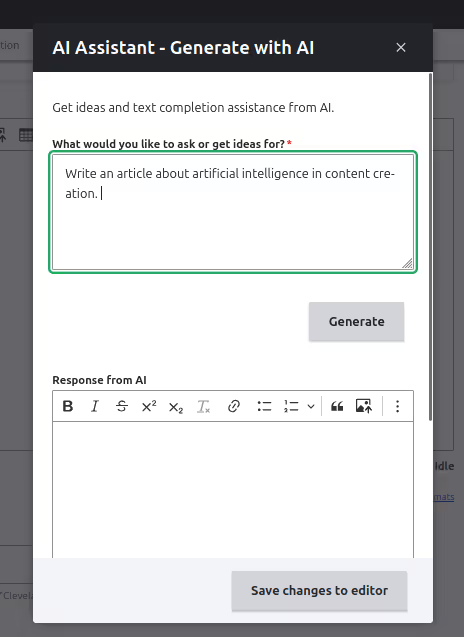
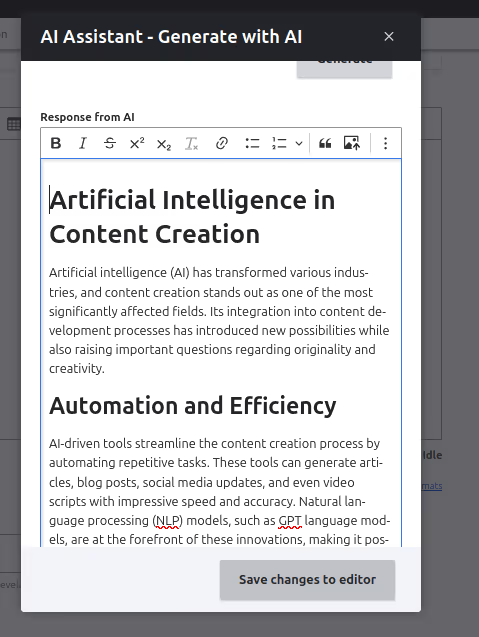
Let us see our AI-powered CKeditor in action
Once configured, using AI tools is straightforward:
Conclusion
The AI CKEditor Integration module marks a meaningful upgrade in how content is created and edited in Drupal. By embedding AI features directly into the CKEditor interface, it removes the need for context switching and makes capabilities like tone adjustment, grammar correction, translation, and text completion accessible to everyone: from site editors to content strategists.
This module works within Drupal’s existing editorial workflow, so teams don’t need to learn new tools or disrupt their publishing process. With a simple setup and thoughtful defaults, you can start improving content quality immediately.
Looking ahead, the potential for deeper AI integration is just beginning. From content summarization and image generation to accessibility checks and editorial analytics, future enhancements could transform CKEditor into a true intelligent assistant for web publishing.
As the Drupal ecosystem continues to adopt AI-powered modules, this integration sets the foundation for a smarter, more efficient content creation experience, built right into your CMS.