The Drupal community is finding new momentum with AI as a practical extension of what Drupal does best: structured content, flexible architecture, and community-driven innovation.
In this blog, we focus on one of the most promising developments: AI-powered search.
Search has always been central to user experience. But traditional keyword matching falls short when users ask nuanced questions or use everyday language.
AI Search changes that by combining vector-based retrieval with large language models. It brings context, intent, and semantic understanding into the equation - helping users find what they mean, not just what they type.
We’ll cover how to integrate this capability into a Drupal site step by step. This includes setting up a vector database for storing semantic embeddings, connecting it with your Drupal content, and building a conversational assistant that can guide users through your site. We’ll also explore how prompt engineering allows you to shape the tone, accuracy, and depth of responses, giving you more control over how AI interacts with your content.
Whether you're running a public knowledge base, an internal documentation hub, or a highly structured content repository, this blog is meant to help you bring meaningful AI experiences into Drupal- thoughtfully and practically.
What is AI search?
AI Search is a submodule of the AI module that extends the functionality of the contributed Search API AI module, offering seamless integration with Drupal’s Search API. It utilises vector databases and large language models (LLMs) to enable intelligent, semantic search capabilities.
By building on the popular Search API module, AI Search allows you to create and manage vector databases, enabling highly relevant and accurate retrieval of content based on terms, phrases, or even entire content pieces.
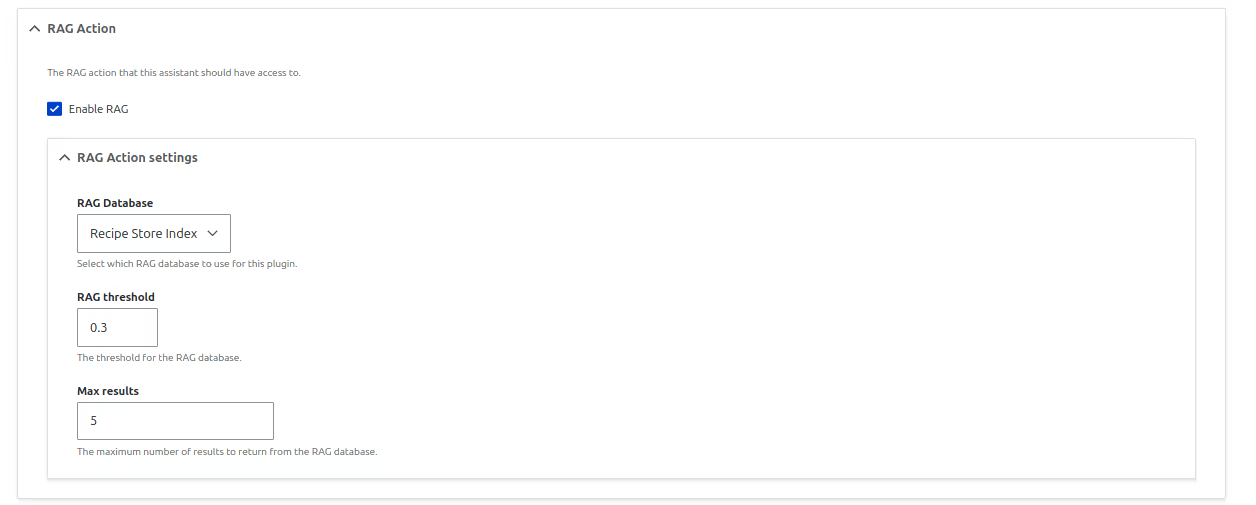
It uses Retrieval-Augmented Generation (RAG), where information is first looked up, usually from a vector database, and then sent to a large language model (LLM) along with a user's question or request. This helps the model provide much more accurate answers, especially about specific topics or content it may not already know or was not trained on.
How it works
The system works by breaking large pieces of content into smaller chunks and saving them in a vector database. Each chunk is also saved with extra metadata (such as title or other settings) to preserve its original meaning and context.
These chunks are converted into vectors — complex numerical representations of the content’s meaning. You can think of these numbers like advanced tags, each with varying strengths. For example, one number might indicate a slight relationship to transportation, while another might strongly relate to education.
When someone submits a query, the question is also converted into a vector. The system compares it to stored vectors to find the most relevant matches. This method is significantly more accurate than traditional keyword-based systems like regular databases or the SOLR Search API.
Setting up your environment
Install the following modules:
When choosing a vector database:
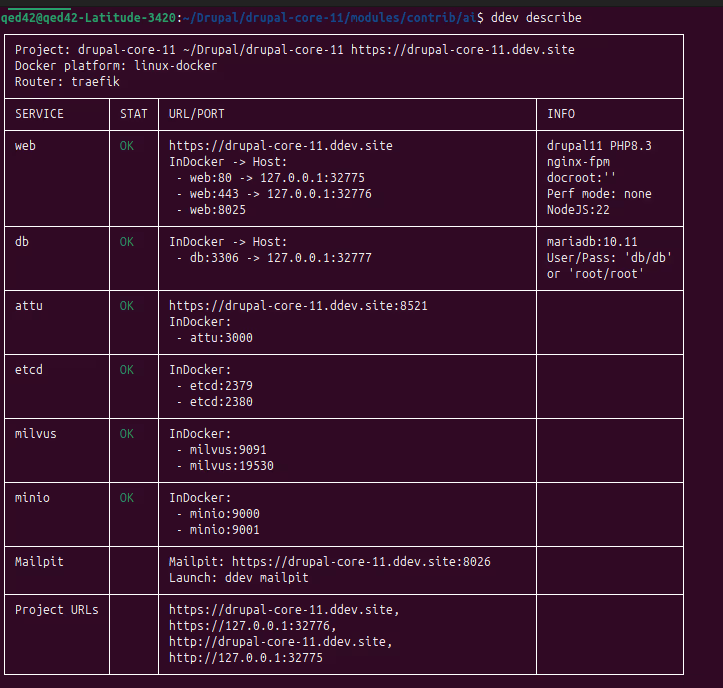
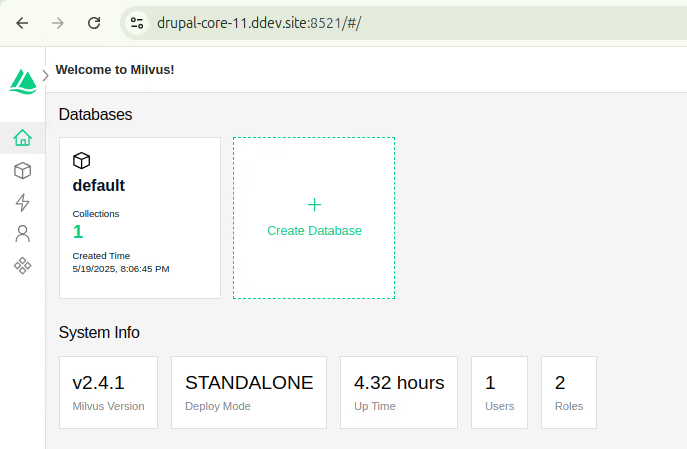
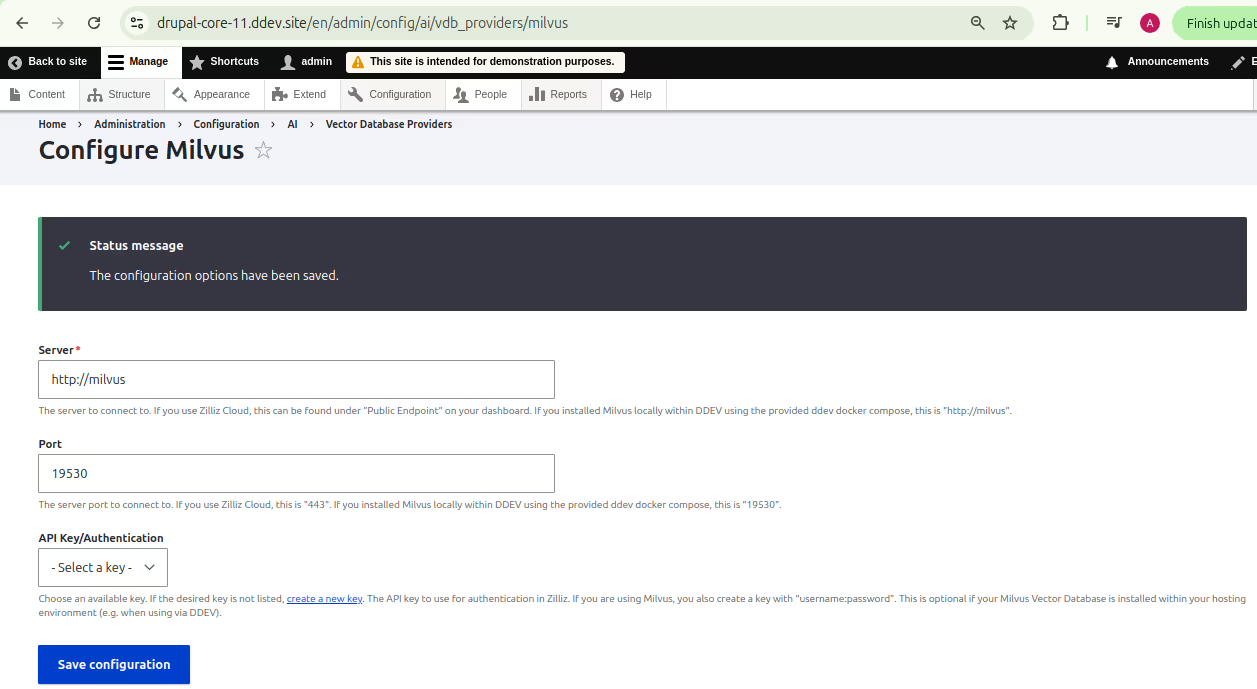
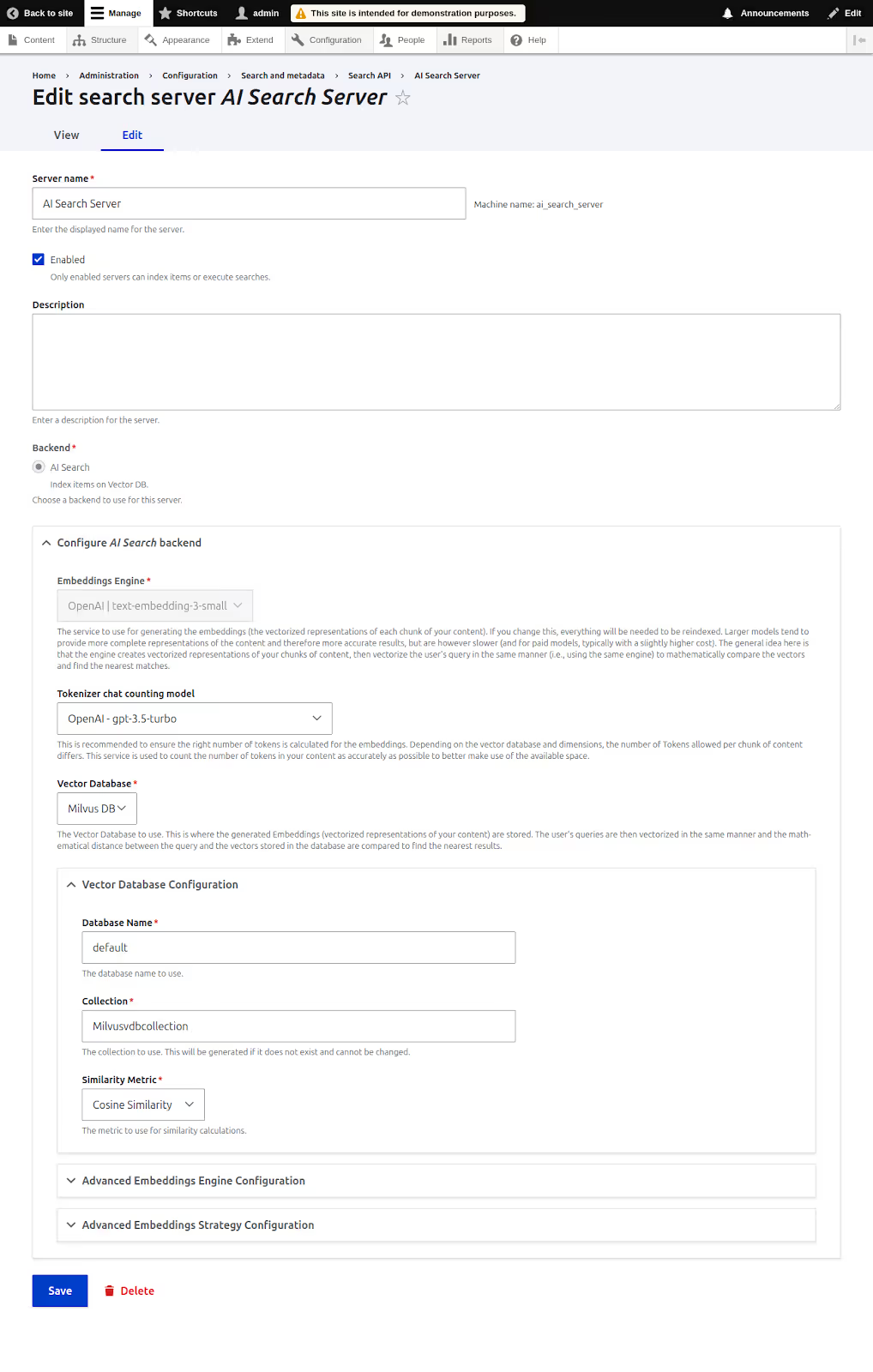
Vector database configuration
For Milvus configuration in Drupal
For Zilliz configuration in Drupal
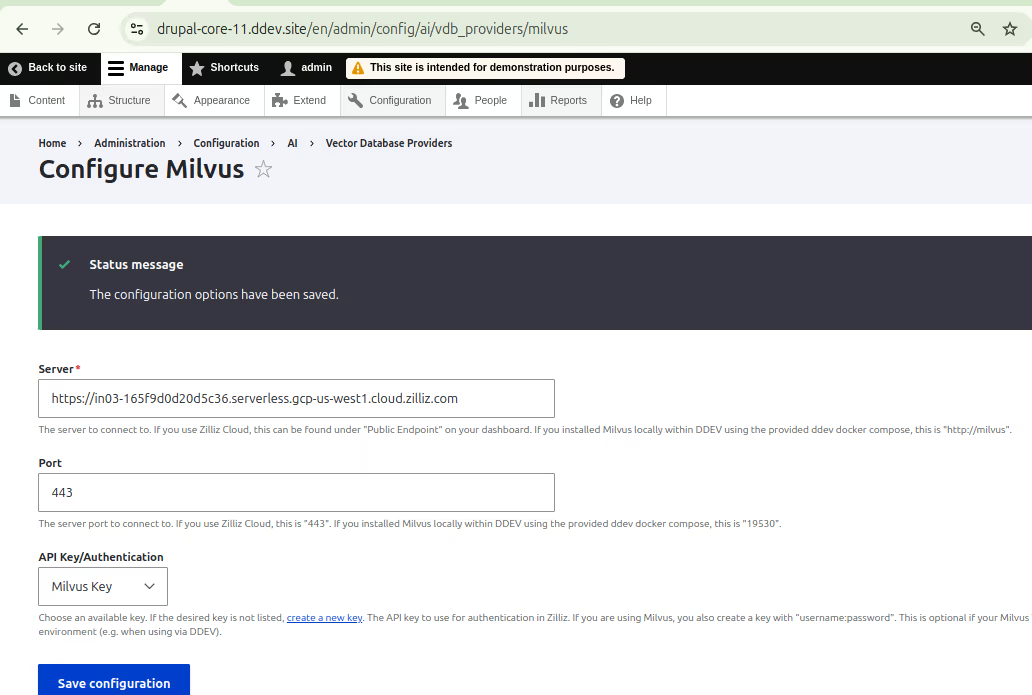
Configuring search API with AI
Creating a search index for recipes
Use the Recipes content type (For this blog, we are using the Recipes content type for search as an example)
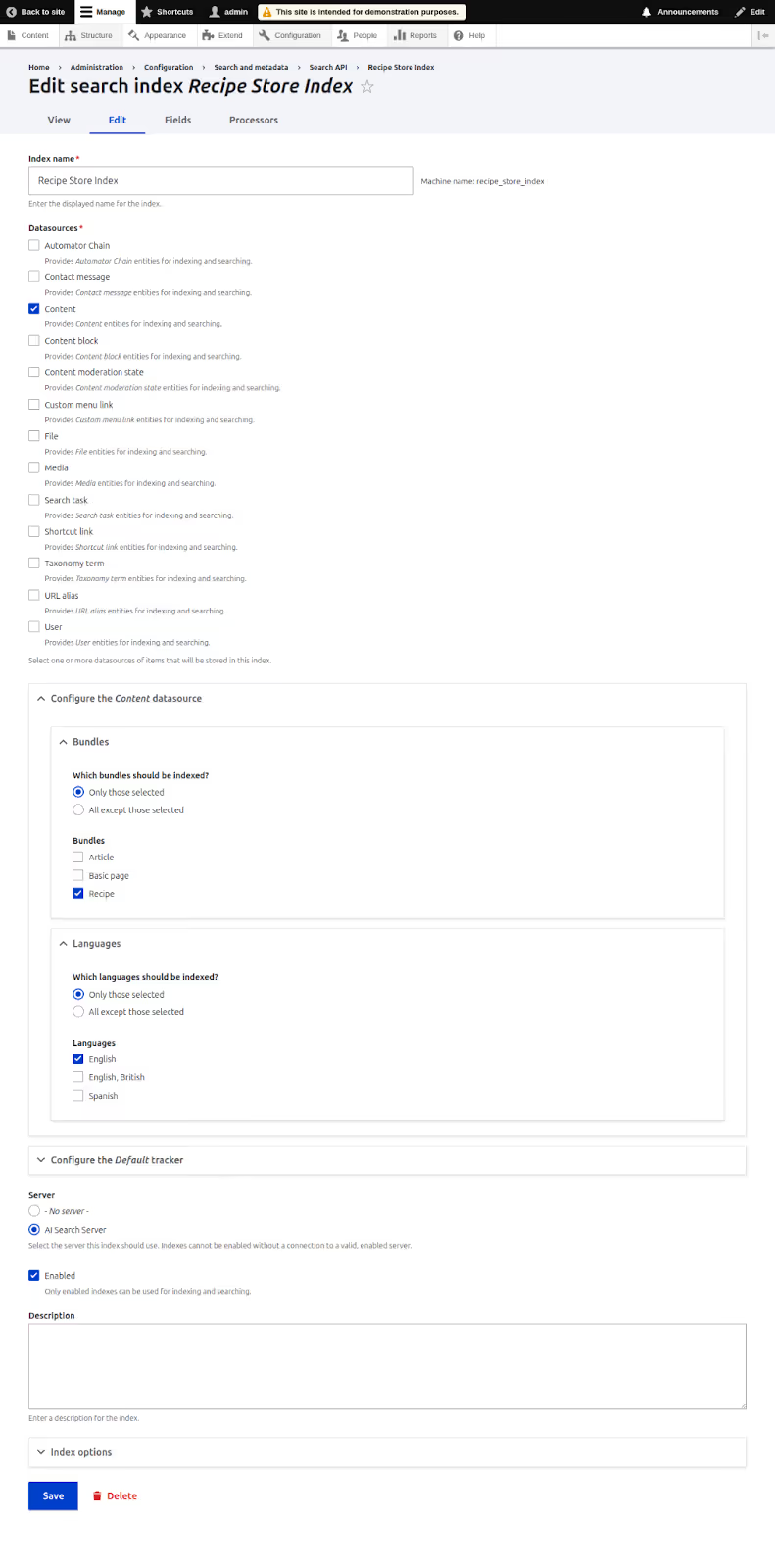
Click Save to finalize the index.
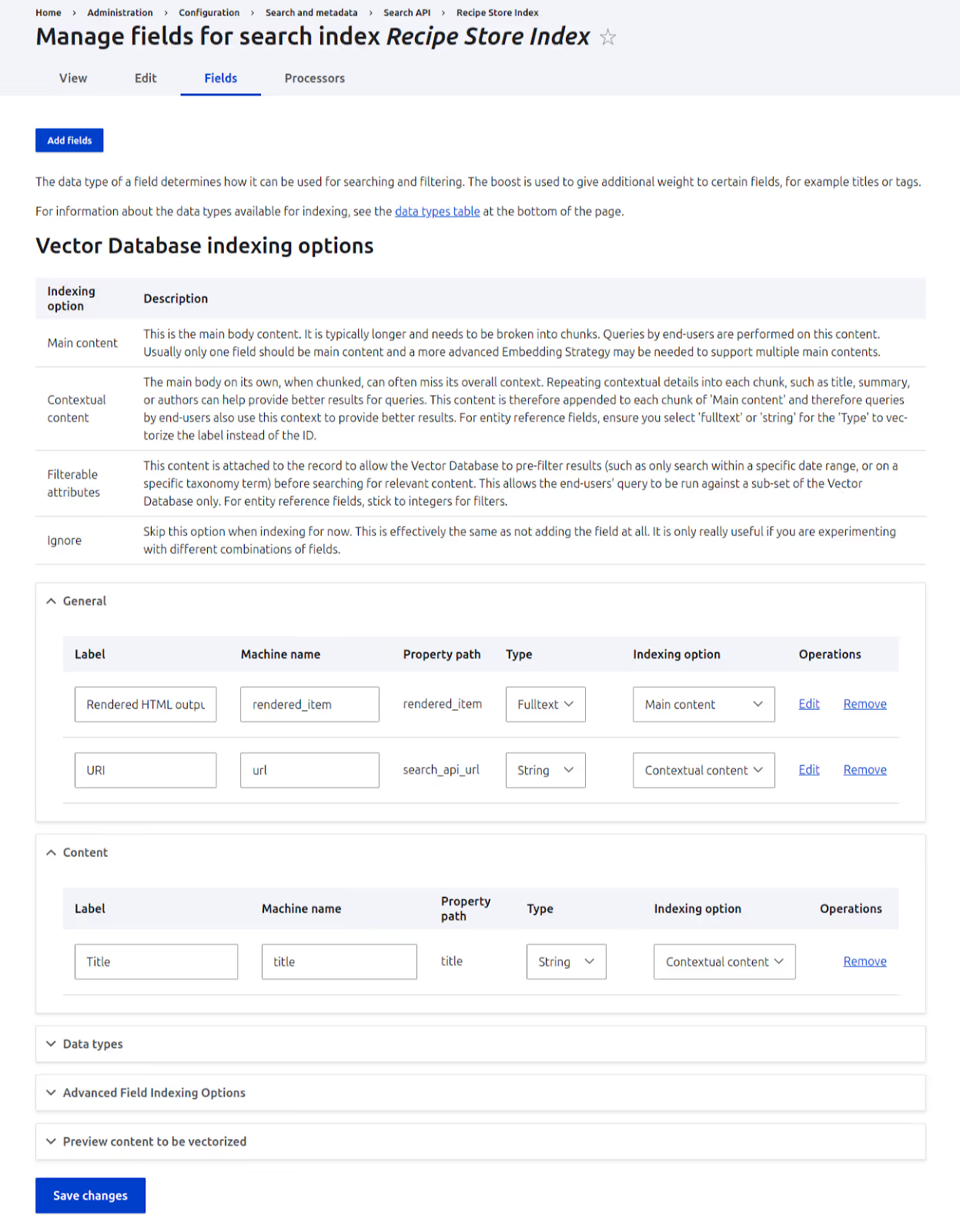
Index options explained
Go to the Views tab:
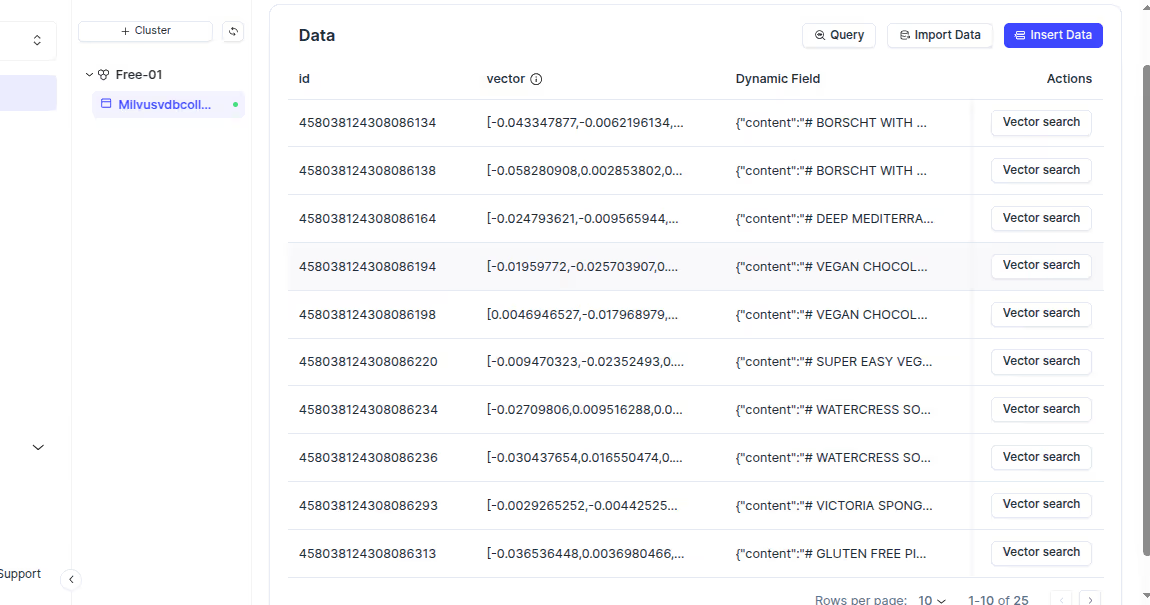
After indexing, view the data in Milvus or Zilliz Cloud to find your content being indexed.
Milvus Cloud:
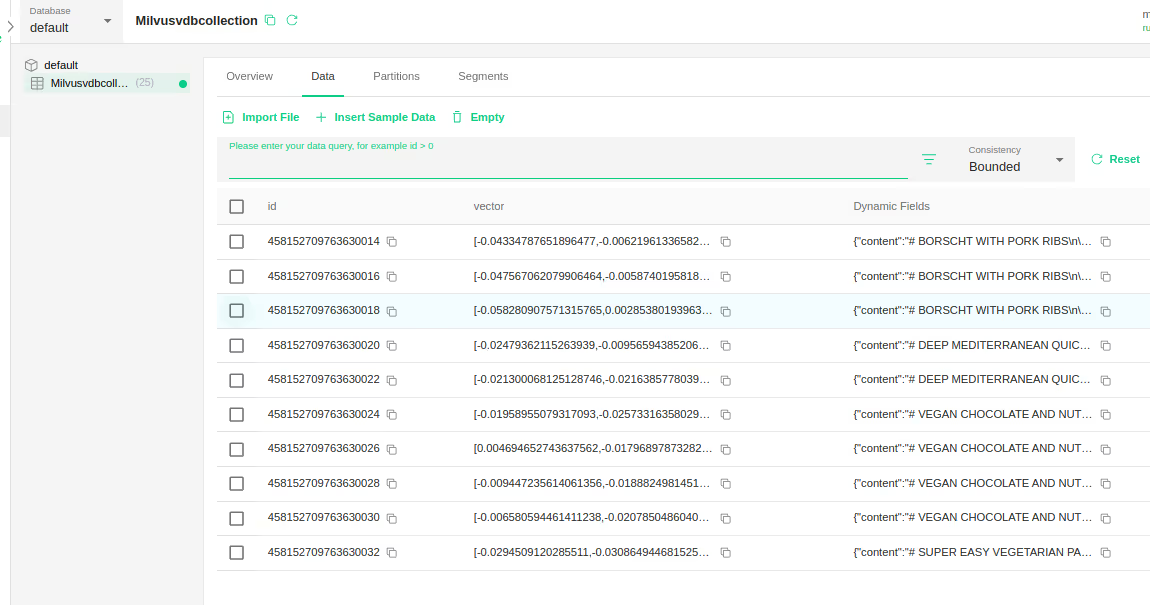
In Zillis Cloud:
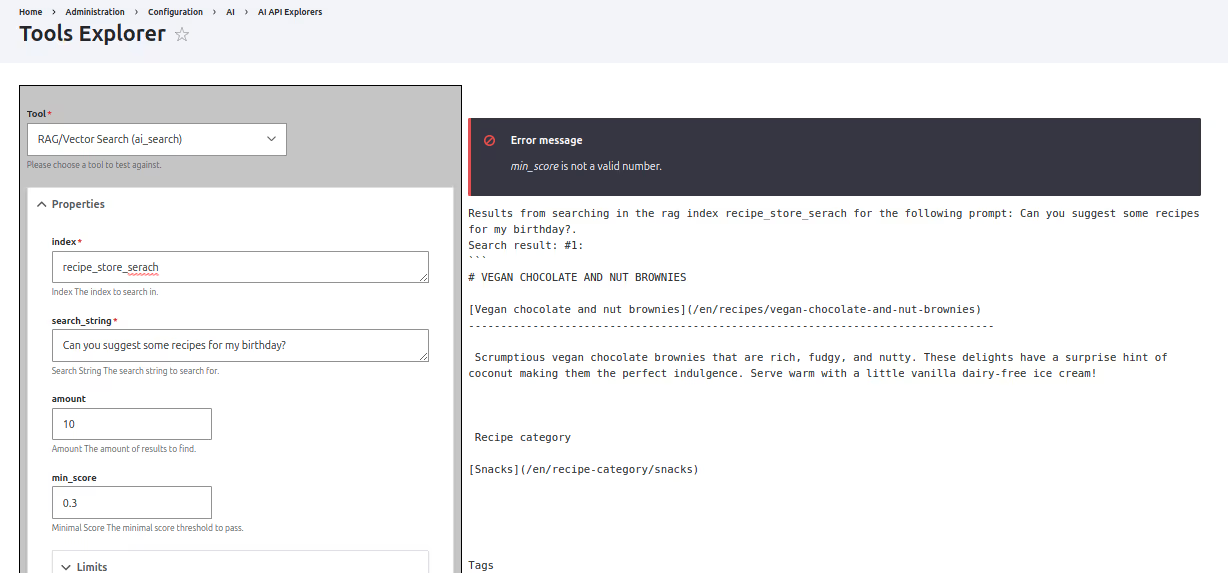
Testing the search API index with AI API explorer
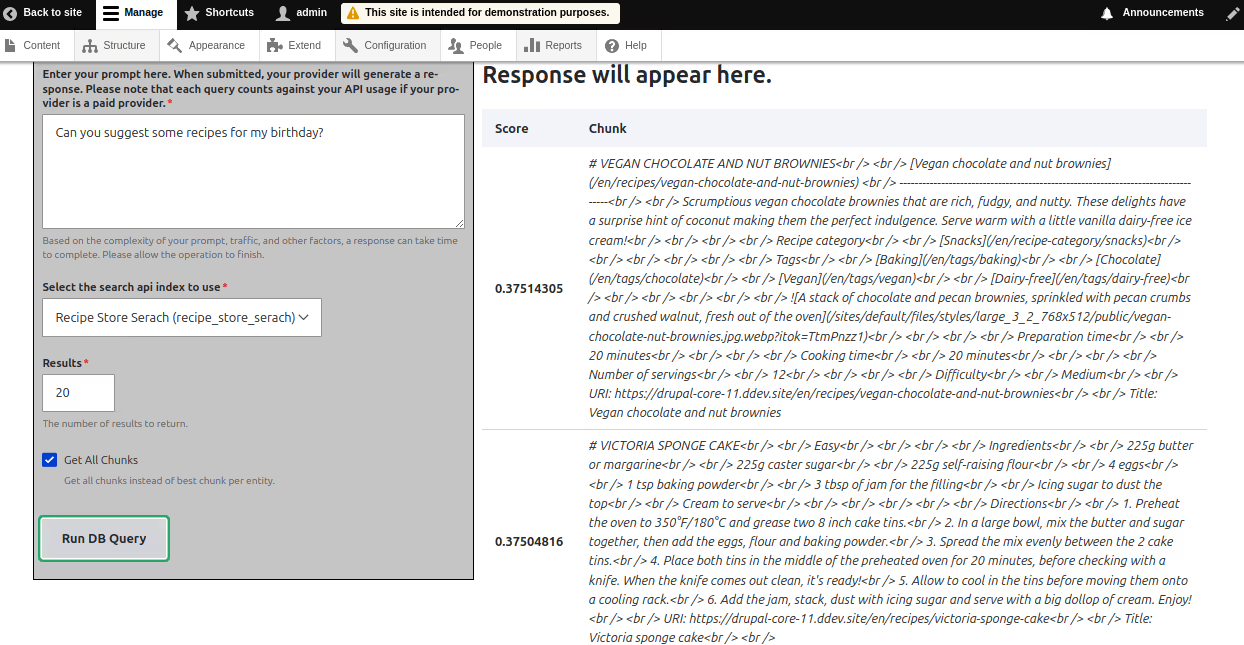
If results appear with similarity scores, the index is working correctly.
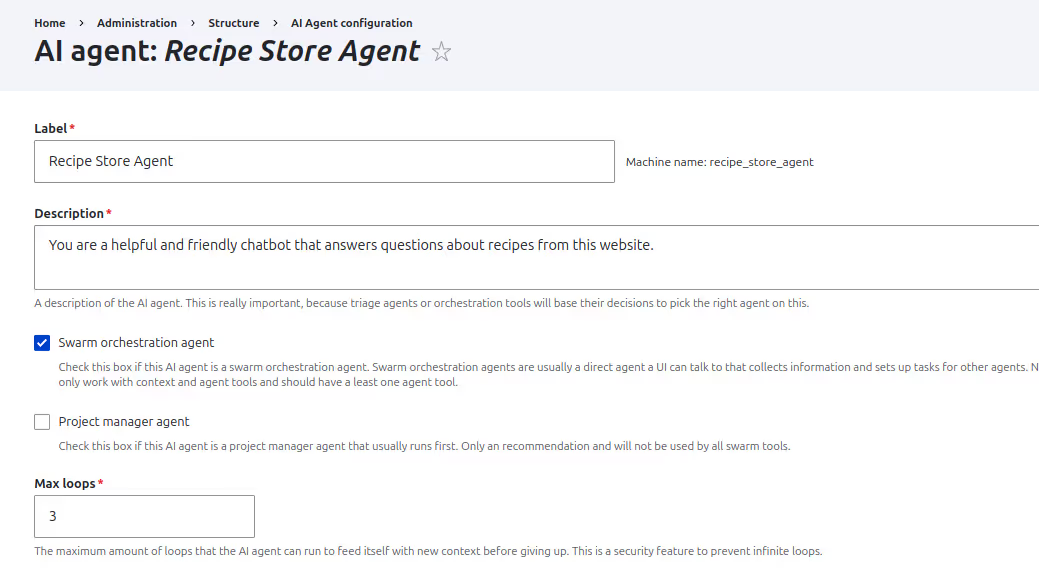
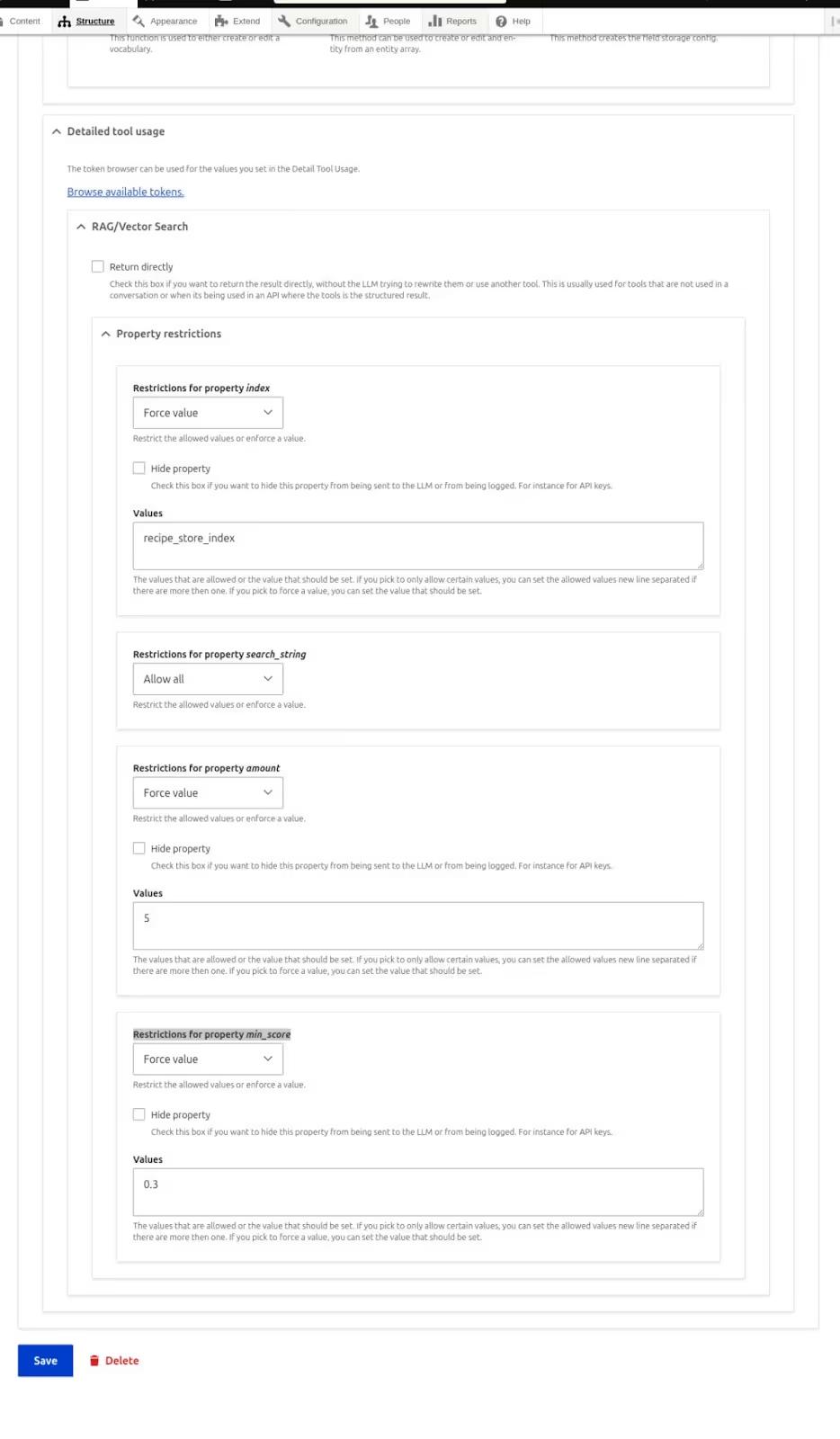
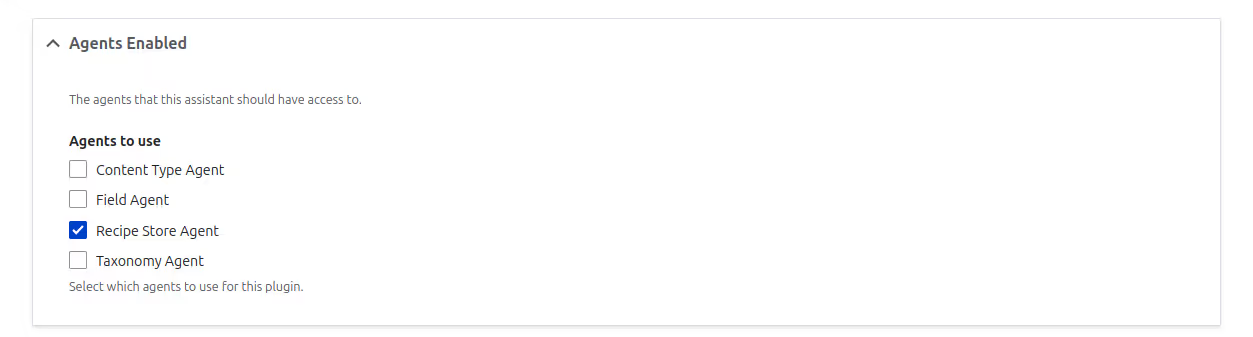
AI Agents and AI Assistants make AI Search more powerful and user-friendly. The AI Agent handles behind-the-scenes tasks like querying the vector database, filtering results, and managing tools like Retrieval-Augmented Generation(RAG). The AI Assistant acts as the front-end guide—chatting with users, interpreting their questions, and passing them to the agent. Together, they create a seamless, conversational search experience that understands user intent and delivers smarter, more relevant results. Hence we need to create and configure AI agent and AI assistant for AI search to work in AI chatbot.
Create an AI agent
Configure AI Assistant
Enable AI DeepChatbot block
The chatbot will now appear on the homepage and support AI-powered searches.

Conclusion
Drupal’s AI Search brings meaning to the center of search. It uses vector-based retrieval and large language models to understand intent, context, and relationships between words , not just match keywords.
This makes discovery smoother and more relevant. From recipe suggestions that adjust to user preferences, to module searches that surface the most useful tools, AI Search helps your site respond in smarter, more human ways.
It’s a shift toward more intuitive, helpful digital experiences, and just one of the ways AI is shaping what’s next for Drupal.
More updates coming soon in this series on AI and Drupal.