Google Tag Manager (GTM) is a free and open-source service that allows users to monitor, measure, and optimize the performance of their web pages. It was introduced on the Adwords platform in 2011 and has grown to become the most used tag management system over the internet. Google Tag Manager is a tool that allows you to install, manage and update code on your website. Each tag is called a “Google Tag”, which can profile visitors and track events as they happen.
What are Google tags
Google tags are invisible HTML/JavaScript/CSS codes embedded in websites for tracking, reporting, and analytics without installing any dedicated client. A web address identifies the Google tags appearing on web pages optimized for Googlebot, the search engine's user agent. All the tracking attributes, such as page views, time spent on site, and user engagement, are available in website analytics reports.
Main components of GTM
Tags
A GTM Tag is a snippet of code. Code snippets come from external sources that integrate tools, support, platforms, and other support with the website. GTM has preset configurations for all platforms like Google AdWords, Google Analytics, etc.
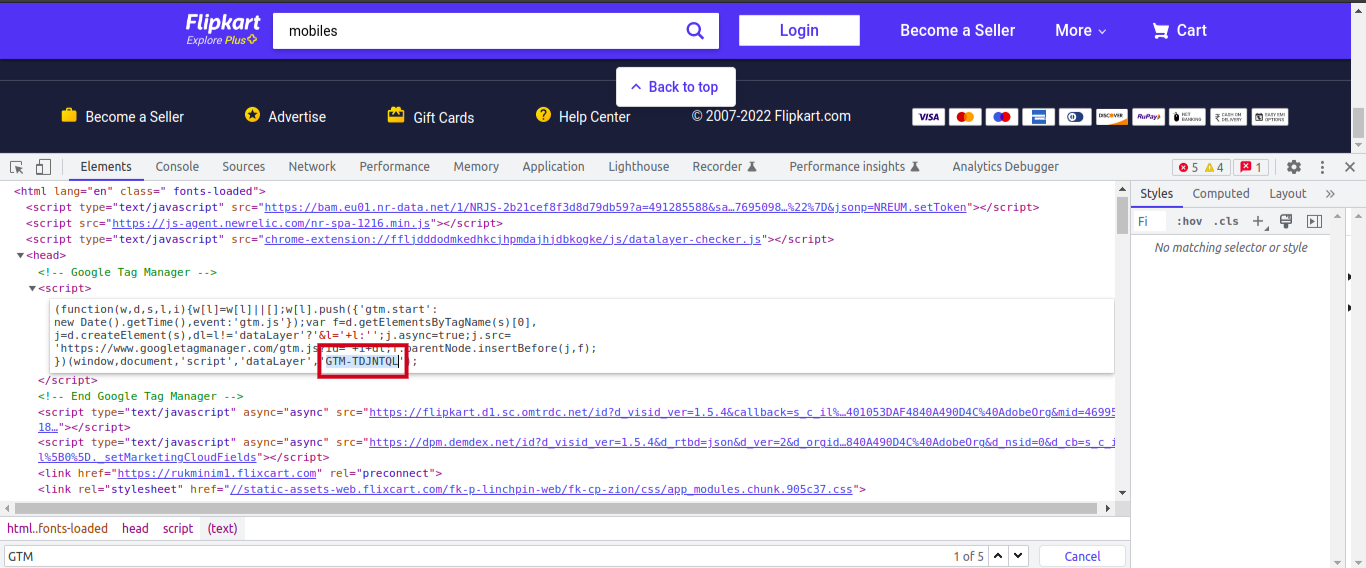
How to find a GTM tag
Go to “Tag Manager”, click on “Workspace”, and click on “Near the top of the window”.
For example - “GTM-XXXXXX.”
Triggers
It is a specific action that enables the tags to FIRE or collect the appropriate data and send it to the appropriate location. A trigger is nothing but an action performed on different Tags. Examples of common triggers include clicks, form fills, or page views.
Variables
It provides specific information about the action of a tag. GTM variables have two types:
Built-in variables: These variables are pre-configured by GTM. Some common variables in this category include Click Text, Form Classes, and Page URLs.
User-defined variables: The end-users have to manually set up these variables. A user-defined GA Settings variable sends data to a specific Google Analytics account.
Common variables of GTM
Common tags of GTM
Google Analytics
Google Analytics is a platform and web analytics service that tracks and collects data from applications or websites and generates reports.
Types of Google Analytics
Universal
Interest
Interaction
Conversion
Drawbacks
Universal mainly focuses on the total number of user traffic in most of the reports. To overcome this, we use GA4.
GA4
Commonly used plugins for testing
Data Layer Checker
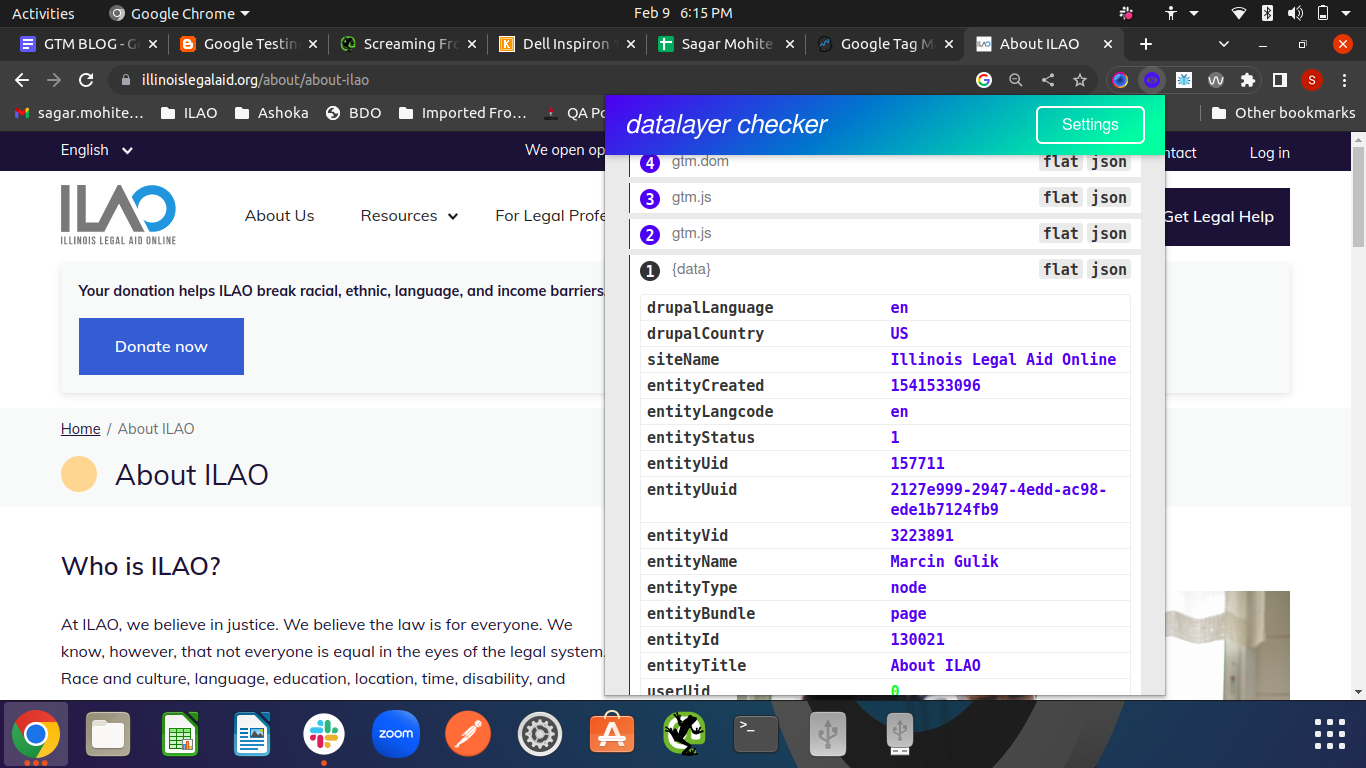
We can check and track all activity from the current page. We don't need GTM ID to track all data in the Data Layer Checker. For example, from the checkout page to the purchase page.
Steps to use Data Layer Checker for testing
What to check in Data Layer Checker
It depends on the requirements of data tracking. We can track all activity on any website; Clicking, Sorting, Scrolling, & Applying Filters. In Data Layer Checker, events are tracked automatically.
Common data check-in
Common data check-in list after login
Example
If you have a button on your site, that when clicked, should send an event to the Data Layer Checker with the category "About Us" and the action "Click". To test this, follow these steps:
You should see the event in the "Events" section with the category "About Us" and the action "Click".
Drawbacks
To overcome this we use GTM/GA Debugger.
GTM/GA Debugger
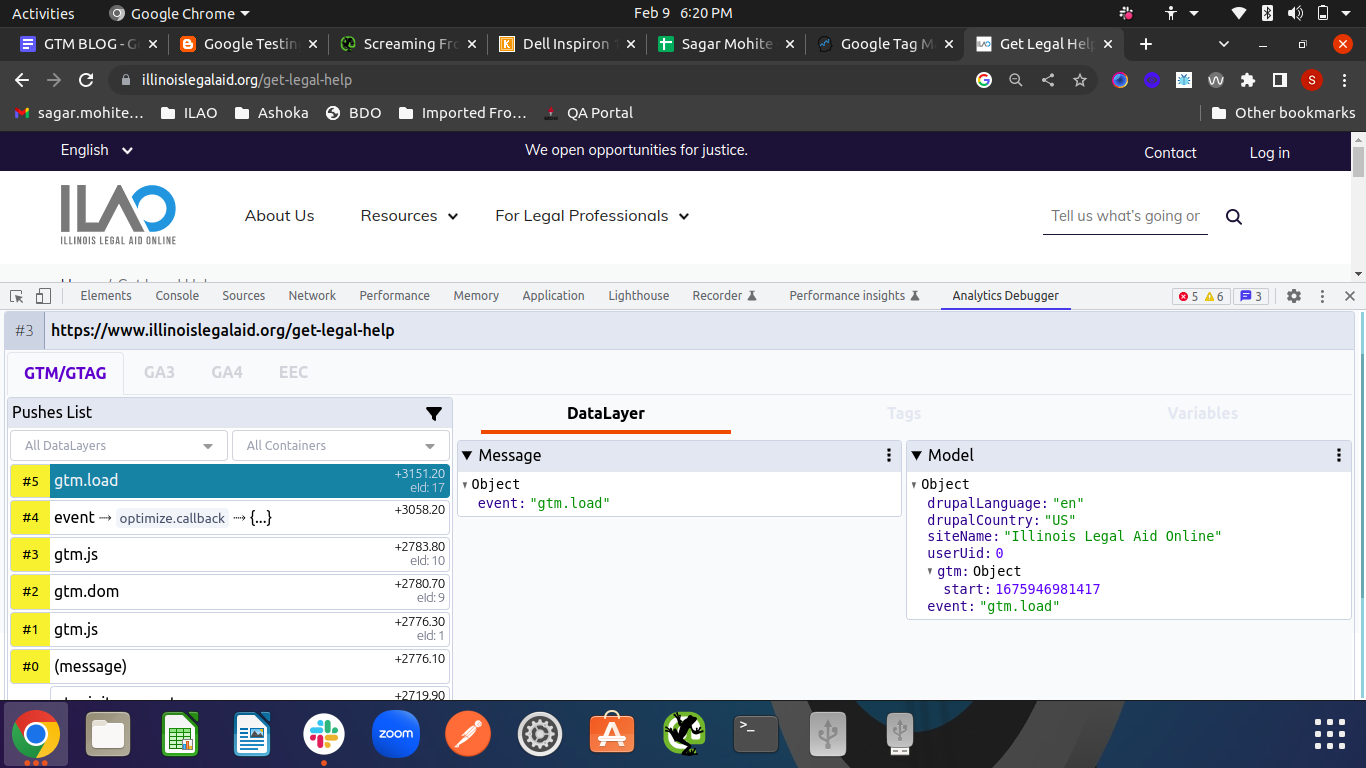
To check using GTM/GA Debugger we need a GTM ID and JS code to track all data. Using GTM/GA Debugger we can track all types of data like the current page, previous page, and all actions.
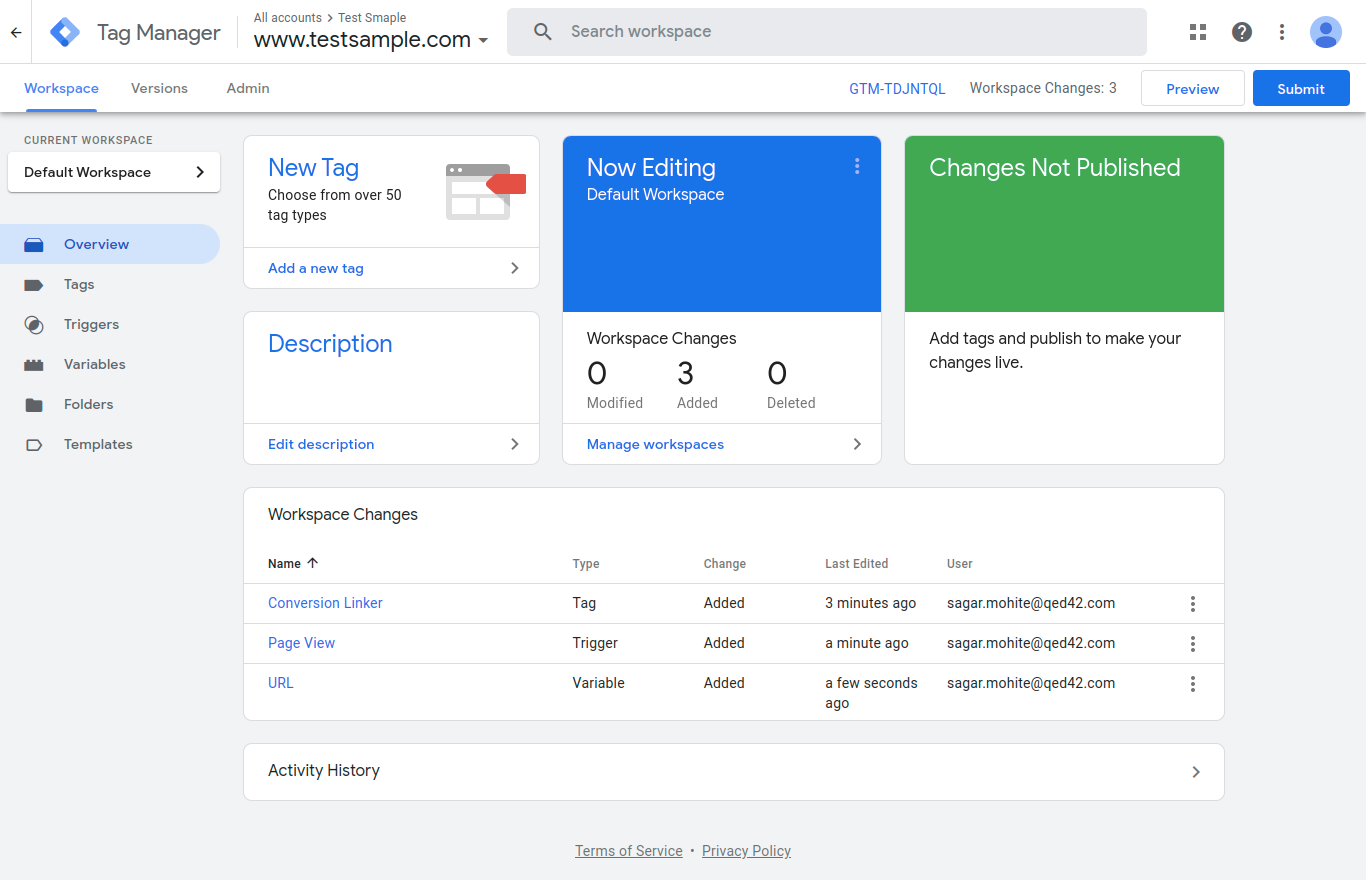
Steps to check GTM ID
For example- “GTM-TDJNTQL.”
Steps to use GTM/GA Debugger for testing
Things to check in GTM/GA Debugger
It depends on the debugging tracking requirements. We can track all activity on any website; Clicking, Sorting, Scrolling, & Applying Filters. Events are tracked automatically in Data Layer Checker, and we have to check all events in the GTM/GA Tab.
Common data check-in GTM/GA Debugger
Add any product to the cart to see a list of results.
Checkout Page [Event generated for every action]
Example
Let's say you have a button on your site that, when clicked, should send an event to GA with the category "Get Legal Help" and the action "Click". To test this, follow these steps:
You should see the event in the "Events" section with the category "Get Legal Help" and the action "Click".
Drawbacks
Summing up
Google Tag Manager is a powerful tool for managing website tags and tracking data without modifying the website code. With GTM, you can easily set up tracking for various marketing and analytics tools, create custom tags, and manage all your website tags in one place. It saves time and resources and helps understand your website visitors' behavior better to optimize your website accordingly.