Introduction
Proper execution and reporting of automation tests play a crucial role in ensuring the reliability and effectiveness of your automation testing efforts. We will learn how to configure the testng.xml file, execute automation tests using testng.xml and pom.xml, and generate comprehensive test reports.
Let's dive in!
Testng.xml configuration
Automation Test Execution using testng.xml
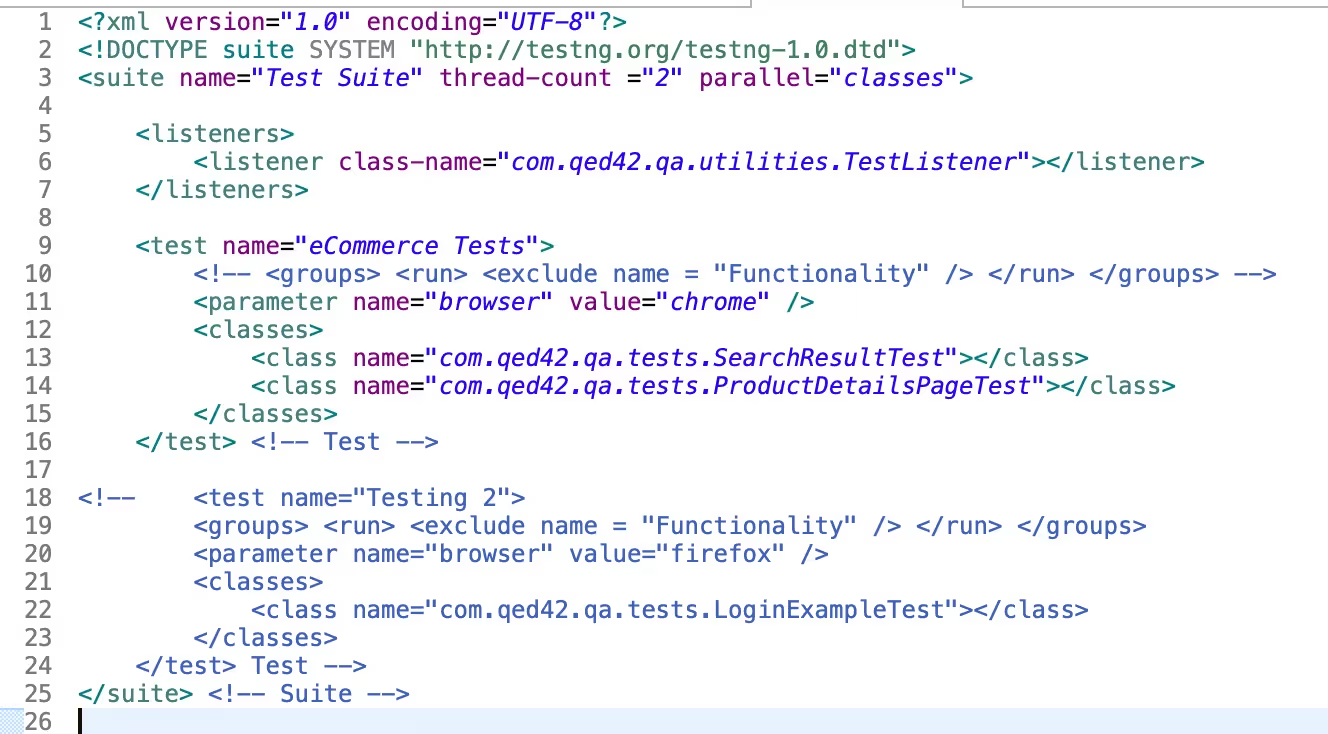
Once the testng.xml file is updated, run tests using testng.xml.
You can refer to section 3.4. Updating the existing testng.xml of Headway user guide to get more information on how to update testng.xml using different parameters.
Build and Execution
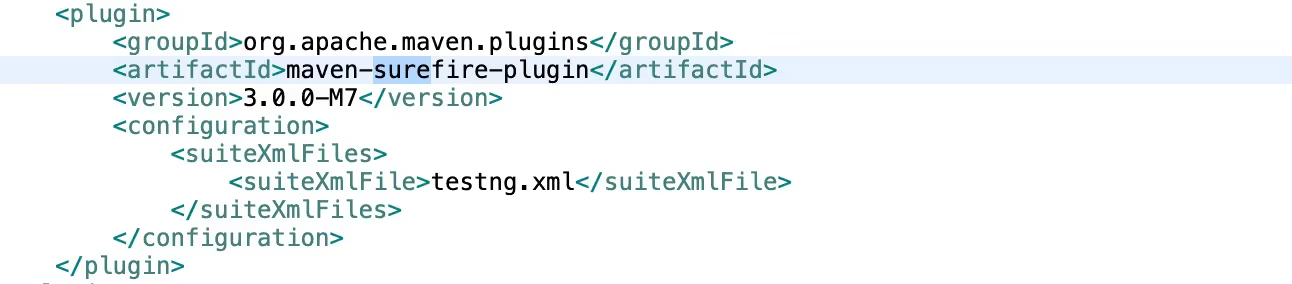
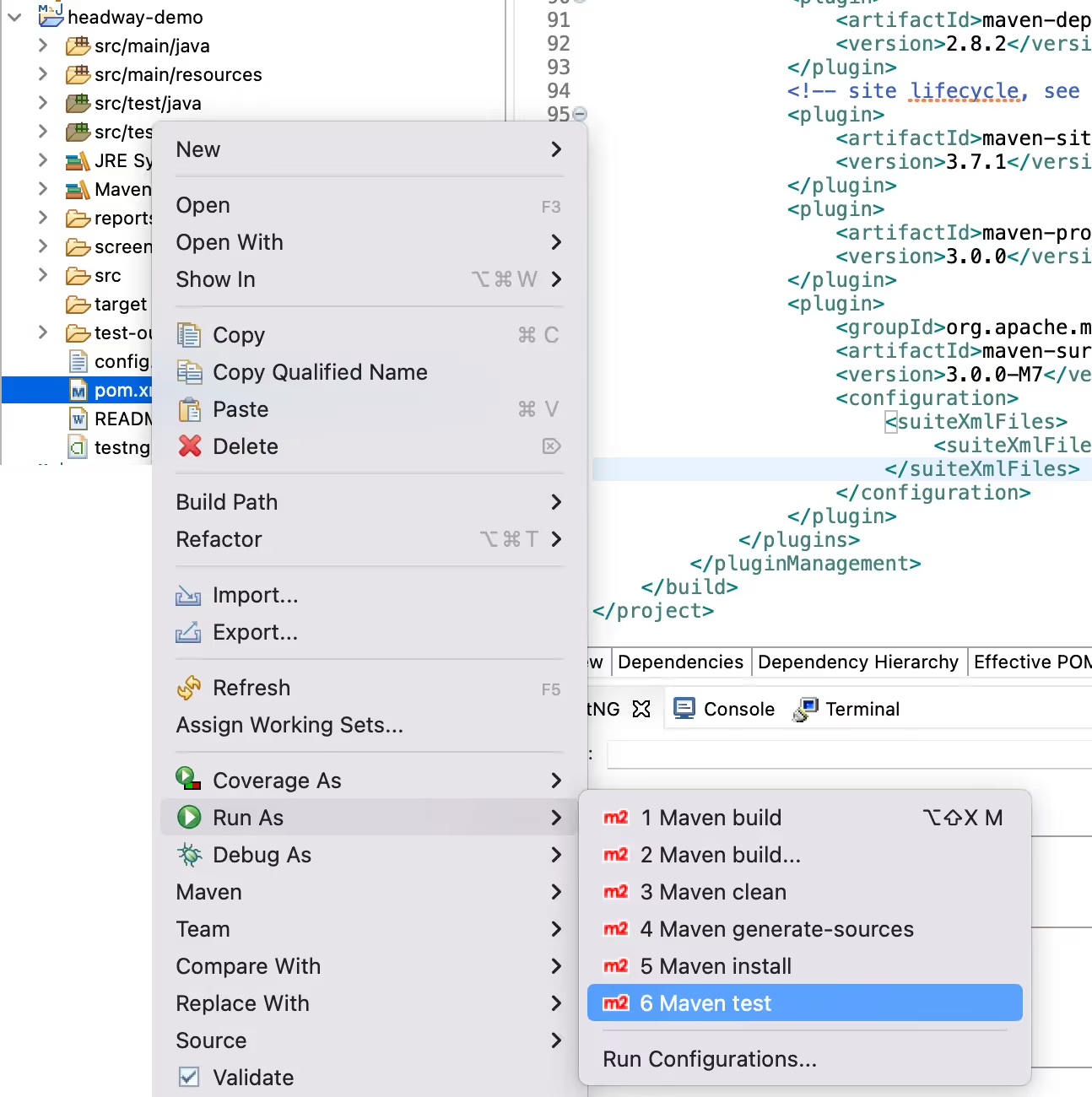
Automation test execution using testng.xml and pom.xml involves utilizing TestNG and Maven as the tools for configuring and running tests. The Headway includes a build automation file pom.xml that defines the project dependencies and build configurations. Automated tests can be executed using a build tool Maven, or through an integrated development environment (IDE) that supports running tests.
Test Execution Workflow using testng.xml and pom.xml :
Test Report Generation
Conclusion
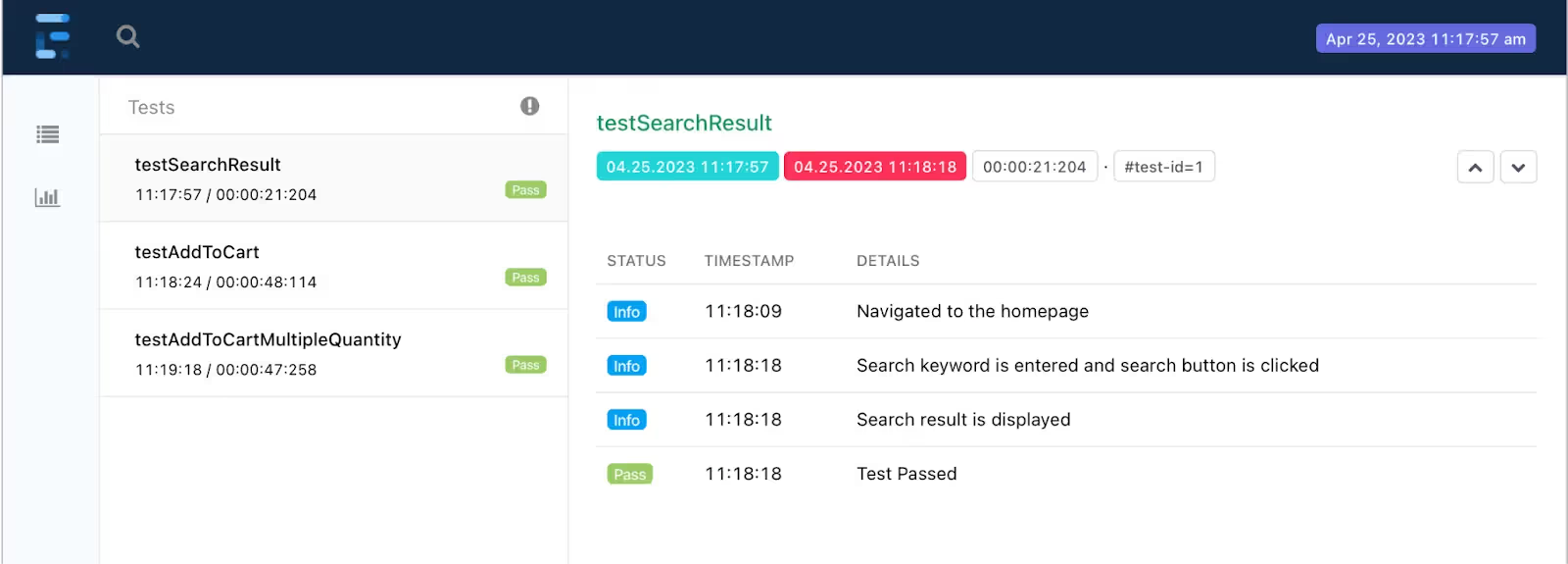
In conclusion, effective test execution and reporting are vital components of a successful testing strategy. By properly configuring the testng.xml file and utilizing the power of Maven and TestNG, you can streamline your test execution process and obtain detailed test reports. These reports provide valuable insights into the test results, including test status, duration, error messages, and stack traces. By leveraging the information provided in the reports, you can identify and address any issues or failures in your tests promptly.