What is Continuous Integration Testing?
Continuous Integration Testing (CI) is an essential practice in automated testing that focuses on frequent integration and testing of code changes. It brings numerous benefits to the development and testing process, including early bug detection, faster feedback loops, and improved code quality. Integrating Headway with popular CI tools like Jenkins allows for seamless automation of the CI process.
In this blog post, we will walk through the process of integrating Headway with Jenkins for seamless Continuous Integration and Deployment (CI/CD). We'll cover the prerequisites, configuration steps, and execution of a Jenkins job for running a test suite. By the end, you'll have a clear understanding of how to set up and execute CI/CD workflows using Jenkins and Headway.
Prerequisites
Before getting started, ensure that you have the following prerequisites installed on your system:
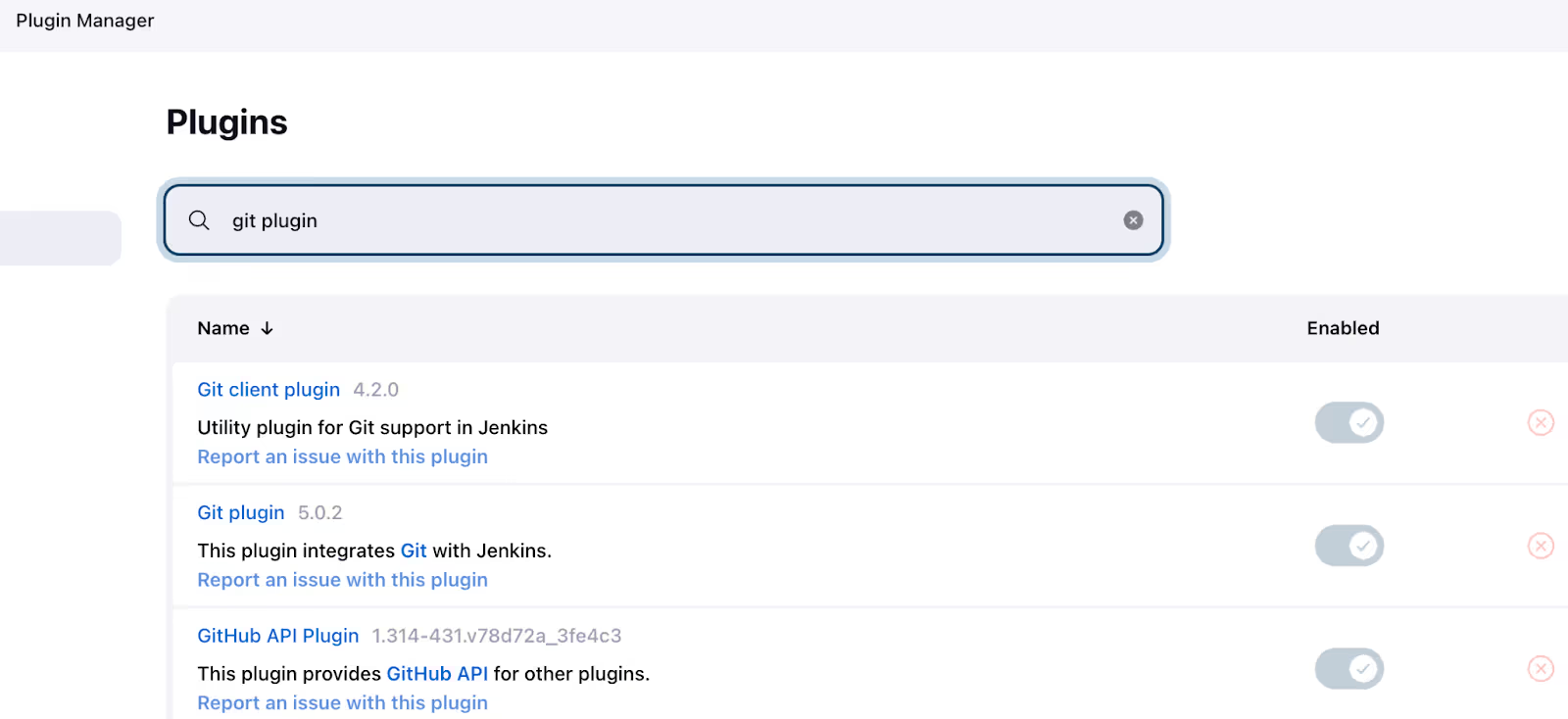
Install Plugins in Jenkins

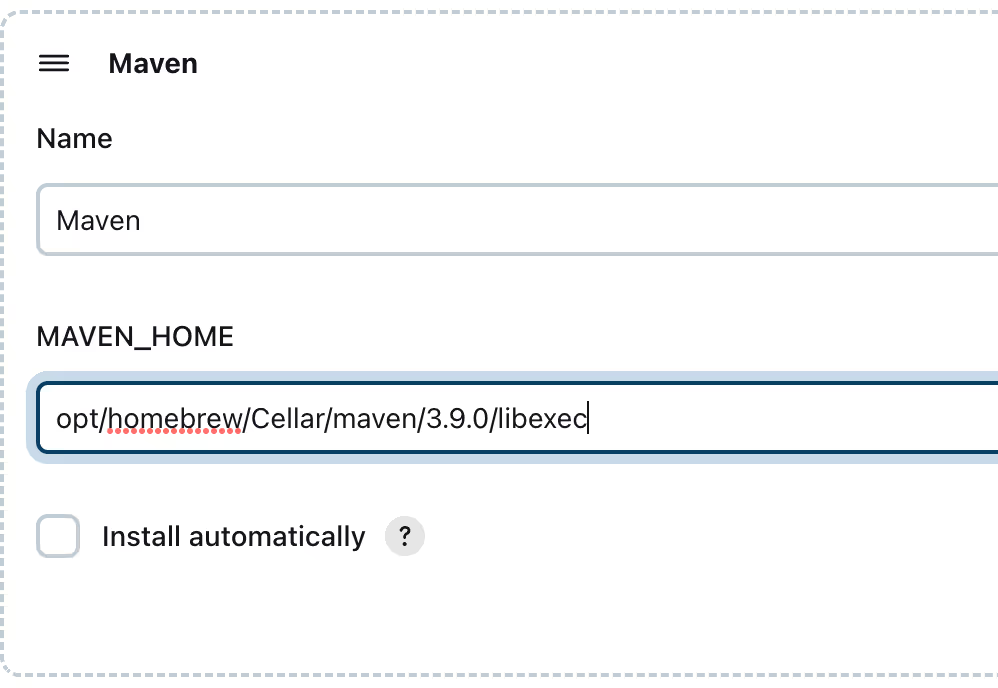
Configuring Global Paths in Jenkins
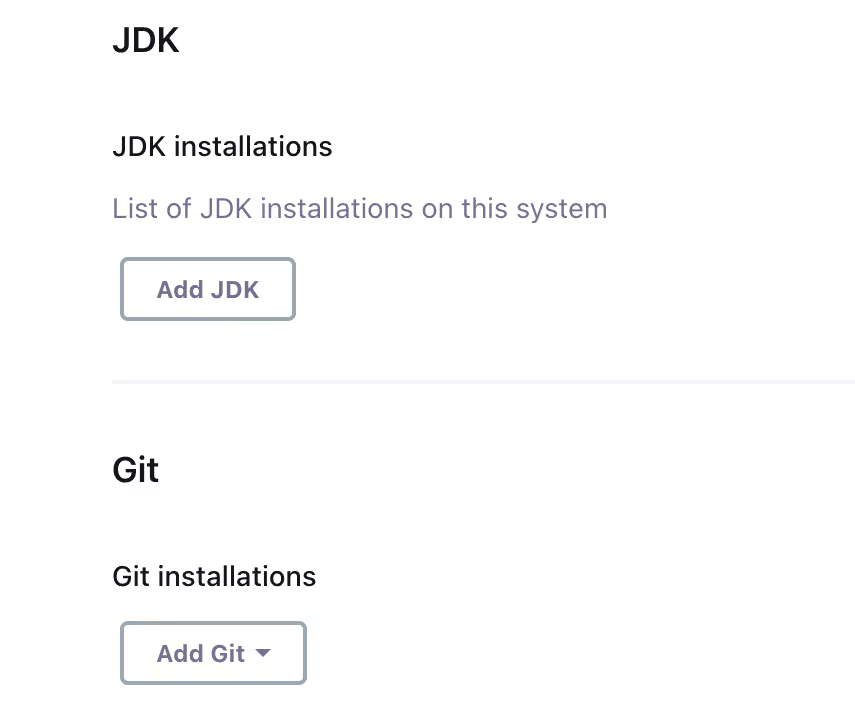
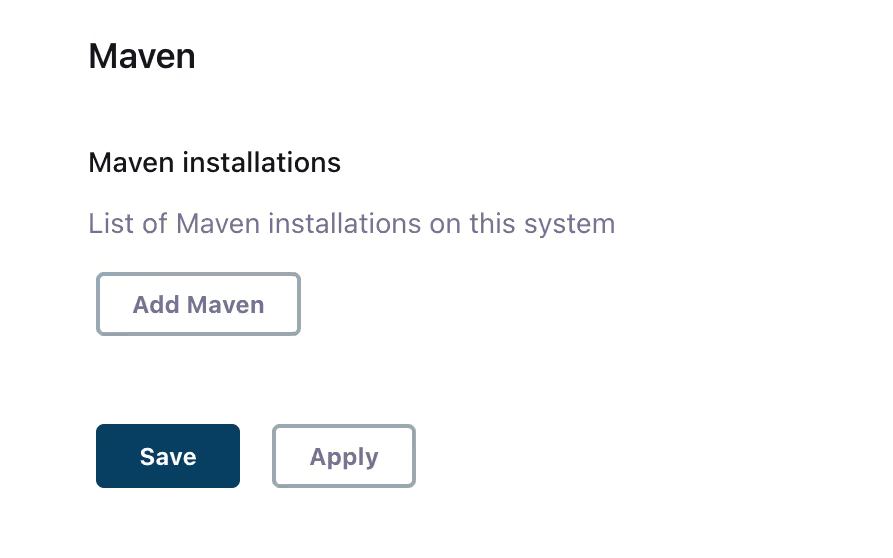
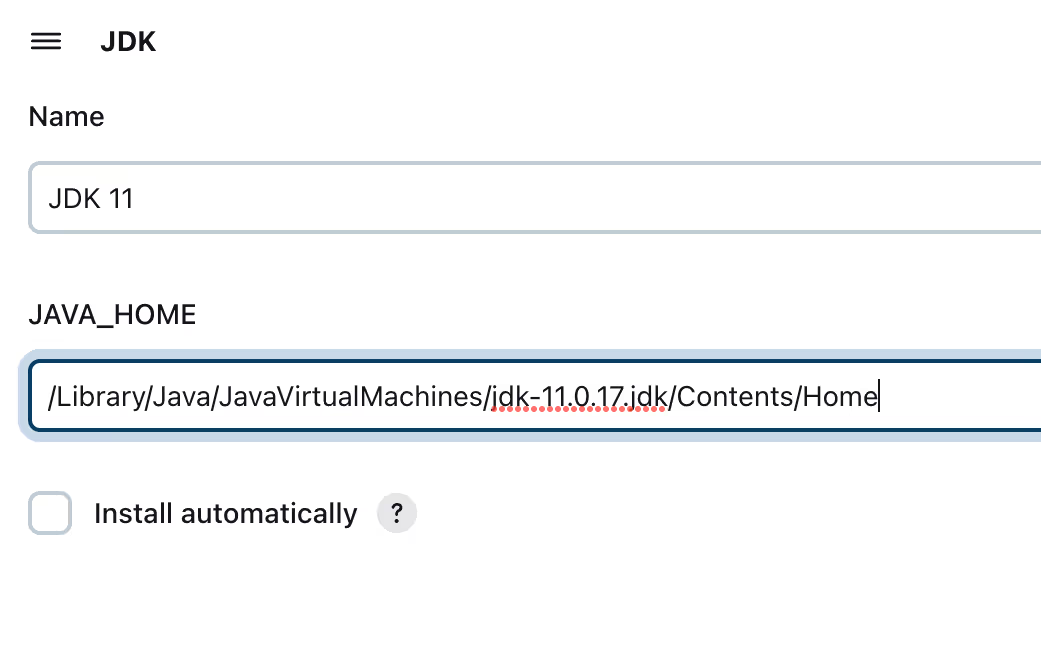

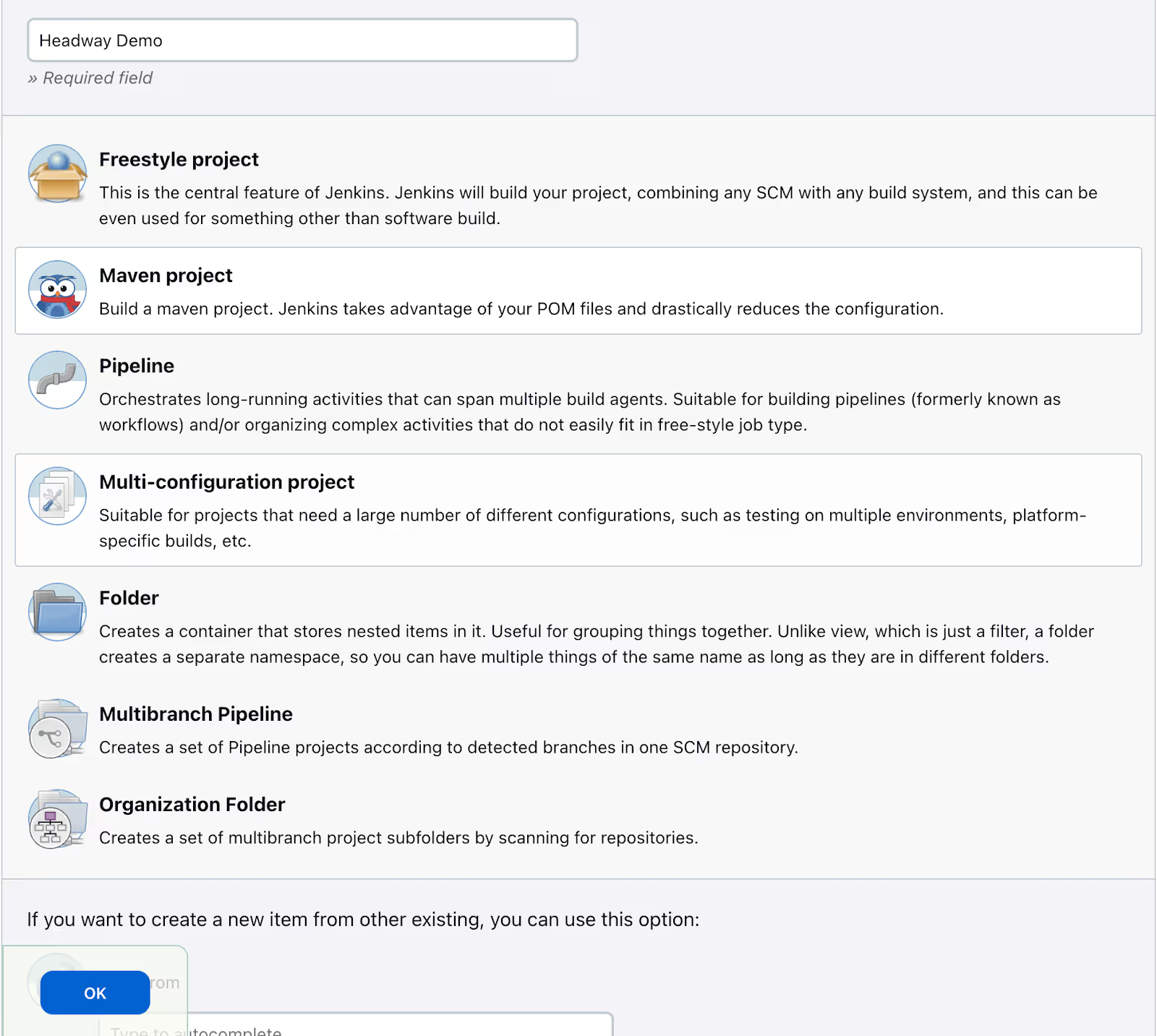
Creating a Jenkins Job
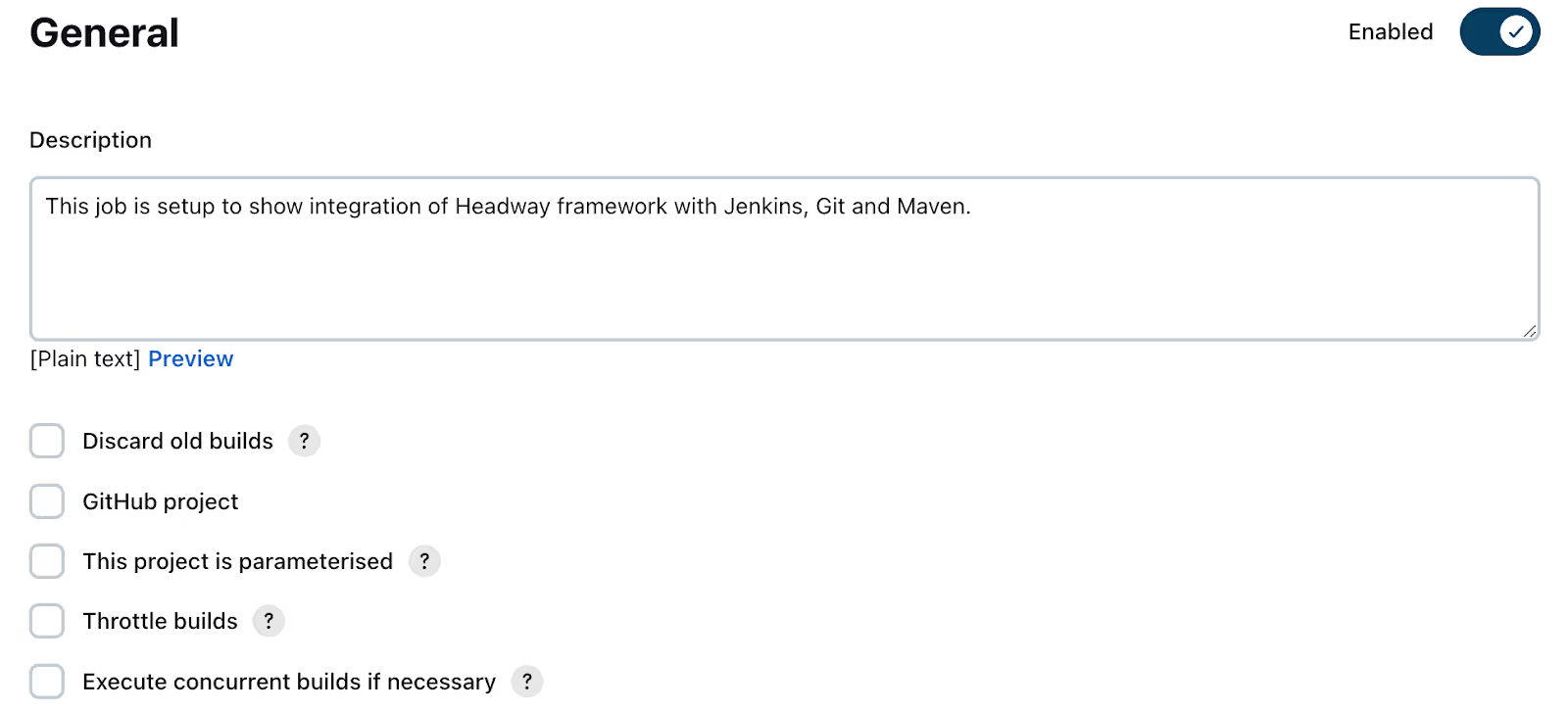
Configuring a Jenkins Job
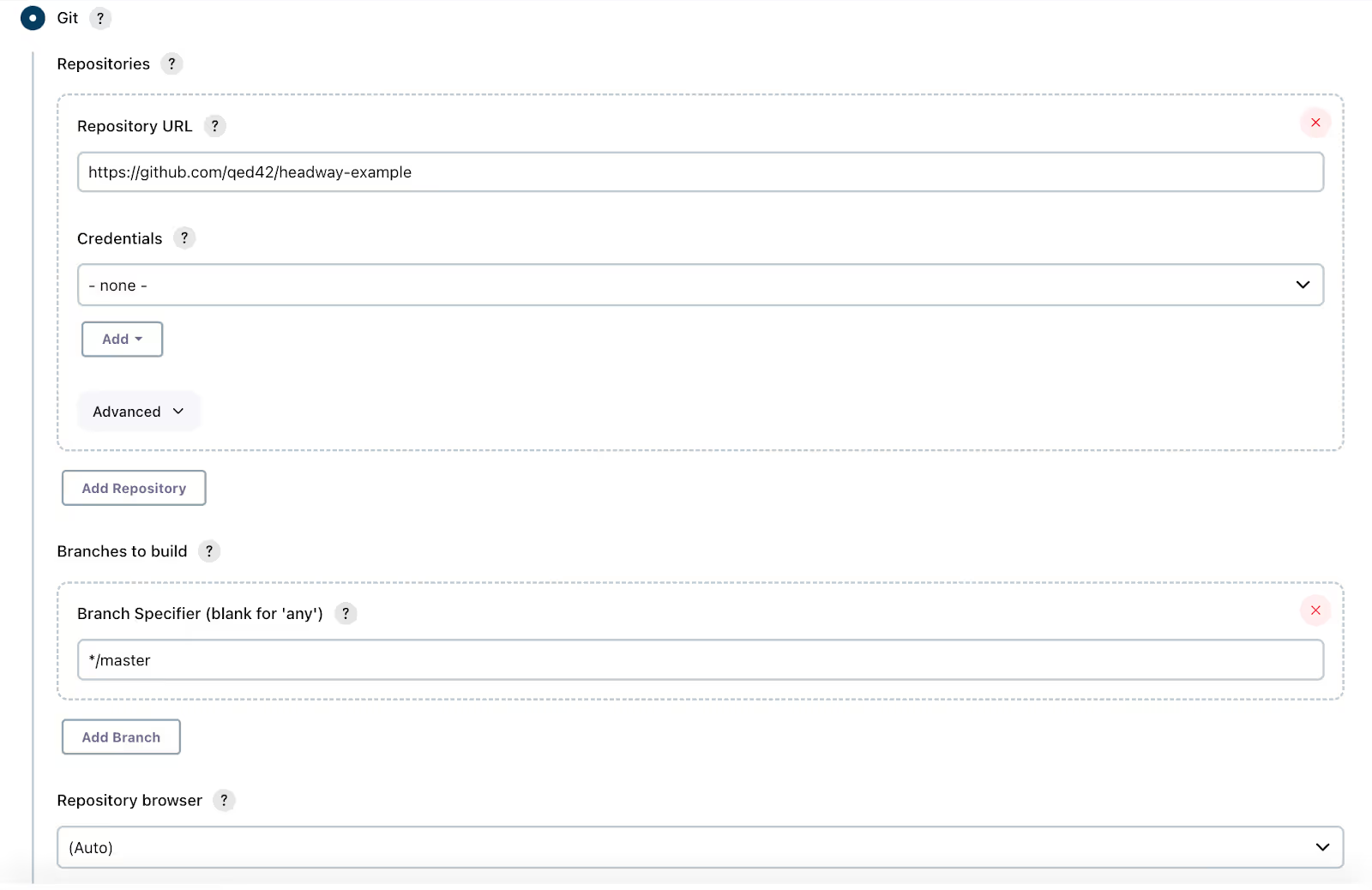
Note : As Headway is open source so no need to enter the credentials of Github.
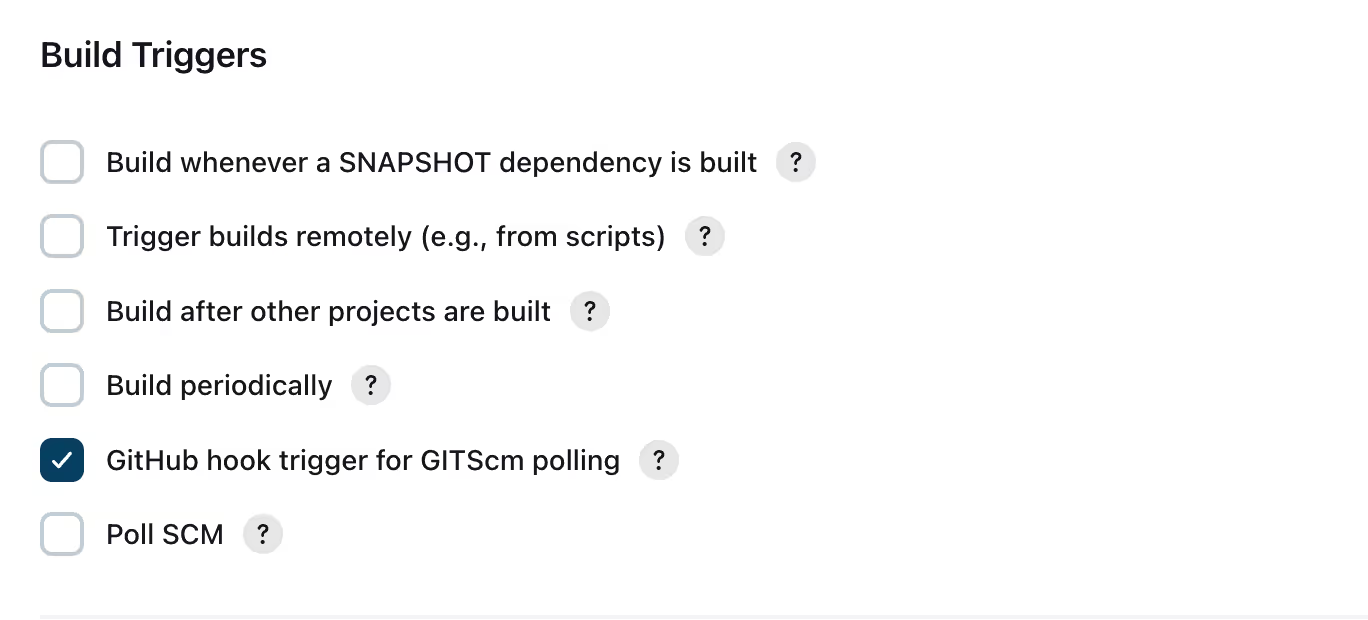
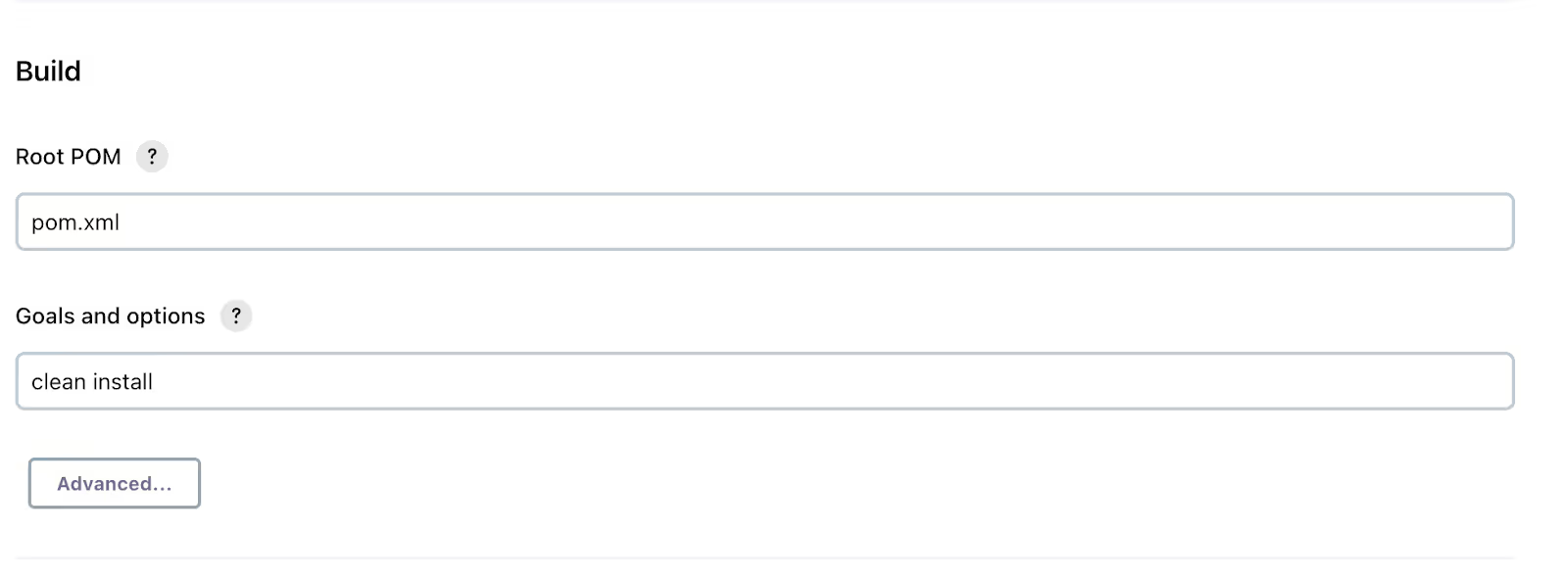
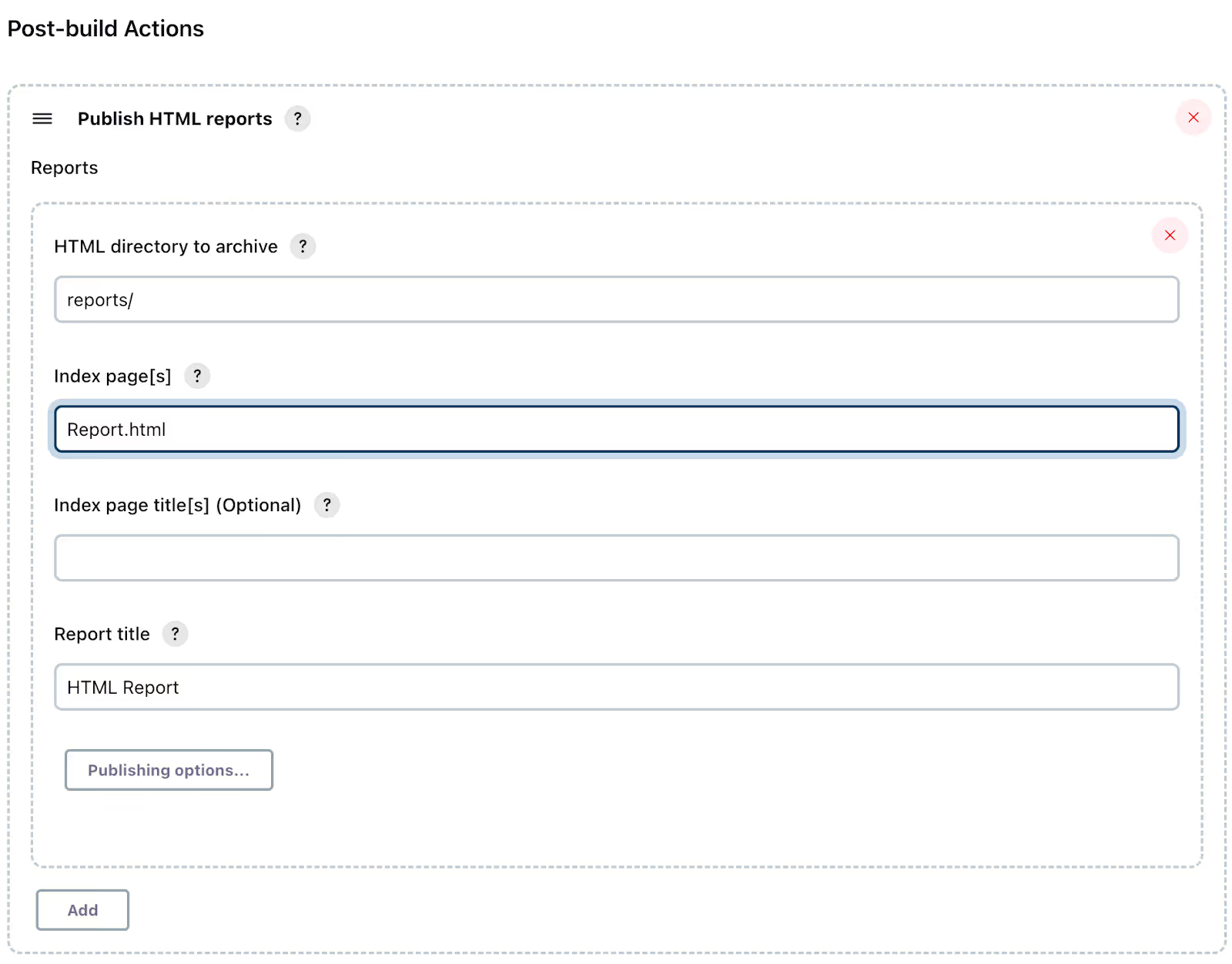

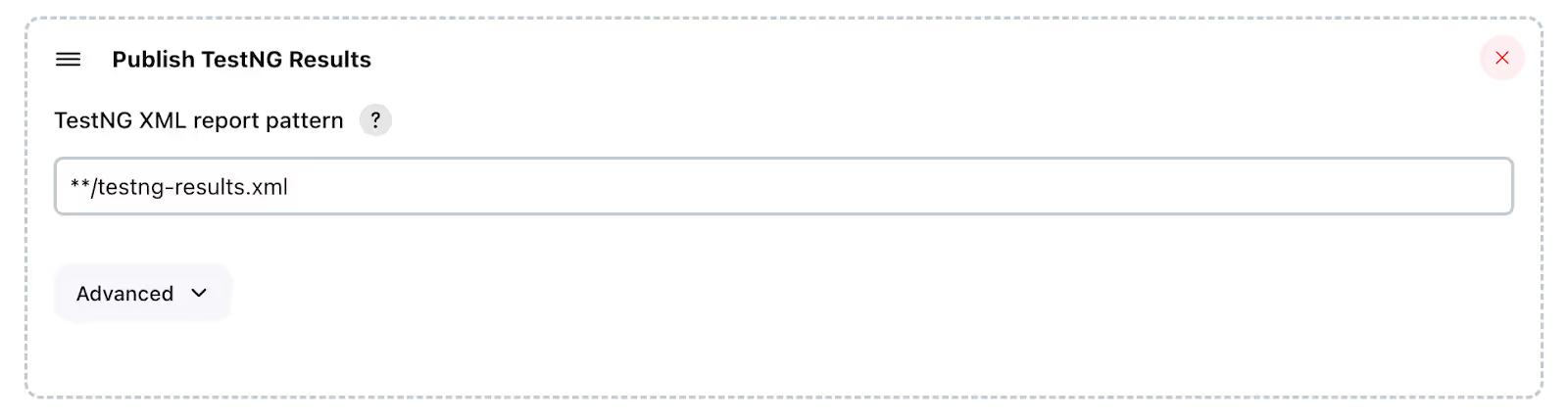
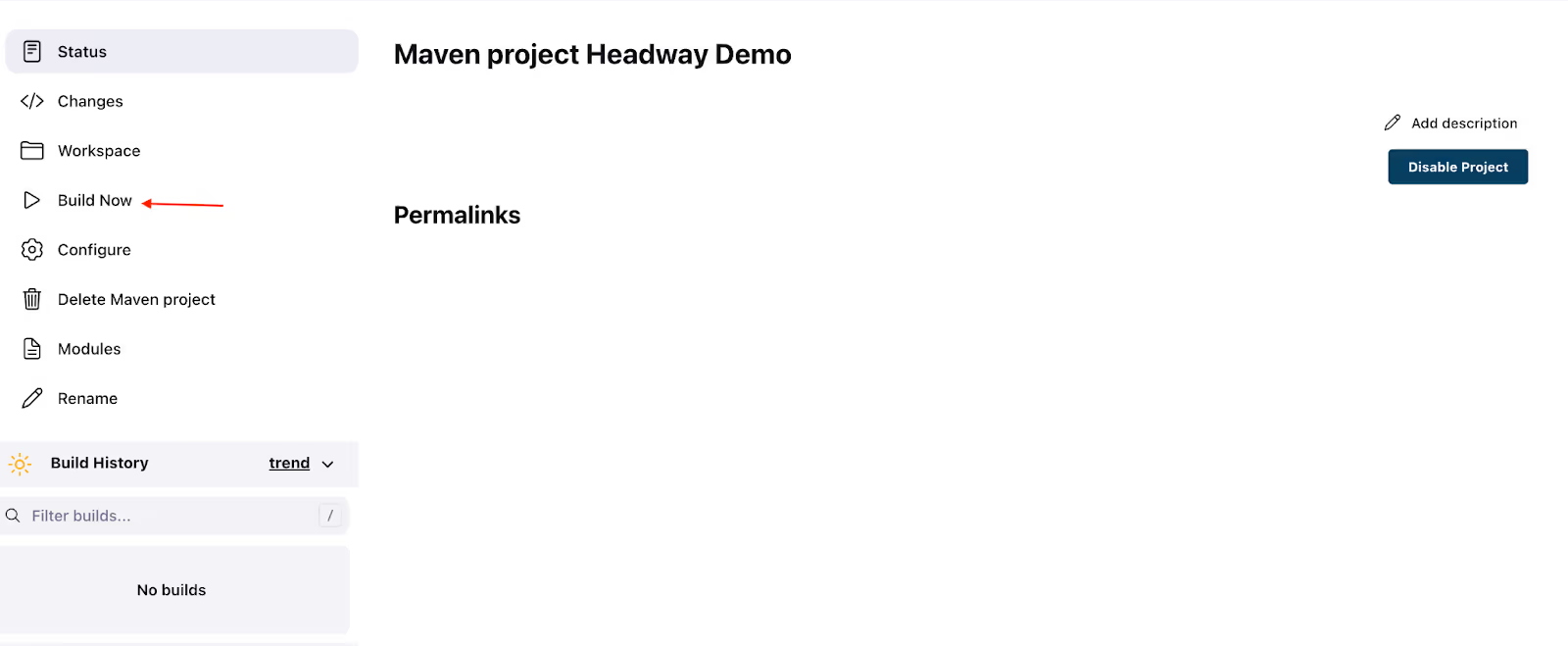
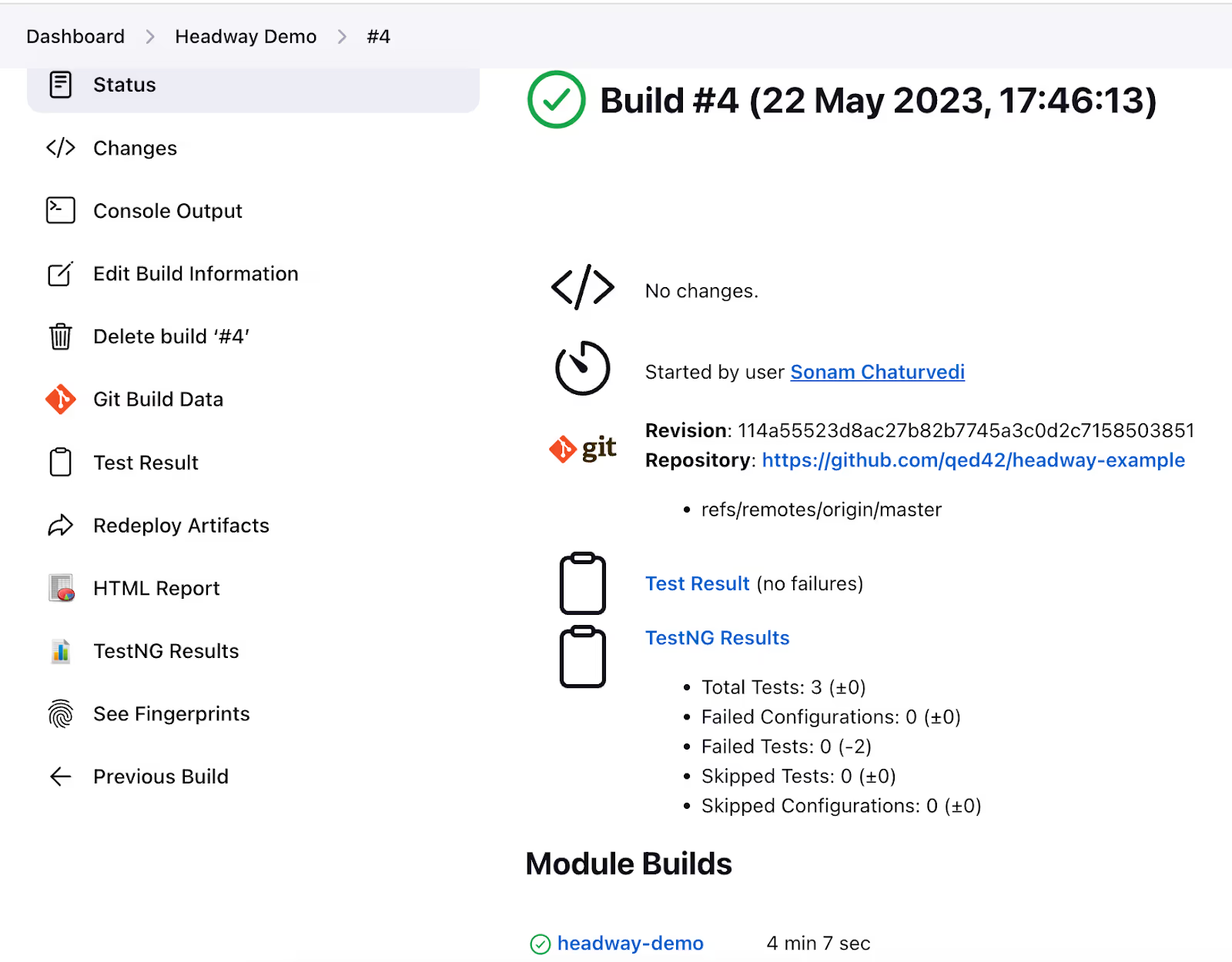
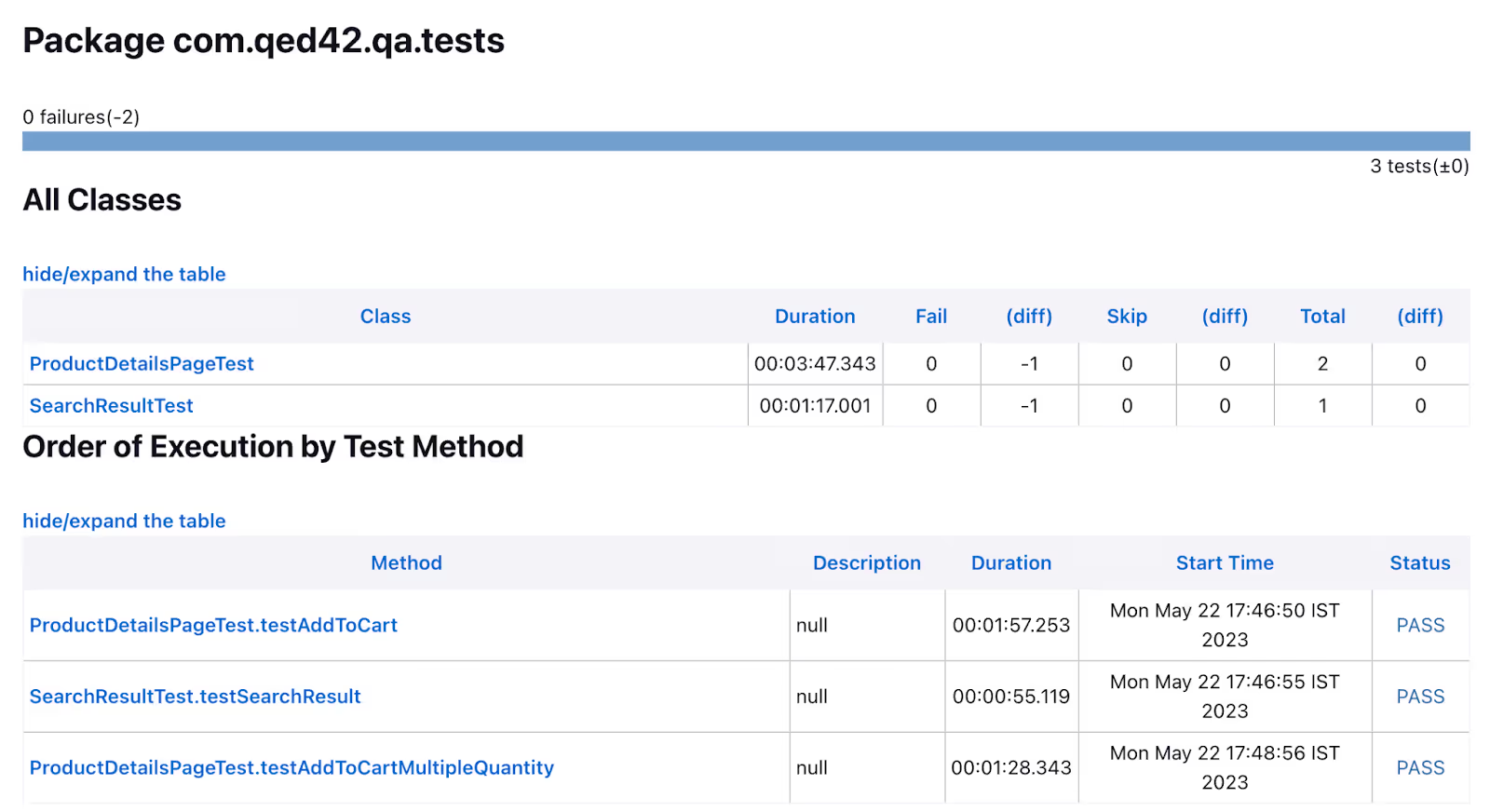
Execution of Jenkins Job
Conclusion
By following this guide, you have successfully integrated Headway with Jenkins for an efficient CI/CD workflow. You learned how to configure Jenkins jobs, execute test suites, and access relevant reports and logs. With this knowledge, you can enhance your development process by automating tasks and ensuring smoother software delivery through CI/CD.