Hoping you all are familiar with the term Headless/Decoupled Drupal, I won't be diving into the details. However, if you'd want to know more about what Headless Drupal is, you are just one click away from finding the secrets of the Headless world! Today we will demonstrate how Drupal's JSON API can be leveraged to create a Decoupled application with Next.js as our rendering layer and Drupal Commerce as the content hub.
As a starter here is what we will be covering in this blog post:
Note: We will follow this up and cover checkout functionality in another blog post.Here is a link to the starter package. This is still a work in progress but good to get you started
Set up your Drupal Commerce site
Drupal Commerce provides you with a starter project. This will make your content work easier as it provides you with some preconfigured products. Alternatively, you can set up your site from scratch by following the Commerce documentation here.
Once you are done installing the site, you need to do a few more things:
Fetching data from the Drupal site
Here is a link to the starter package. This is still a work in progress but good to get you started. Go through the readme file to check how to set up your Next.js site.
This is how your homepage should look like:

Let me walk you through the folder structure and the code:
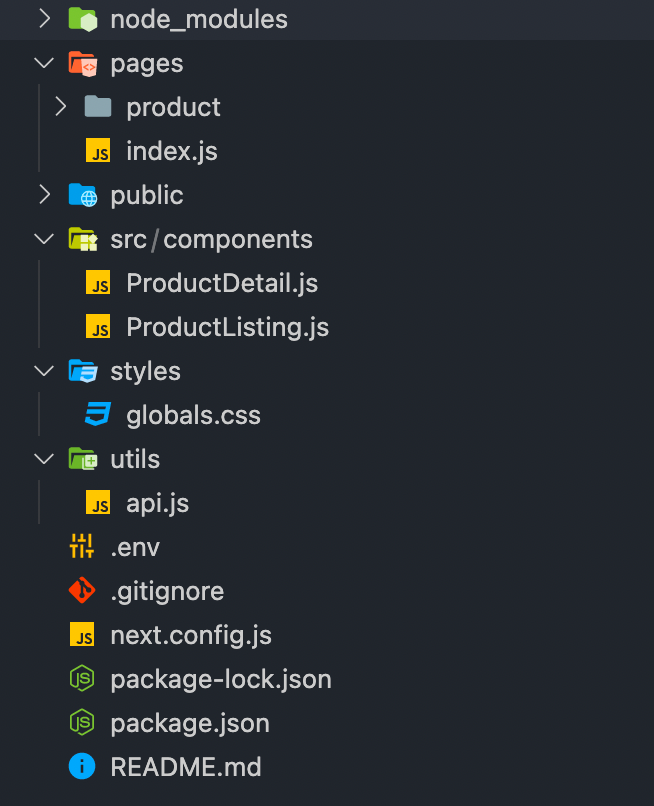
Creating pages
Here are some of the Next.js functions we will be using to fetch data at the build and run time.
Creating Static Routes
As mentioned above each page in Next.js is associated with a route based on its file name. So the index.js file inside the pages folder will work as our homepage.
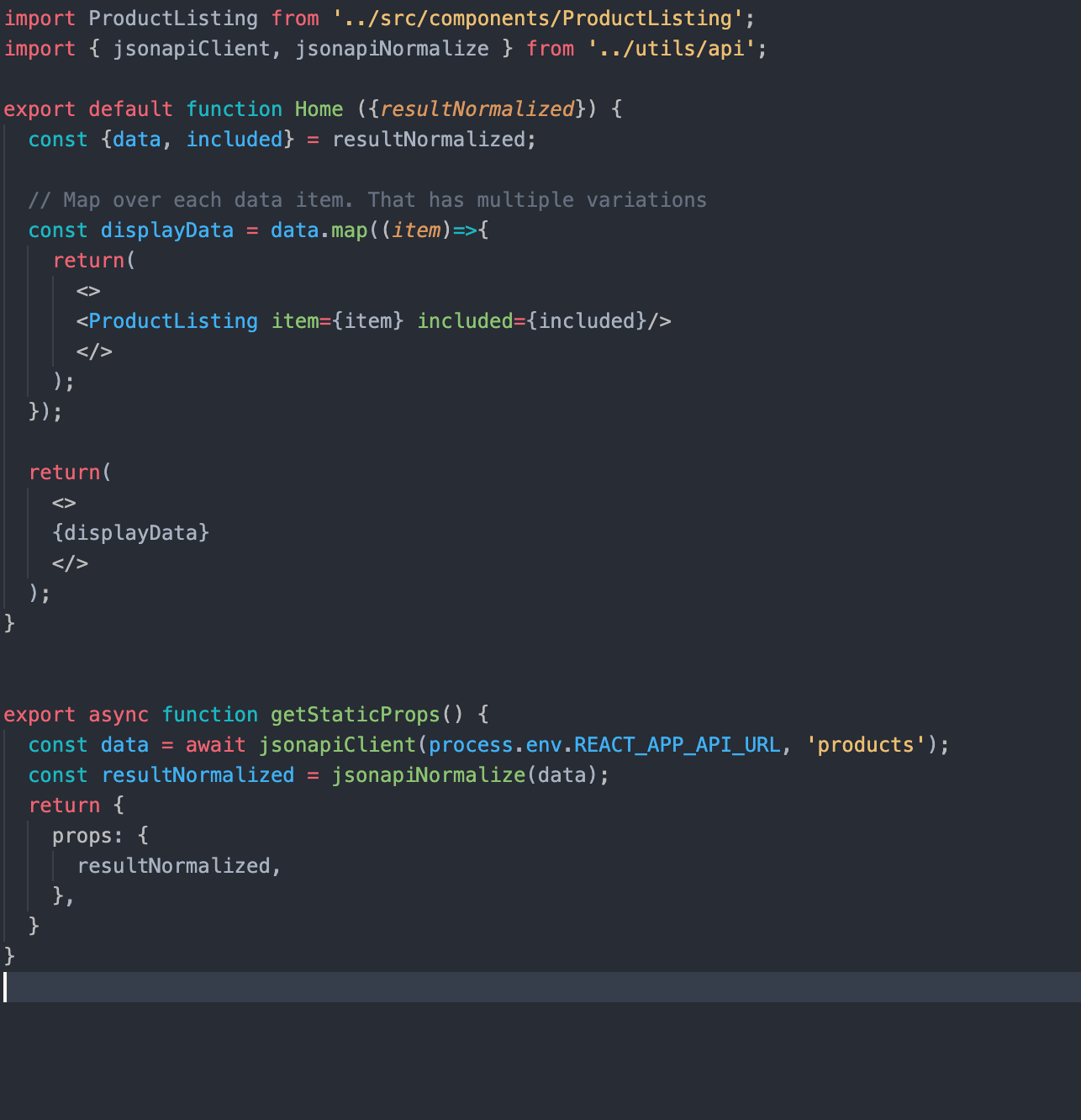
In getStaticProps, we are using our JSON:API Client (you can find the relevant code in the api.js file) to fetch the relevant data and filter it as per our needs. getStaticProps function returns the data as props to our default component which is further manipulated to get the desired result.
Creating dynamic routes
Next.js also supports dynamic page routing. In Next.js you can add brackets to a page ([param]) to create a dynamic route. Inside the product folder in the pages folder, we have created a file [id].js which will be responsible for creating our product detail pages.
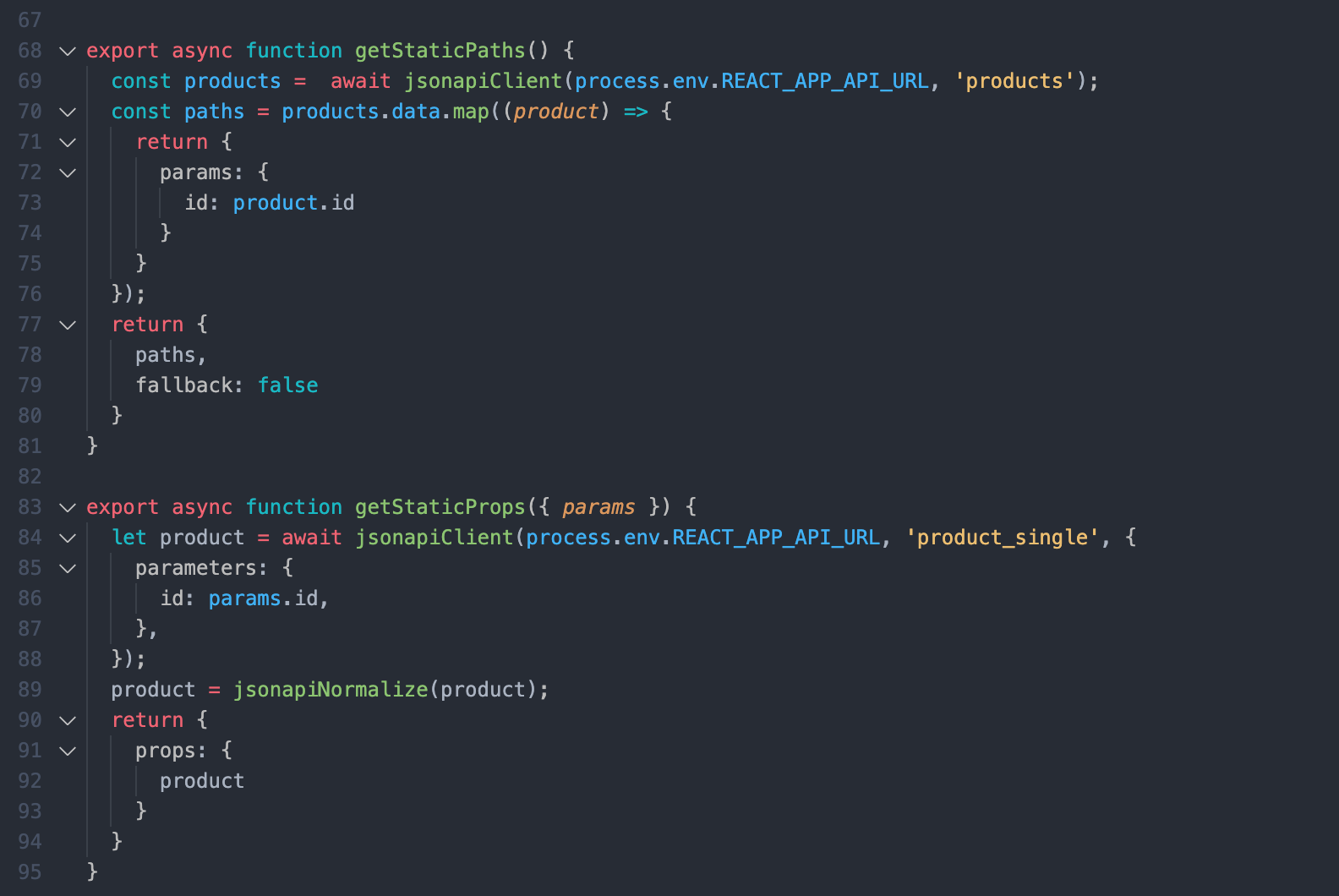
Here, getStaticPaths fetches the products id's for us and passes them as params to getStaticProps and get static props to pass the product data as props to the default product component.
Note that we are using the product id here. Because with JSON:API in Drupal you can't filter by path alias due to technical limitations. JSON:API filters translate to entity queries on field values; because Drupal path aliases aren't fields you can't use the filter query param to look up articles by their alias.
So to overcome this limitation we can use modules like:
Another thing to note here is that for better a developer experience in development mode, getStaticProps and getStaticPaths run on every request otherwise they only run at build time.
Conclusion
This is it! You have set up a Decoupled site with a simple listing page and detail pages. As this is still a work in progress. If you face any difficulties please add your queries in the comments section below and I will be happy to answer!