Drupal, like any open-source platform, evolves and improves through the contributions of its community.
The best part of being involved is that every effort counts, whether you're fixing bugs, writing documentation, reviewing updates, creating modules or themes, promoting Drupal, or organizing events. This article will guide you on how to contribute a module to Drupal and share it on Drupal.org.
Why and when to create a contributed module
If you notice that the CMS is missing a feature that others benefit all Drupal users, creating a contributed module can be valuable.
This is especially true if you’ve already developed a custom solution for a common problem or added features that existing modules don’t cover. By sharing your module, you help other developers facing similar challenges and expand Drupal’s functionality.
Contributing also leads to more collaboration—others can build on your work, suggest improvements, and help keep it updated with the latest Drupal versions.
It’s a rewarding way to share your expertise with the entire Drupal community, support the people who are a part of it, and promote good practices in open-source development. For more reasons to host your project on Drupal.org, visit "Why host your project on Drupal.org."
How to contribute a module : Step by Step guide
Step 1: Identify a problem and create a module for the purpose
The first step in creating a contributed module for Drupal is to thoroughly identify and understand the problem or gap in functionality that you aim to address. This involves a combination of research and analysis to ensure that your module will be both useful and relevant. Here’s a more detailed approach to this process:
Look for issues that people have encountered while using Drupal, or identify a feature that could benefit Drupal users. For instance, if multiple users ask for a specific feature or integration that isn’t currently available, this could be your chance to create a module. To find these contribution opportunities, you can explore drupal.org, community forums, and discussion boards
Review existing modules and their documentation to understand their capabilities and limitations. Identify any gaps or areas for improvement. Review existing modules to ensure your idea is not a duplicate or already covered.
Clearly define the problem your module will solve or the feature it will provide. Make sure that the problem is significant enough to warrant a new module and that your solution will offer tangible benefits to users. Document the module’s functionality and objective clearly to keep your development focused and aligned with the identified needs.
By researching and engaging with the Drupal community, you can make sure your module meets a real need and offers valuable functionality. After identifying the problem and defining what your module will do, you can start creating it by following the steps in the Drupal documentation on creating modules.
Step 2: Preparing the module for drupal.org contribution
If the module you created in the last step improves the functionalities of drupal, you can go ahead with contributing the module. Ensure the module is generic and free of hardcoded configuration values. Include the following files:
Step 3: Create a new project in drupal.org
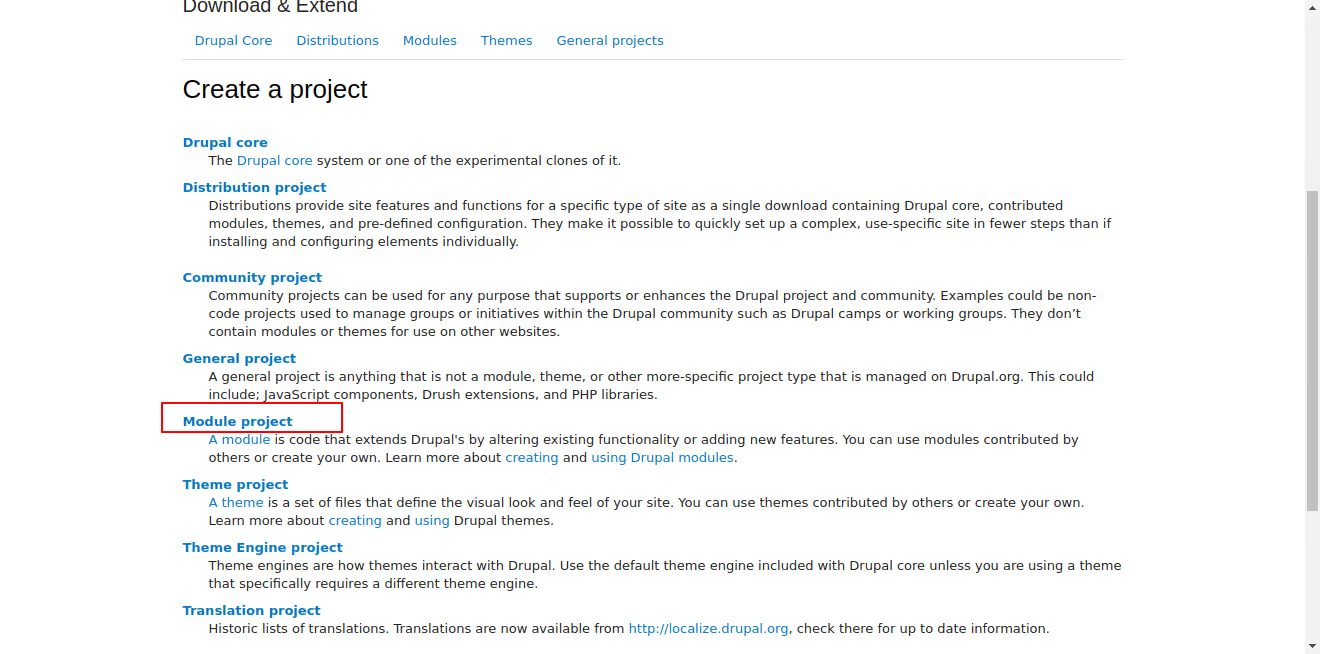
2. Choose the 'Module' project option. This specifies that you are creating a new module, as opposed to a theme, distribution, or other project types.
3. Fill Out the Project Form:
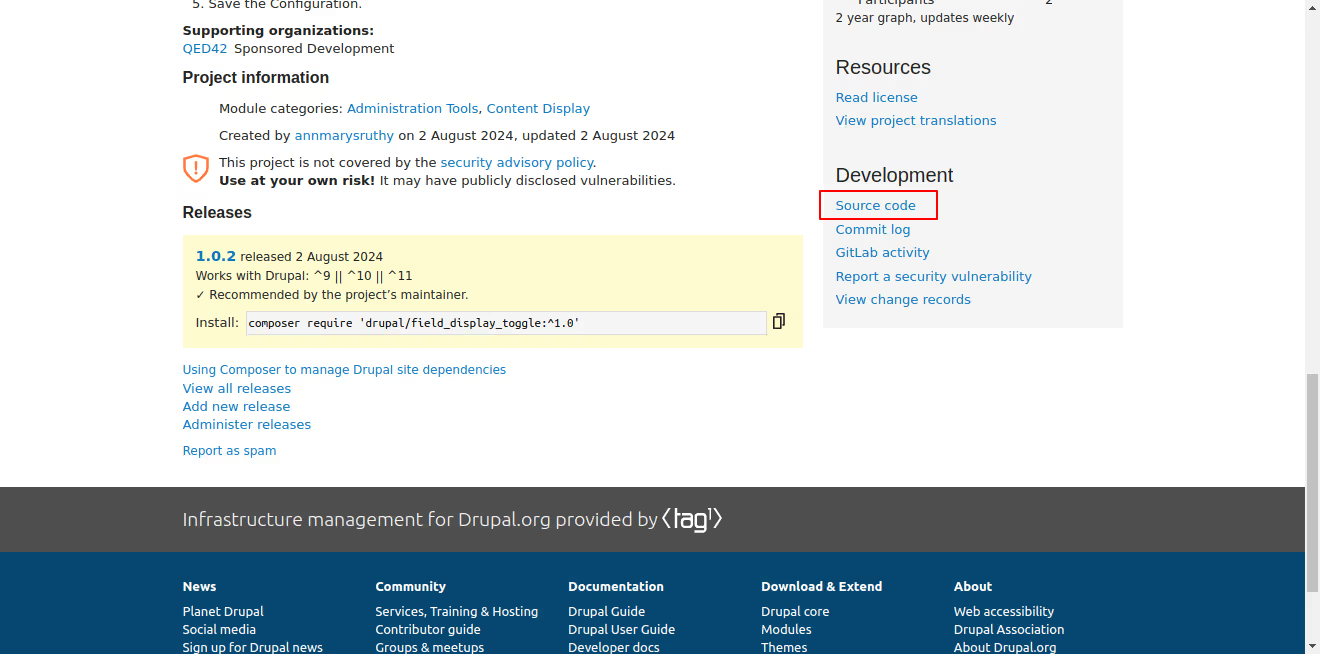
Step 4: Upload source code to project in drupal.org
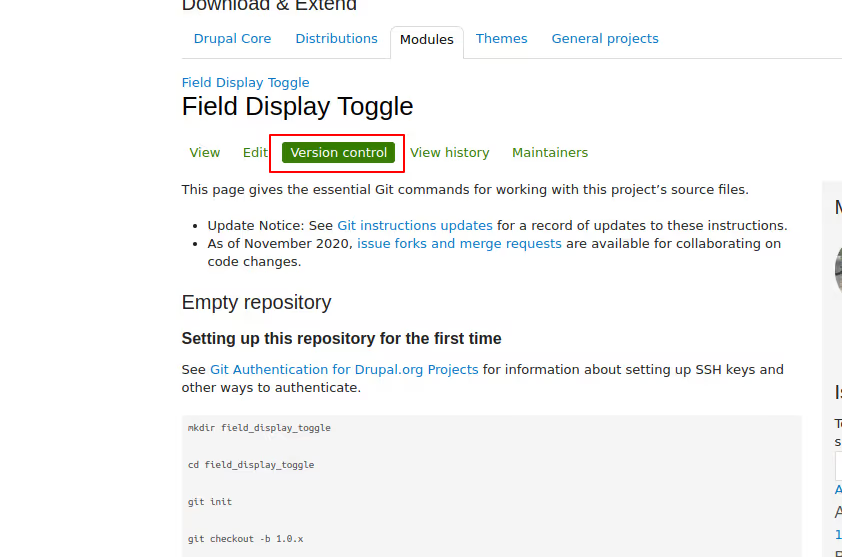
Step 5: Add automated tests and pipeline
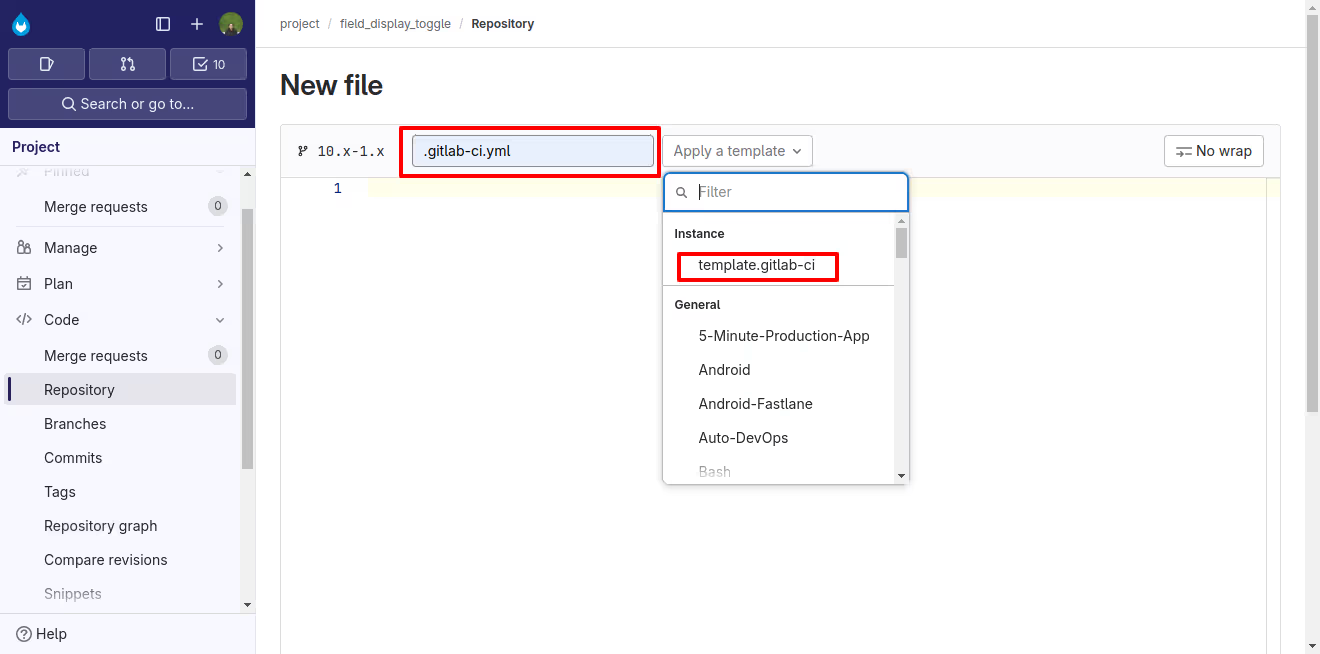
Automated testing and continuous integration are essential for keeping your Drupal module reliable and high-quality. Setting up a pipeline with GitLab CI will automatically test and validate every change to your module. Here’s a step-by-step guide on adding automated tests and configuring a pipeline for your module on Drupal.org:

Conclusion
Contributing a module to Drupal.org is a great way to support the community and apart from that by creating something useful, you're helping both the Drupal community and the businesses that rely on it. It's also a chance to share your work, get feedback on it, and be part of open-source development.
Enjoy the process, knowing that your efforts make a difference to Drupal as a digital public good and benefit everyone who uses it.