React is truly revolutionizing the way how we look at our front-end. With React we are not only making our UI faster but also very scalable. It may require some initial efforts to get the momentum but it’s totally worth the efforts. The development hadn’t been more fun before React.
SPAs
React is a great tool to create Single Page Applications also regarded as SPAs, where conventionally, our whole application is loaded all at once at the start and thus providing the user a seamless experience.
Problems with SPAs
The biggest problem that a developer faces with SPAs is the bundle size. It may get pretty big over time and in case of big applications the bundle size is going to be huge i.e in MegaBytes. So requesting MBs of data from servers can take a lot of time which makes the User Experience not fun at all.
Solution
Well, we don’t have to worry anymore. There is a very simple solution to it i.e Code Splitting It sounds like fun right? Definitely, it is fun. There is a library called `react-loadable` which make this whole code splitting process easier. With react-loadable, we cannot only load the components/templates dynamically but also in a much faster and user-friendly way.
React Loadable
React loadable is a great library and with react loadable integrated in the application, you don’t have to worry about defining the webpack configs. It takes care of all the sweat work and works seamlessly with multiple chunks of modules. The only thing that you need to take care of is what and when to split.
Getting Started With Code Splitting
We can code split our code at any level mainly :
It is a matter of use case or I would say preference and where to implement what. Also both can be implemented at once. I personally consider Page Level code splitting to be a bit better as it helps you to keep a cleaner code and a developer can easily keep track of the actual number of modules.
Let’s look at an example and how does it work
Where Loading is a component that will be rendered until the actual component TodoList is loaded
1. "/", where our Home Component is rendered (comes with the Main Bundle)
2. "/todo-list", where our TodoList Component is imported and rendered (Code Splitted to a separate file)
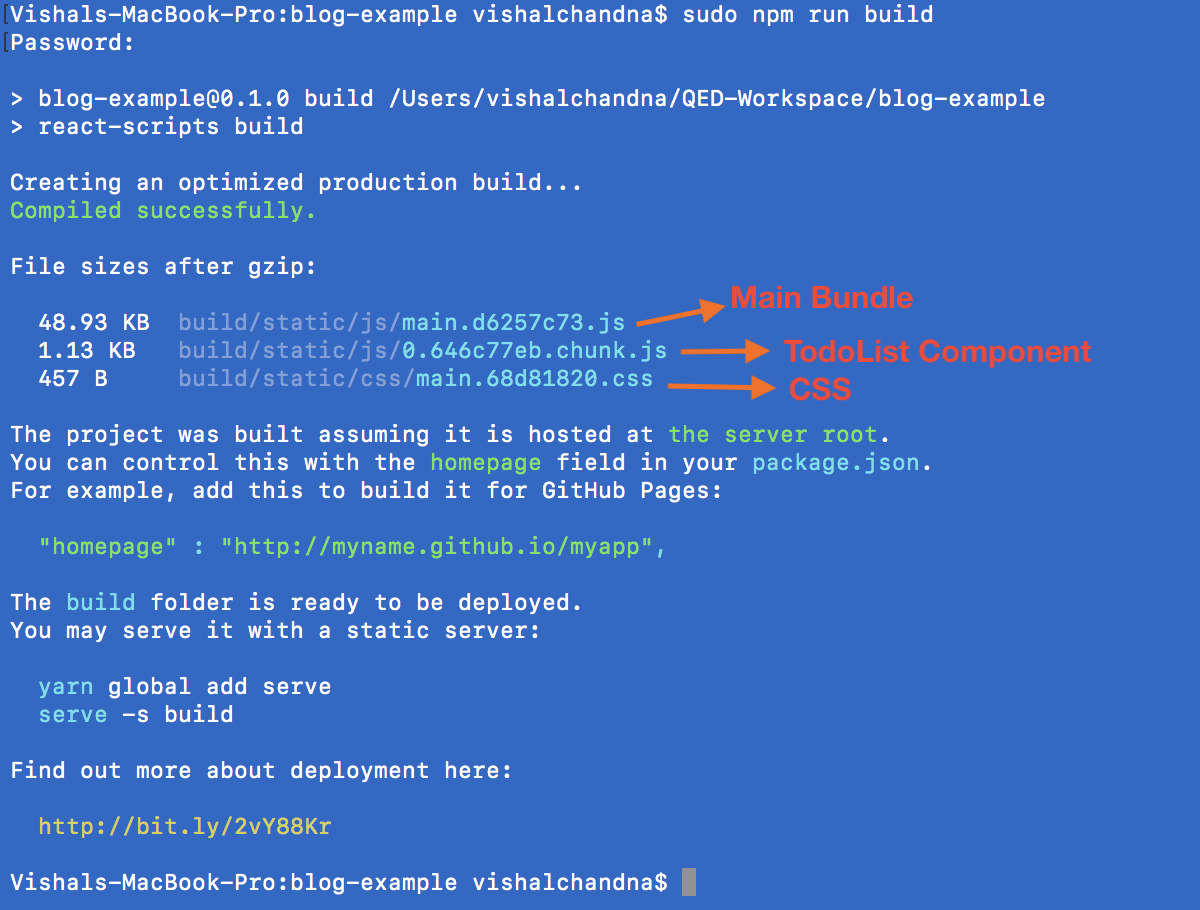
1. Home - Which is going to be our default route
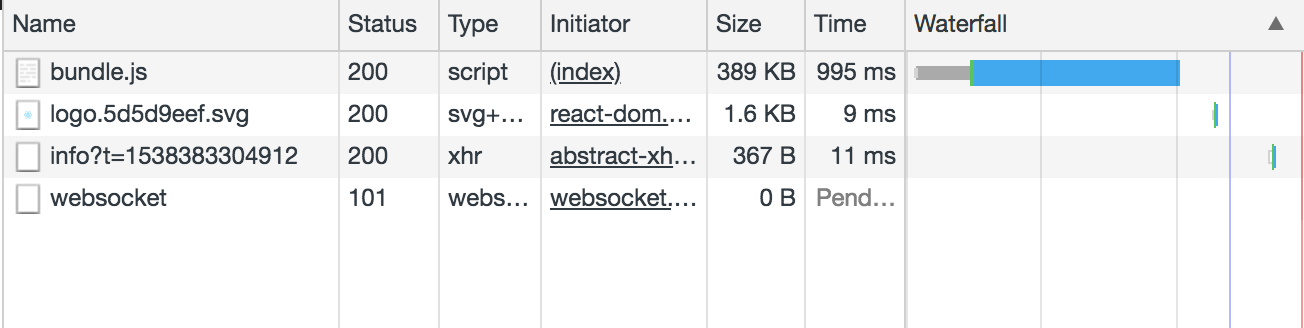
2. TodoList - On which our TodoList component will be loaded dynamically.
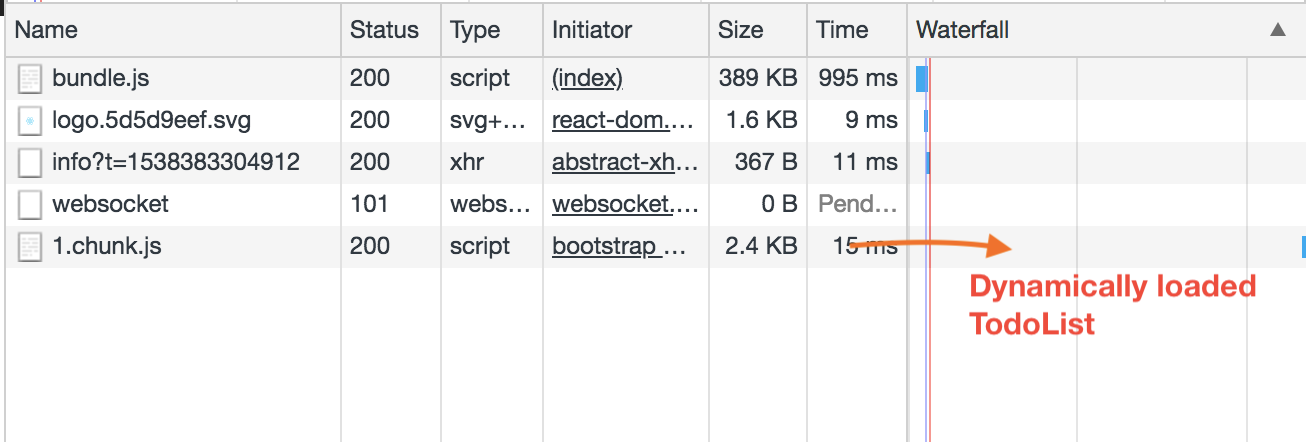
As we have seen with react-loadable, we can load our components when required and it will manage all the dynamic imports, exports and other configs. In case our bundle size becomes tremendously big then we can take advantage of code splitting and reduce our overall bundle size and greatly enhancing the User Experience.
Repository Link - https://github.com/vishalchandna1/react-example/tree/react-code-splitting