This post is part of our AI CKEditor Integration series. If you haven’t read the previous blog on setting up the AI CKEditor module, we suggest starting there to understand the basics.
The built-in features like translation, tone adjustment, and text completion offer a strong starting point. But the real strength of the module comes from creating custom plugins that match your specific content workflows.
In this blog, we’ll walk through how to build those plugins. You’ll learn how to define custom behaviour, connect it with the editor interface, and shape AI assistance around your editorial needs.
Why create custom AI CKEditor plugins?
While the AI CKEditor module ships with a variety of powerful tools such as translation, tone change, and summarisation, there are many scenarios where teams need functionality tailored to their content workflows. This is where custom plugins shine.
Here are a few reasons you might want to build a custom plugin:
Understanding the architecture
Custom AI CKEditor plugins work by:
Setting up Your development environment
Create a custom module or use an existing one. Your plugin file should be placed in:
Module structure
Basic plugin structure
Every custom AI CKEditor plugin should extend the AiCKEditorPluginBase class. To make your plugin discoverable by Drupal, decorate the class with the #[AiCKEditor(...)] attribute, which provides metadata such as id, label, and description. This is essential for your plugin to appear in the AI Tools list within CKEditor.:
Key methods to implement
Configuration methods
User Interface Methods
Processing methods
ajaxGenerate(): Handles the AI processing when users click "Generate".
Real-world example
Here is a plugin to improve the clarity of the selected text:
See your plugin in action
Once you've created your custom AI CKEditor plugin, enabling it follows the same process as the built-in plugins:
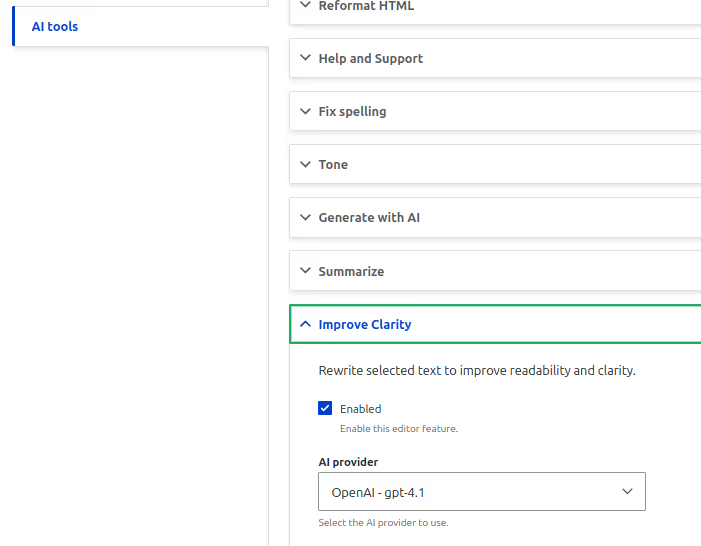
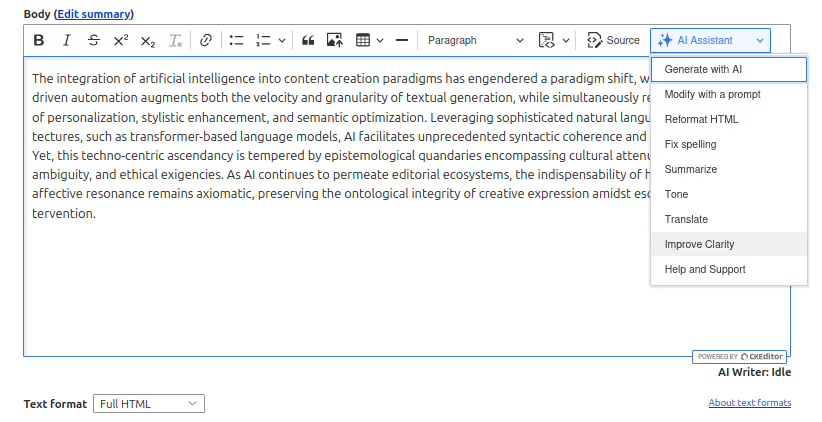
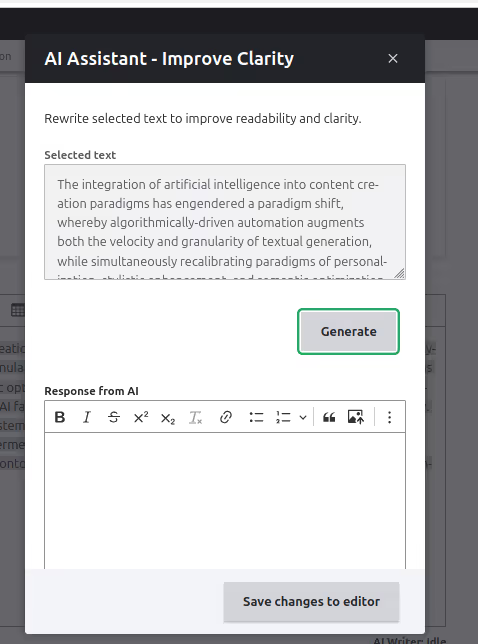
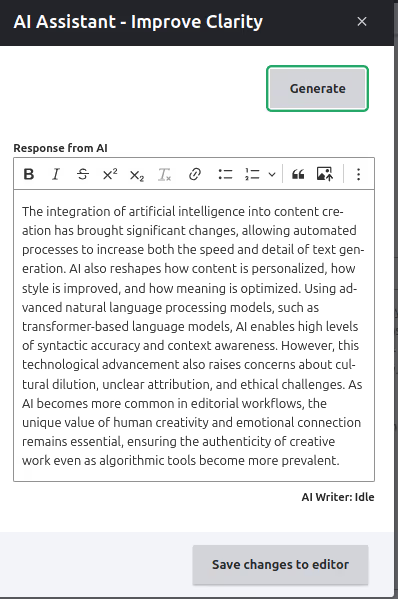
Conclusion
Creating custom AI CKEditor plugins gives you the flexibility to shape content workflows around real editorial needs.
Whether it’s refining tone, automating structure, or guiding writers with contextual prompts, each plugin can bring meaningful improvements to the way content is created and managed.
Start with a clear use case, build in small steps, and adjust based on real feedback.
Drupal’s plugin architecture, combined with the AI CKEditor module, provides a strong foundation for developing tools that feel native to your workflow and make everyday writing faster, more focused, and more consistent.