Automation is at the heart of modern web development, allowing websites to streamline operations, enhance user experience, and reduce manual intervention.
Drupal, being a powerful CMS, has long supported automation through modules like Rules in Drupal 7.
However, with Drupal 8+ transitioning to Symfony and modern object-oriented programming, the Rules module struggled to keep up. To fill this gap, the ECA (Event-Condition-Action) module was introduced as a no-code automation framework that offers a flexible, graphical, and user-friendly way to define workflows.
What is ECA?
ECA stands for Events - Conditions - Actions, and it follows a simple paradigm:
ECA allows site builders to configure complex workflows without writing a single line of code, making it a game-changer for automation in Drupal.
History of ECA
Before ECA, the Rules module was widely used in Drupal 7 to set up automated workflows. However, with the architectural changes in Drupal 8 and beyond, Rules struggled with compatibility and performance.
As a result, ECA was introduced as a modern, flexible alternative that integrates seamlessly with Drupal’s API and object-oriented architecture.
ECA modellers
ECA provides multiple workflow modellers, allowing users to design automation visually. The available modellers include:
1. BPMN.iO (recommended modeller)
A JavaScript-based BPMN (Business Process Model and Notation) modeller integrated directly into the Drupal admin UI. It offers an intuitive drag-and-drop interface for defining workflows.
2. Camunda modeller
A desktop-based modeller that allows users to create BPMN workflows externally and import them into Drupal. Useful for complex workflows requiring offline editing.
3. ECA classic modeller
A form-based workflow modeller that uses Drupal Core’s Form API. Best suited for developers who prefer configuration-driven workflow automation.
Simple ECA model in Drupal
The Event-Condition-Action (ECA) module in Drupal allows you to create automated workflows based on user actions. In this guide, we will walk through setting up a simple ECA model using the BPMN.iO modeller. This model will display a thank-you message whenever a new article is created.
Step 1: Access the ECA module
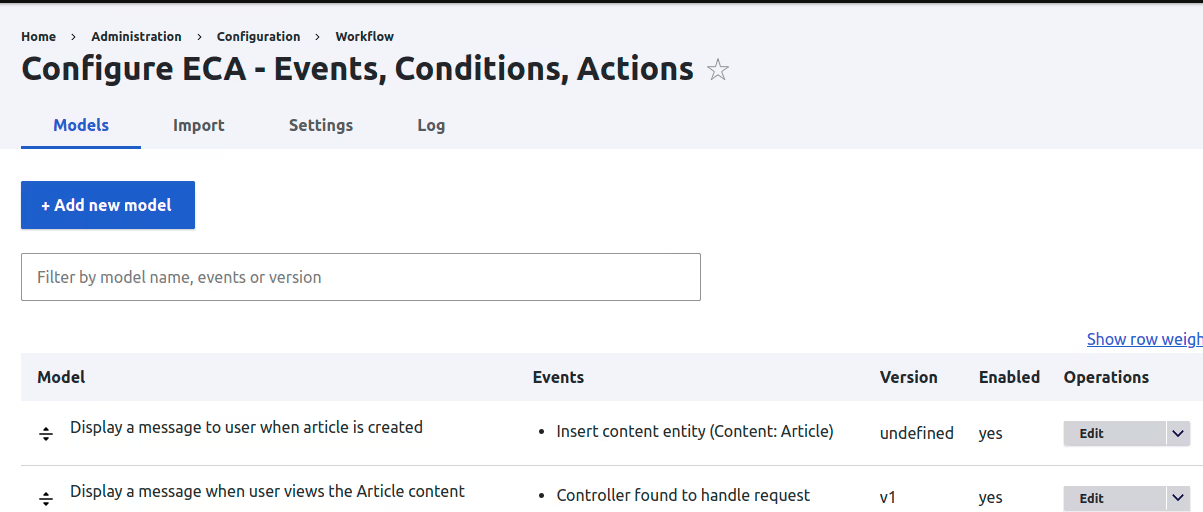
Step 2: Understanding the ECA interface
The main ECA interface consists of:
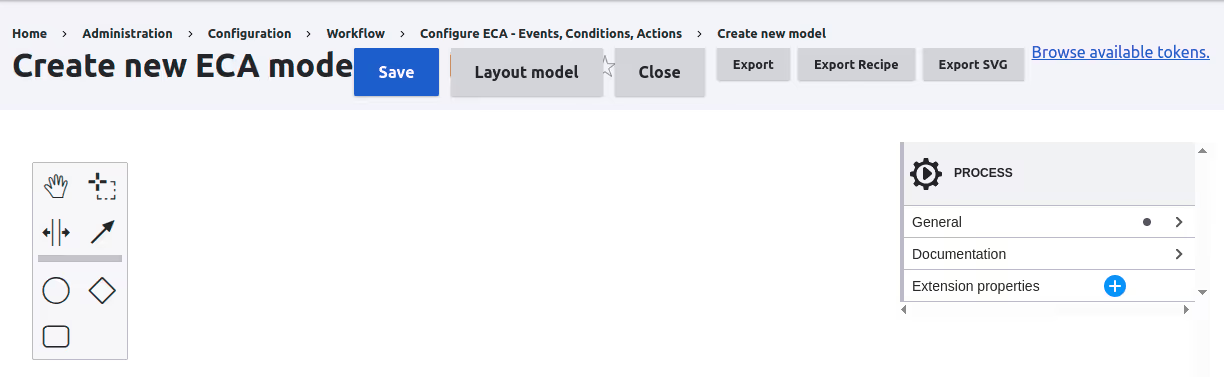
Step 3: Naming your model
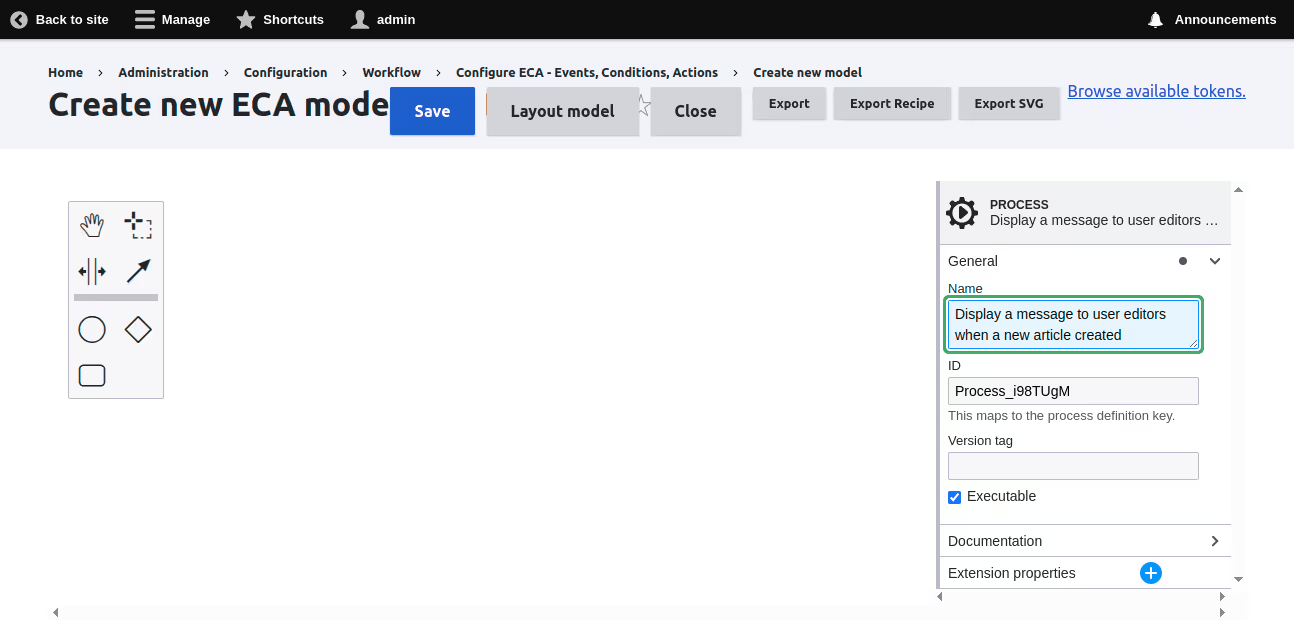
Step 4: Creating an event
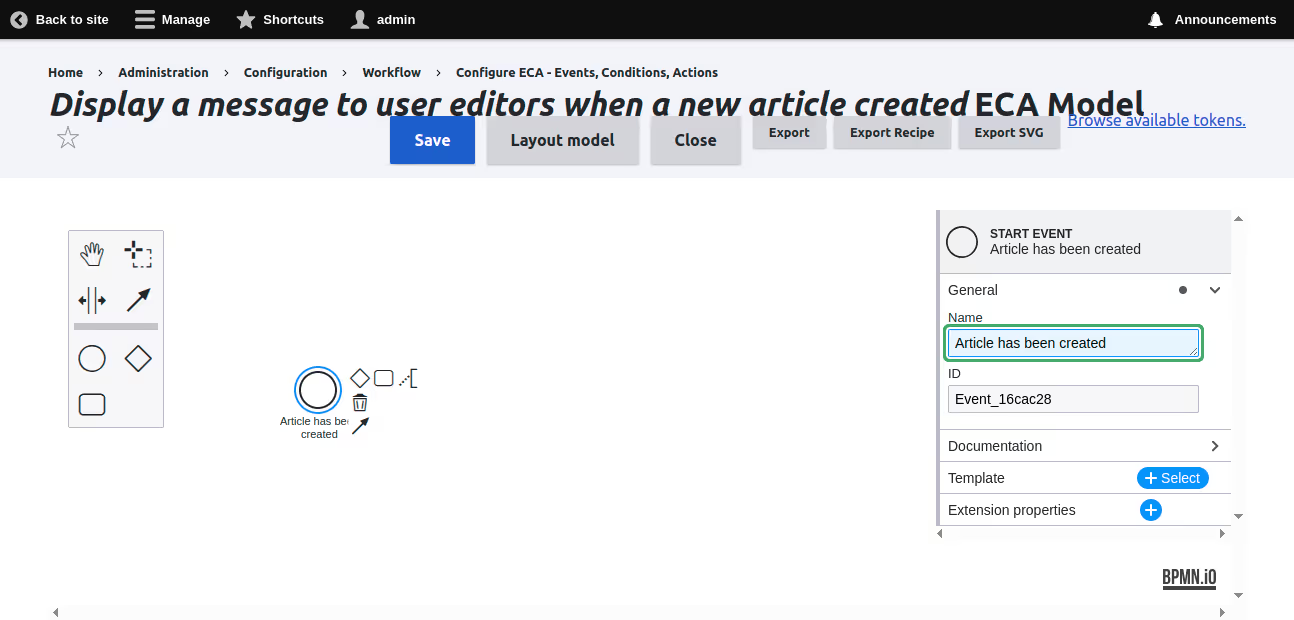
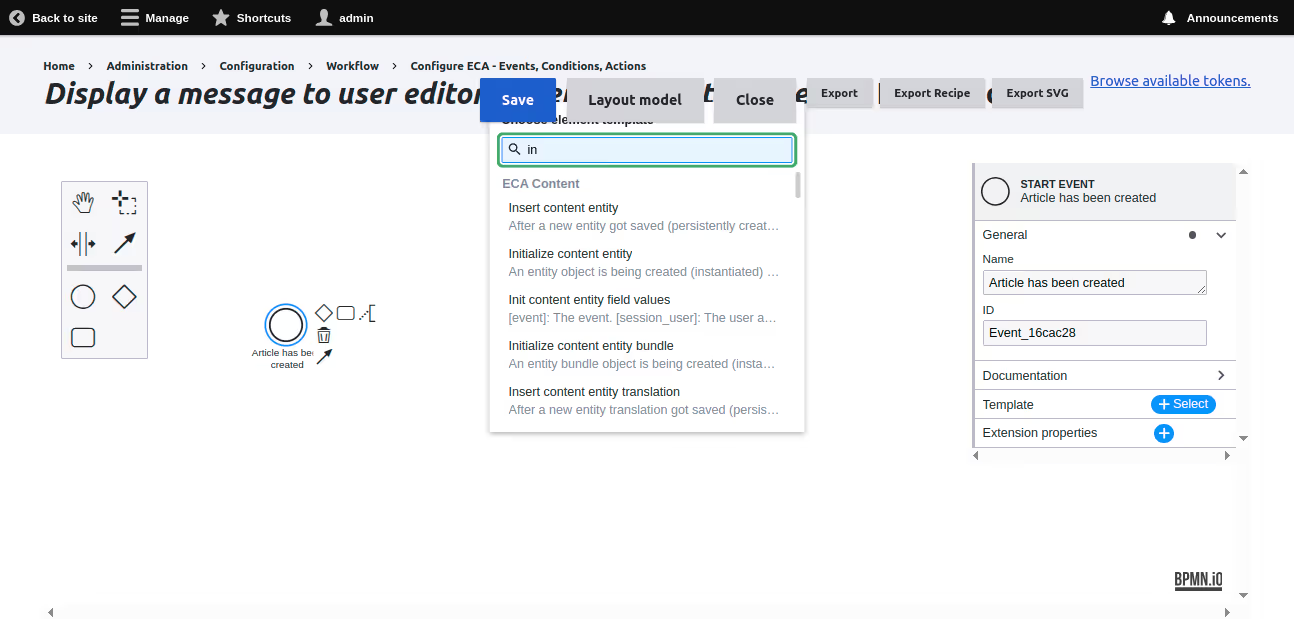
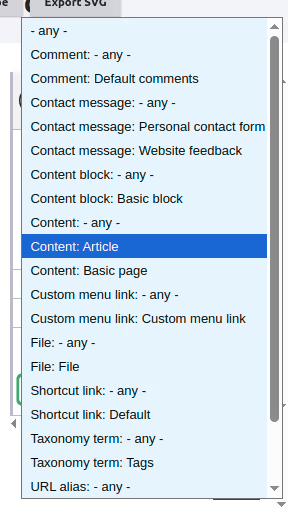
Step 5: Creating an action
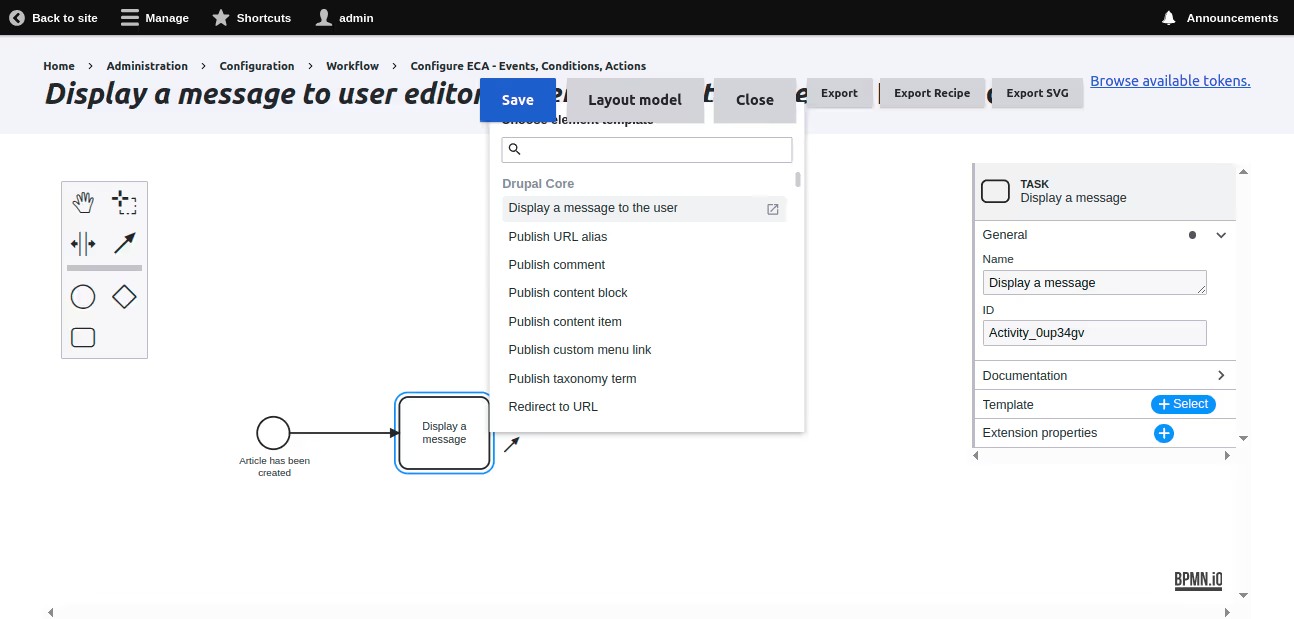
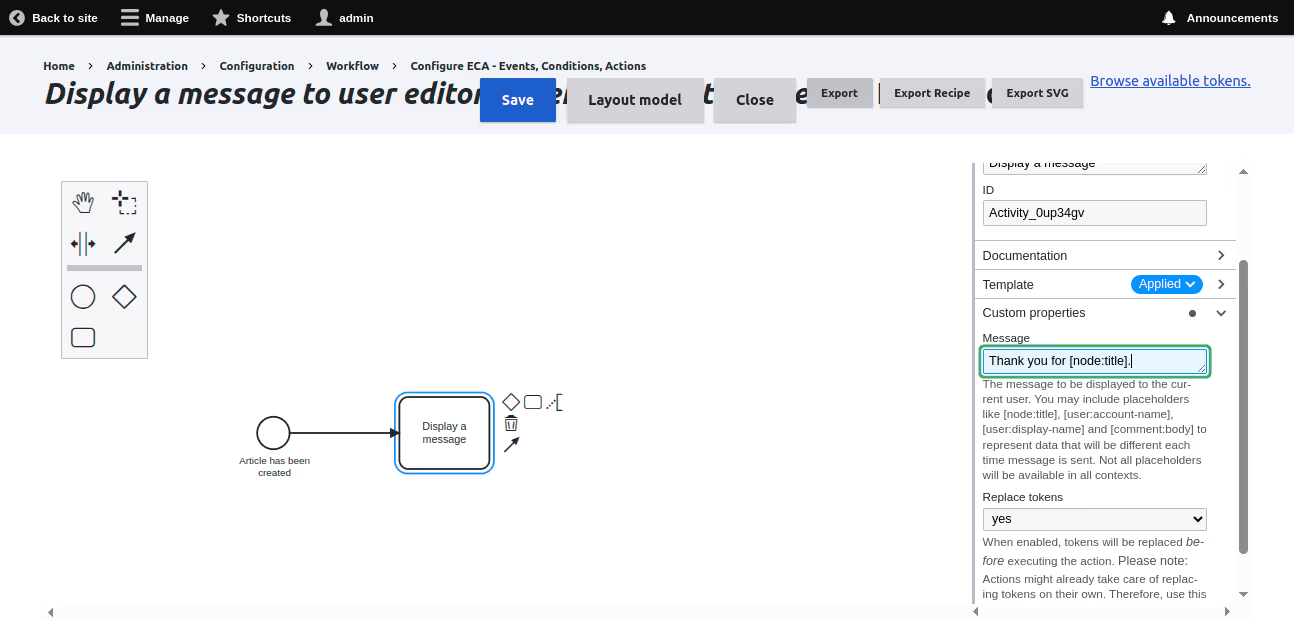
Step 6: Creating condition
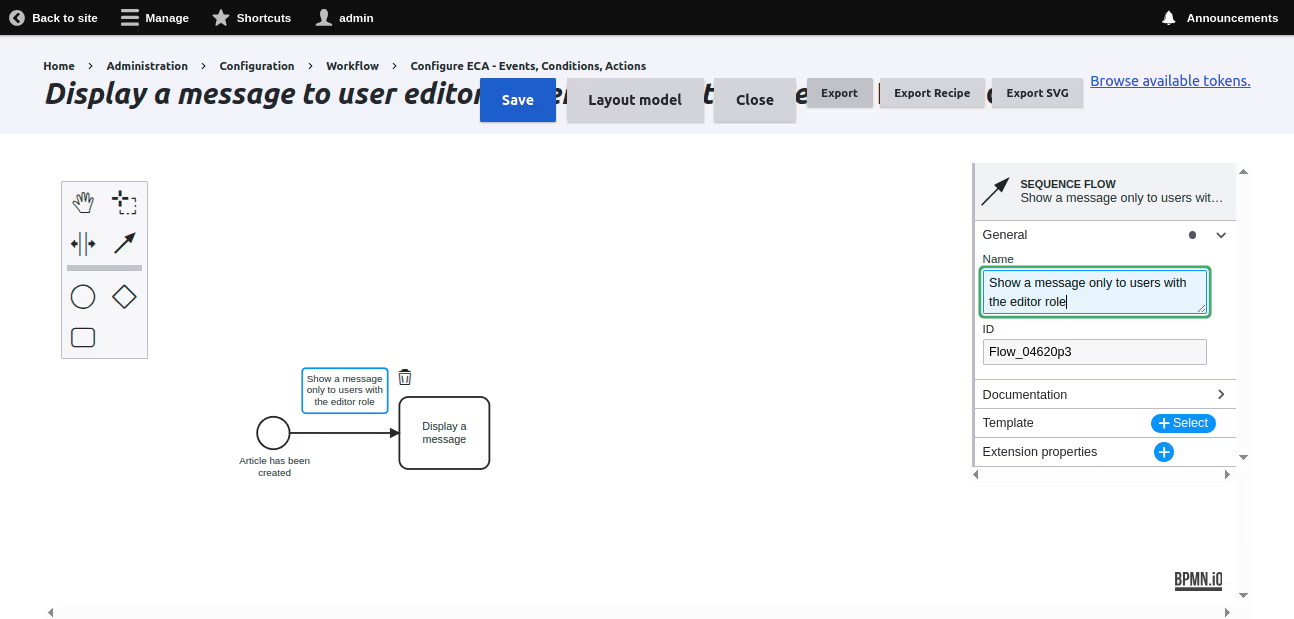
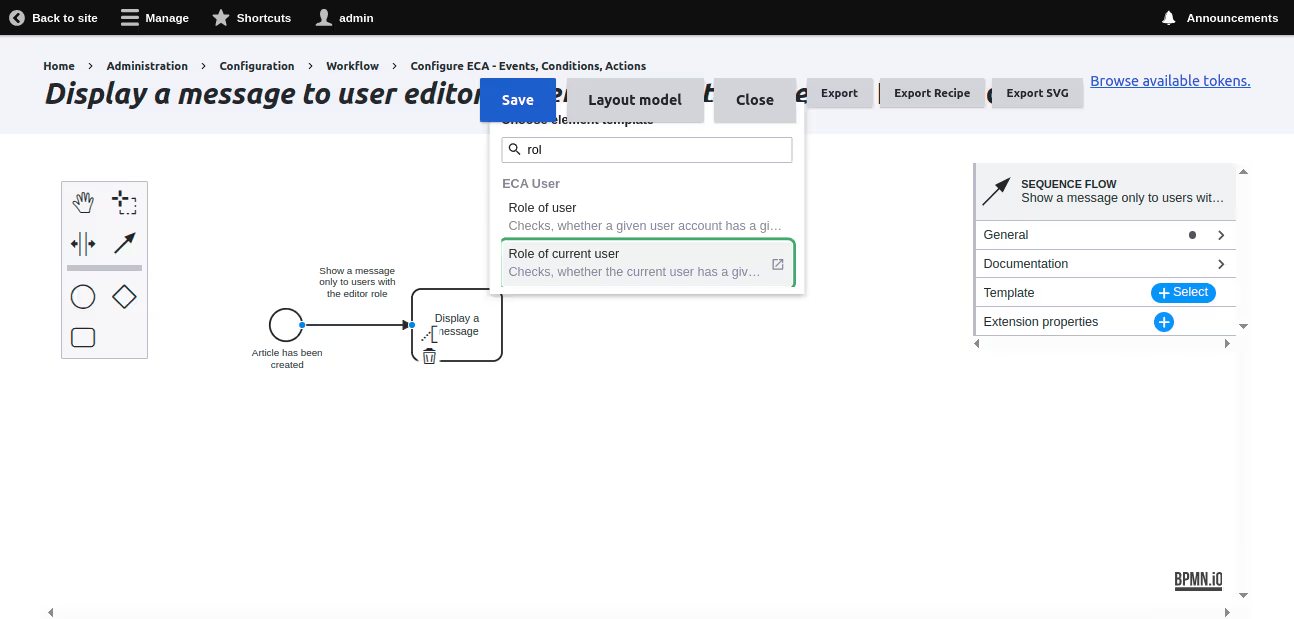
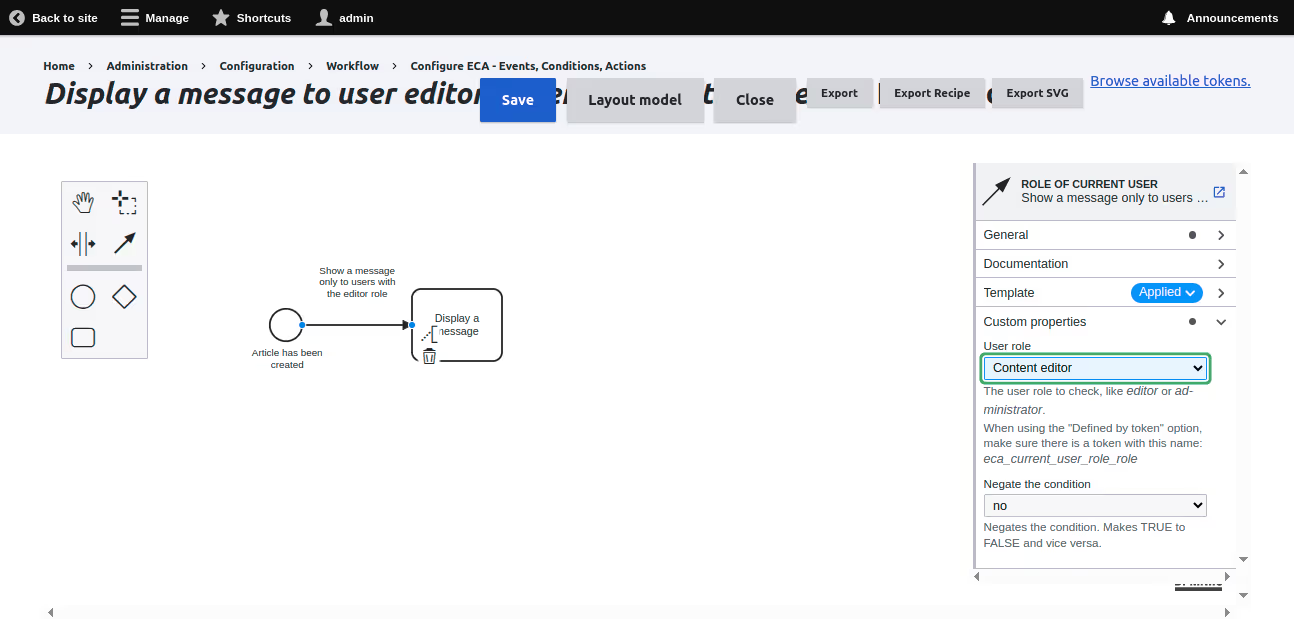
Step 7: Saving and testing
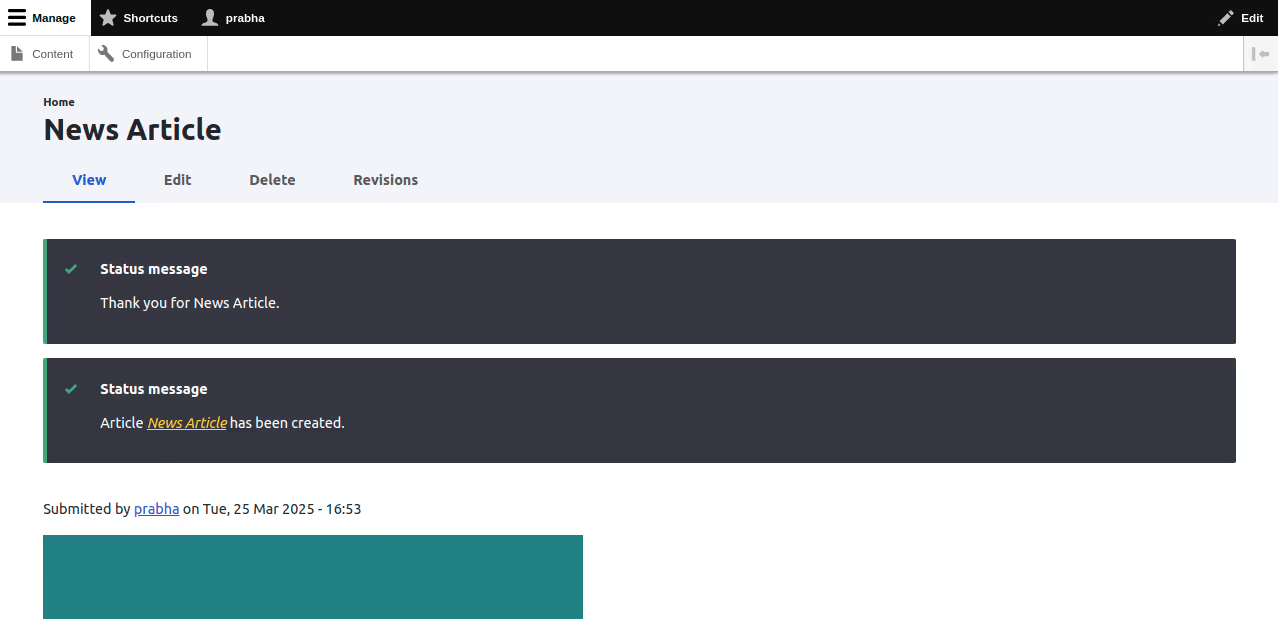
This simple ECA model demonstrates how you can automate workflows in Drupal using the ECA module. You can extend this model by adding more conditions or actions to customise its behaviour further.
Conclusion
Drupal’s Event-Condition-Action (ECA) module, combined with BPMN.io, is shifting from visual automation to AI-powered decision-making. Site builders can create no-code workflows that use models like GPT to generate summaries, improve metadata, and flag moderation issues automatically and in real time.
Used on over 8,000 sites, BPMN.io workflows are gaining traction in Europe with developers like LN Webworks and Code Enigma. They are applying AI-enhanced ECA for content strategy, personalisation, and quality assurance, especially in sectors with multilingual needs or lean teams.
This is not just a trend. Drupal is building modular, intelligent systems where AI becomes part of how websites operate. More on The Drop Times.
For more help, check out these resources: