Goal
Prerequisite
Let’s Get started
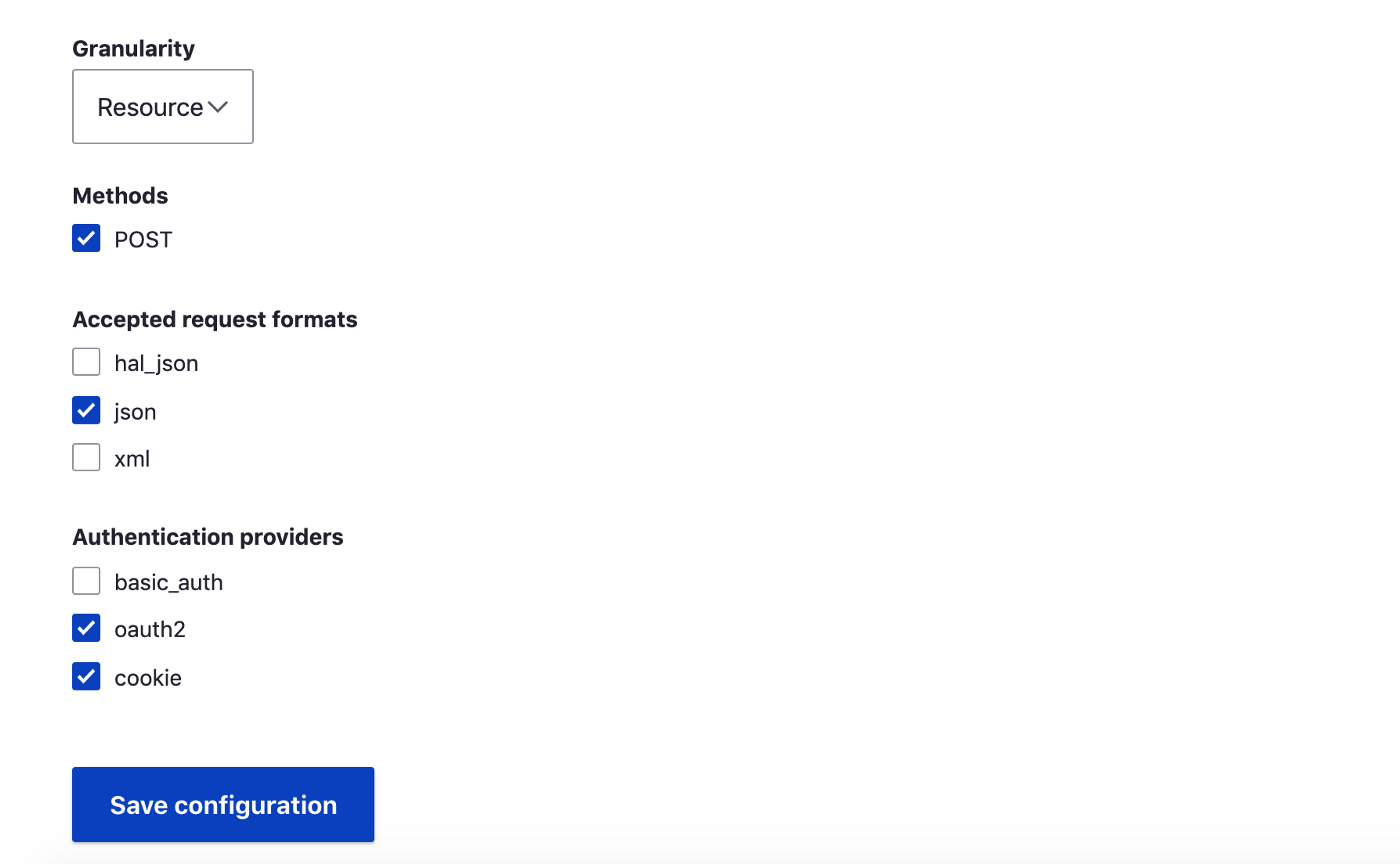
We are done from the Drupal end here. Let’s move to the Gatsby end now.
On Gatsby End
1. Register
The first thing we will do is add user registration functionality.
Create your UserRegistration form and pass all the valid arguments to the registerUser function. Now submit your form to see your user registered on the Drupal end under the People tab. In case you get any permission issues, check under config/people/accounts to see if visitors are allowed to register.
Now that our user is registered. Our next step is to log in.
2. Login
Our log-in functionality is based on the React Context API. So it is necessary you know how the Context API works.
Visit this link and copy four of the below-mentioned files:
Place all four files in a single directory named drupal-OAuth. Next, wrap your base component with DrupalOAuthConsumer to initialize the context provider. Your base component will look something like this:
Now to create your sign-in or login form take a look at the below code:
export default withDrupalOauthConsumer(SignIn);
When you submit the form Drupal will take care of generating the OAuth token and return it to you. To check this you can wrap your component with DrupalOAuthConsumer, and check via the props.userAuthenticated.
One thing to note here is that the above code does not take into account the user login on the Drupal end. So to be able to log in on the Drupal end add the drupalLogIn code to your drupalOauth.js file and call it inside the fetchOauthToken function. So that every time user tries to log in on the Gatsby end, the user session gets initiated on the Drupal end as well.
Remember we are only taking into account the login functionality here. If you are trying to implement the logout functionality as well, make the below piece of code work same as login.
Also, take into account that drupalOauth.js is a class service. So drupalLogin and drupalLogout functions should be an implementation of a class and need some modifications accordingly.
Authenticated Commerce Cart
Now that our user is logged in and registered, our next step is to post the data to our commerce cart.
If you go through the commerce cart API documentation. It explains how the commerce cart API module works. To post data to the cart as an authenticated user you must be logged in. Once you are logged in. We can POST, GET, and UPDATE our cart. Go through the below code. Which is fairly simple to understand. We are just taking the access token generated by simple OAuth from the Drupal end on login that we have already stored in our browser local storage and sending it as a bearer token as part of our request header to the Drupal end so it can recognize that the user is Authenticated.
This will allow you to post the cart data as an anonymous user when you are not logged in as well as authenticated user once you are logged in. (Add uuid-token-generator) to your packages to make it work.
To add a product to your cart you can simply import the CartService class into your component and use it as :
This is it. Cheers! We are done here. We have been able to successfully register the user, authenticate the user and post data to our commerce cart.
P.S - If you face any issues. Kindly mention in the comments.
We are building a decoupled E-commerce site with Gatsby and Drupal commerce. As you are well aware of the fact that in all web applications one of the most important features is user-authenticated browsing. I will not go into the details of why user-authenticated browsing is important as you will find plenty of blog posts on that.This blog post is aimed at users who may find themselves struggling as I did while trying to add the user authentication functionality to a Gatsby site. So let us get started.